

Alternatives to Sprite-AI
Sprite-AI turns your words into pixel sprites instantly with no drawing skills required.
Explore 20 alternatives to Sprite-AI. Compare features, pricing, and find the best fit for your needs.
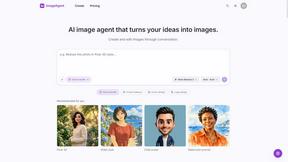
ImageAgent
Create and edit AI images through conversation, using text or reference images and refining results in chat.
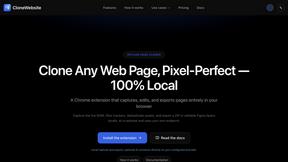
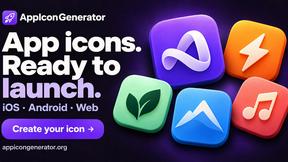
AppIconGenerator
Generate iOS and Android app icons from any image and export all platform sizes for free.
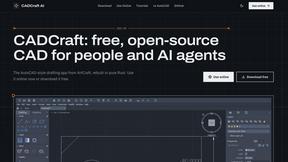
CADCraft
Free, open-source 2D CAD in Rust for precise drafting, layers, dimensions, plotting, and AI-agent automation.
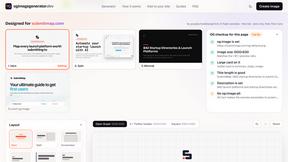
ogimagegenerator.dev
Paste a URL and AI designs on-brand Open Graph images from your page's colours, fonts and logo. Free, no sign-up.
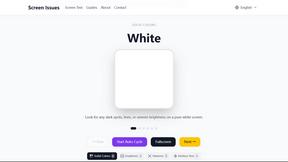
Screen Issues
Free Online Screen Test Tool - Instantly diagnose dead pixels, lines, color issues, and flickering. Multiple test modes, no download needed.
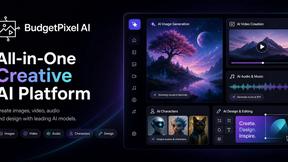
Budgetpixel AI
Create and edit AI images, videos, music, and designs in one workspace, with multiple models, reusable characters, and API access.
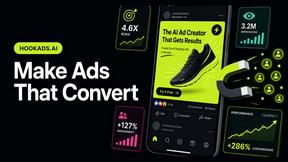
HookAds
Free ad creative hub: 1,750+ prompts behind viral AI ads, 118 hook frameworks, teardowns, swipe files and 27 free AI ad tools. Copy, remix, ship.
Try OC Maker
Create OCs from text or images, customize their look, and turn them into animated videos with AI.
PXDMD
AI image cleanup for SaaS and e-commerce teams: remove backgrounds, erase objects, swap backgrounds - pay per image.
ImageGenerator
Create and edit AI images online with multiple models, text-to-image, image-to-image, background removal, and upscaling.
Nano Banana 2.1
A fast, simple image studio powered by Nano Banana 2.1. Create and edit high-quality images with accurate details, readable text, consistent character

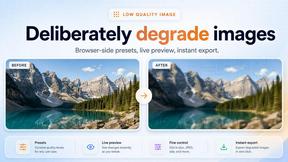
Low Quality Image Maker
Make images look low quality online for free. Compress, downscale, and pixelate photos right in your browser with no sign-up required.
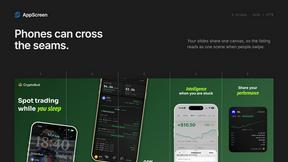
AppScreen
App Store screenshots, designed as one panorama. Lay out all your slides on one continuous canvas in your browser. Free to start, Pro is $9 once.
GPT Image 2 API
Generate and edit production-ready images with GPT Image 2 using prompts, reference images, clear text rendering, and a developer-friendly API.

Ideogram Studio
Create text-perfect logos, posters, ads, packaging, and ecommerce visuals with Ideogram 4 workflows, references, and API tools.
Presentation Intelligence
AI-native presentation and visual content platform that turns prompts, documents, images, videos, and data into polished, shareable decks.
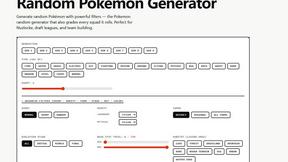
Random Pokemon Generator
Free Pokémon tools: random team generator, shiny odds calculator, Nuzlocke mode, name generator, mega & shiny generators.
About Sprite-AI Alternatives
Sprite-AI is a design tool that uses artificial intelligence to generate pixel art from simple text descriptions, placing it in the category of AI-assisted asset creation software. It is built specifically for indie game developers, hobbyists, and prototypers who need 2D sprites quickly without having to master traditional pixel art techniques. Users often look for alternatives due to token-based pricing models that can become expensive with heavy use, a desire for offline functionality not available in a web-based tool, or the need for specific features like animation support or vector export that Sprite-AI does not offer. When evaluating an alternative, it is essential to first identify your core workflow requirements. Consider whether you need a free tier for experimentation, a one-time purchase license, or a subscription that fits your budget. Look for tools that support the specific sprite sizes and roles you need, such as icons, characters, or boss art. Also, assess the quality of the built-in editor for fine-tuning pixels, the ease of exporting to your game engine, and whether the community or documentation is strong enough to help you learn the basics of pixel art generation.
FAQs about Sprite-AI Alternatives
What is Sprite-AI?
Sprite-AI is an AI-powered pixel art generator designed for indie game developers, hobbyists, and prototypers. It allows you to describe a sprite in plain English, and the application produces clean, game-ready pixel art images in standard sizes like 32x32, 64x64, or 128x128 pixels. The tool is categorized as a design tool that streamlines the creation of 2D assets for games.
Who is Sprite-AI for?
Sprite-AI is built for indie game developers, hobbyists, and prototypers who need to create 2D assets quickly without prior drawing skills. It is especially useful for anyone working on prototypes or full projects in engines like Unity, Godot, GameMaker, or Unreal. The tool also serves creators who want to generate icons, items, characters, or hero and boss art without spending hours on manual pixel art.
Is Sprite-AI free?
Sprite-AI operates on a token-based pricing model, meaning you only pay for the sprites you generate. The platform does not appear to offer a completely free tier for unlimited use, but it allows users to control costs by generating only what they need. For exact pricing details and any introductory credits, you would need to check the official Sprite-AI website.
What are the main features of Sprite-AI?
The main features include generating pixel art from plain English text prompts, with output sizes of 32x32, 64x64, or 128x128 pixels tailored for specific roles like icons, items, or characters. It also includes a built-in pixel editor with tools for painting, erasing, filling, and color-picking to fine-tune every pixel. Generated sprites can be exported as transparent PNG files that are compatible with major game engines, and the platform provides a community gallery and prompt guides for inspiration.