

Alternatives to Unifyca
Unifyca gives you one central place to manage, audit, and backup every agency WordPress site.
Explore 13 alternatives to Unifyca. Compare features, pricing, and find the best fit for your needs.
Built2WinWeb AI Tools
High-performance custom PHP websites, ecommerce stores, and AI discovery infrastructure that make your site readable by AI.
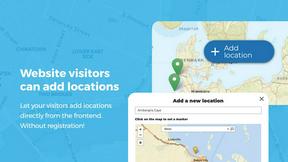
Open User Map
Open User Map lets you create an interactive WordPress map where visitors can add and edit locations with your approval.

Shadcn Examples
A collection of ready-to-use React and Tailwind UI components built with Shadcn to help you build web apps faster.
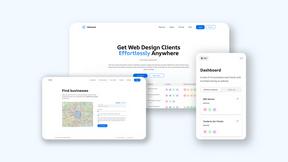
Webleadr
Webleadr helps you effortlessly find and contact web design leads, including businesses without websites, in just a few clicks from anywhere.


FilexHost
Effortlessly host and share any file with instant links, secure storage, and built-in viewers for a seamless experience.

Crawlkit
CrawlKit simplifies data extraction by turning any website into a structured API with a single request.

Best Boilerplates
Discover and compare top SaaS boilerplates to launch your app faster with the right features and tech stack.
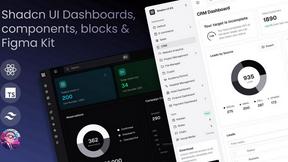
Shadcn UI Kit
Shadcn UI Kit provides ready-to-use admin dashboards and templates to accelerate your web development projects.

Clio Websites
Clio Websites builds custom websites that attract customers and grow your business.
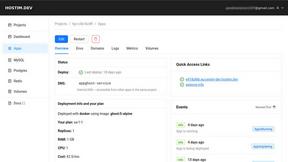
Hostim.dev
Hostim.dev simplifies Docker app deployment with built-in databases on reliable, GDPR-compliant EU infrastructure.

Stunning
Stunning is a user-friendly full-stack coding platform that effortlessly transforms your ideas into beautiful web.

About Unifyca Alternatives
Unifyca is a platform designed for agencies, freelancers, and IT professionals who need to manage multiple WordPress websites from a single dashboard. It falls into the category of website management and maintenance tools, helping users run audits, schedule backups, monitor uptime, and centralize client documentation without logging into each site individually. Many users begin looking for alternatives to Unifyca because of specific pricing structures, a need for more advanced reporting features, or a desire for different integrations that better match their existing workflow. Others may find that their agency has grown and requires a tool that scales differently in terms of team permissions or client management capabilities. When searching for an alternative to Unifyca, it is important to start with a clear understanding of your daily operational needs. Look for a platform that offers reliable automated backups and straightforward restoration processes, as these are foundational to any maintenance service. Consider whether the tool provides clear, white-label reporting options if you plan to present reports to clients under your own brand. Also, evaluate how the platform handles website documentation, such as storing credentials, hosting details, and SSL information, since having everything in one place saves significant time. Finally, always test the user interface for ease of use, because a tool that is difficult to navigate will slow down your team rather than speed up your work.
FAQs about Unifyca Alternatives
What is Unifyca?
Unifyca is a WordPress website management platform built specifically for agencies, freelancers, and IT professionals who maintain multiple client websites. It allows users to manage all connected sites from one centralized workspace instead of logging into dozens of separate WordPress dashboards. The platform combines website audits, maintenance fixes, backups, uptime monitoring, and white-label reporting into a single operational system.
Who is Unifyca for?
Unifyca is designed for agencies, freelancers, and IT professionals who handle multiple WordPress client websites. It is particularly useful for teams that need to reduce manual work, improve consistency across sites, and deliver professional maintenance services at scale. The platform also serves users who want a central place to store website documentation, including hosting accounts, domains, credentials, and brand assets.
What are the main features of Unifyca?
Unifyca offers a range of features including WordPress audits that detect outdated plugins, themes, and core versions, along with the ability to apply maintenance fixes directly. It provides manual and scheduled backups, uptime monitoring, and the generation of white-label maintenance reports. Additionally, the platform centralizes website documentation such as hosting details, FTP and SSH access, email settings, SSL certificates, credentials, and project notes.
Is Unifyca secure?
Unifyca is built with security in mind, as it handles sensitive client data including login credentials, hosting details, and SSL certificates. The platform uses centralized management to reduce the risk of using outdated or vulnerable software across client sites. Users should always review the platform's specific security protocols and data encryption practices, but the overall design aims to provide a secure environment for managing multiple WordPress installations.