

Alternatives to Subclip
Subclip is an AI video editor that helps you edit, caption, and dub videos with voice cloning in one platform.
Explore 11 alternatives to Subclip. Compare features, pricing, and find the best fit for your needs.
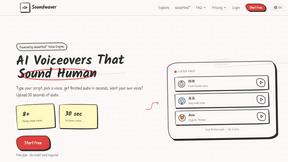

FacelessGenie
Create complete faceless videos with AI -- scripts, voices, visuals, music and captions in one workflow.
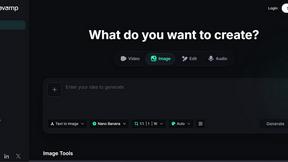
PicRevamp
PicRevamp is an all-in-one AI platform that helps you generate images, videos, and audio using powerful models like Flux and Gemini, with free daily.
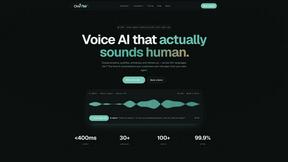
Oravaa
Oravaa uses human-like Voice AI to handle your calls, qualify leads, and automate support around the clock.
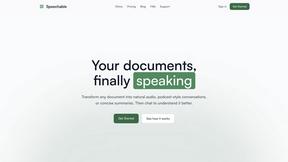
Speechable
Transform documents into engaging audio, podcasts, or lectures for active learning and deeper understanding on the go.
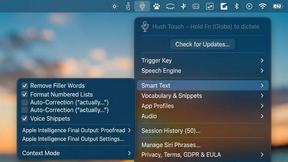
Hush Touch | Voice-to-Text for MacOS
Hush Touch transforms your voice into text on MacOS, learning your vocabulary and ensuring privacy with offline.
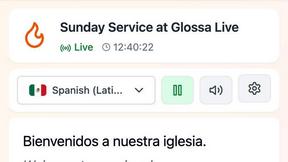
Glossa
Glossa provides real-time AI translation of sermons into over 100 languages, connecting your church to a global.
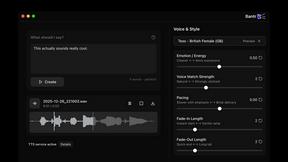
Bantr: Offline & Unlimited TTS for Mac
Bantr is an offline text-to-speech app for Mac that offers unlimited, private access to over 150 natural-sounding.

KaiCalls
KaiCalls is your 24/7 AI phone agent that answers calls and captures leads for your business.
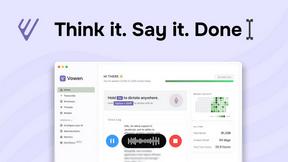
Vowen
Vowen transforms your spoken words into written text and actions across your favorite work apps.

Bargou One
Bargou One is an all-in-one AI suite for seamless creation, writing, translation, and voice interactions.
About Subclip Alternatives
Subclip is an AI-powered video editor designed for creators, marketers, and educators, and it belongs to the Speech & Voice category of software tools. Its core innovation lies in allowing users to edit video by manipulating a transcript, much like editing a document, while offering advanced features such as voice cloning, auto-subtitles, silence removal, and multi-language dubbing. Users commonly look for alternatives to Subclip for a few practical reasons. Some may find that the specific set of AI features does not perfectly match their workflow, such as needing more traditional timeline-based editing controls or requiring support for a specific file format that Subclip does not handle. Others might be evaluating the pricing structure, seeking a tool with a more generous free tier, a different subscription model, or a one-time purchase option. Additionally, platform compatibility, such as needing a native desktop application rather than a web-based tool, or concerns about data security and privacy policies, can drive users to explore other options. When choosing an alternative to Subclip, you should first clearly define your core editing needs. If voice cloning and AI dubbing are essential, prioritize tools that offer those specific capabilities with high-quality output. If your primary need is fast subtitle generation and silence removal, look for a tool that excels in those areas without unnecessary complexity. Consider the learning curve; Subclip is built for simplicity, so an alternative should not force you into a steep learning curve if speed is your goal. Finally, evaluate the pricing model carefully, comparing what you get for free versus what you pay for, and ensure the tool supports the platforms and file types you use most frequently. A back-to-basics approach means focusing on whether the tool solves your specific problem efficiently, not on how many flashy features it has.
FAQs about Subclip Alternatives
What is Subclip?
Subclip is an AI-powered video editor that allows you to edit videos by manipulating a transcript, similar to editing a text document. It uses artificial intelligence to automate tasks like voice cloning, auto-subtitle generation, silence removal, and multi-language dubbing. The tool is built for speed and simplicity, removing the complexity of traditional video editing software and streamlining the entire production workflow.
Who is Subclip for?
Subclip is designed for a wide range of users including YouTubers, podcasters, course creators, and content teams. It is also well-suited for marketers and educators who need to produce polished video content quickly without deep technical editing skills. The tool’s intuitive, AI-driven features make it accessible for both solo creators and collaborative teams looking to save hours of manual work.
Is Subclip free?
Subclip offers a freemium pricing model, which means it has a free tier that allows users to test its core features. For users who need more advanced capabilities or higher usage limits, Subclip provides affordable paid plans. This structure allows you to start using the tool at no cost and upgrade only when your production needs grow.
What are the main features of Subclip?
The main features of Subclip include voice cloning, which lets you re-record parts of your video using a cloned version of your own voice. It also offers auto-subtitles, silence removal, filler word removal, and multi-language dubbing that preserves background music. Additionally, the tool provides transcription and subtitle generation, all accessible through a transcript-based editing interface that feels like editing a document.