

Alternatives to Shrinkpad
Effortlessly batch compress images and videos on Mac, optimizing your assets and saving valuable time and space.
Explore 20 alternatives to Shrinkpad. Compare features, pricing, and find the best fit for your needs.
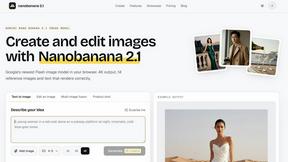
Nano Banana 2.1
A fast, simple image studio powered by Nano Banana 2.1. Create and edit high-quality images with accurate details, readable text, consistent character
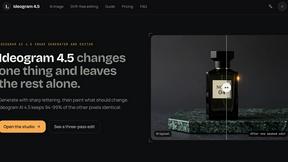
Ideogram AI 4.5
AI image generation and editing with precise typography, native 2K output, and localized edits.
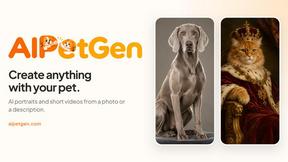
AIPetGen
AIPetGen turns a photo of your dog, cat, or other pet, or a written description, into a new picture or a short animation.


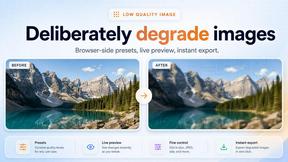
Low Quality Image Maker
Make images look low quality online for free. Compress, downscale, and pixelate photos right in your browser with no sign-up required.

FaceCoda
Free AI attractiveness test and face analysis with private, on-device photo processing.
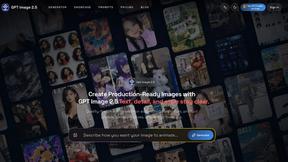
GPT Image 2 API
Generate and edit production-ready images with GPT Image 2 using prompts, reference images, clear text rendering, and a developer-friendly API.

Flux Lora
Explore Flux LoRA workflows in a browser-based AI Studio, with a roadmap for models, generation, and guided training.



Video2URL
Turn videos, images, and files into secure direct links for sharing, embedding, and automated workflows.

AI Image Editor
Free AI image editor that edits, retouches, and transforms photos with natural-language text prompts.

StopScroll
StopScroll is an AI thumbnail maker that generates YouTube thumbnail concepts from a URL, title, or prompt.


IsThisAIImage
Free online AI image and deepfake checker. Upload a photo for AI-generated and deepfake scores, a clear verdict, and optional generator hints.
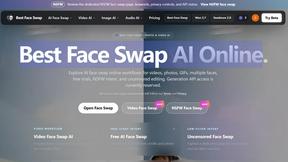
Best Face Swap
Best Face Swap lets you replace faces in photos and videos using simple AI workflows for any media type or intent.
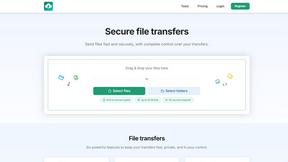
HypeShare
HypeShare is a secure file transfer platform that lets you send large files up to 10GB for free with end-to-end encryption and no signup required.

PicRevamp
PicRevamp is an all-in-one AI platform that helps you generate images, videos, and audio using powerful models like Flux and Gemini, with free daily.
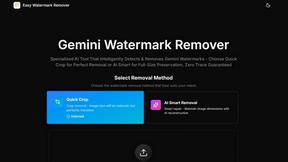
Easy Watermark Remover
Easily remove Gemini AI watermarks from images online with Quick Crop or AI Smart Removal, no signup or extensions needed.
About Shrinkpad Alternatives
Shrinkpad is a specialized batch compression tool designed for macOS users, focusing on optimizing images and videos. It allows users to compress large volumes of media files quickly while maintaining high visual quality. As the demand for efficient media management grows, many users often seek alternatives to Shrinkpad for various reasons, such as pricing, additional features, or compatibility with different operating systems. When exploring alternatives, it is essential to consider factors like ease of use, processing speed, and the range of supported file formats. Additionally, privacy and security features are crucial, especially for users dealing with sensitive content. Evaluating these aspects can help users find a suitable replacement that meets their specific needs.
FAQs about Shrinkpad Alternatives
What is Shrinkpad?
Shrinkpad is a batch compression tool for macOS that allows users to optimize images and videos quickly without sacrificing quality.
Who is Shrinkpad for?
Shrinkpad is designed for photographers, designers, and content creators who need to manage and compress large volumes of media files efficiently.
Is Shrinkpad free?
Shrinkpad is not a free application; it offers powerful features for batch compression that come with a price.
What are the main features of Shrinkpad?
The main features of Shrinkpad include batch compression, local processing for privacy, quality preservation, and support for over 50 file formats.