

Alternatives to MagicShot AI
MagicShot AI is the all-in-one creative studio where you generate images, videos, and voice clips in seconds with one subscription.
Explore 20 alternatives to MagicShot AI. Compare features, pricing, and find the best fit for your needs.
White Screen Checker
Check your screen display for dead pixels using White screen or black screen checkers.
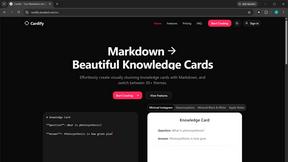
Cardify
Write Markdown on the left, get a finished knowledge card on the right: 30+ themes, custom sizes and fonts, and batch export to PNG, SVG or PDF.
Adobe Alternatives
Explore open-source creative software by workflow, platform and development stage, with comparisons and official project links.
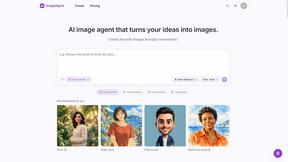
ImageAgent
Create and edit AI images through conversation, using text or reference images and refining results in chat.
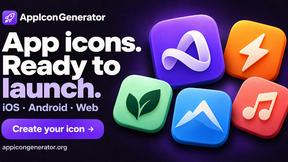
AppIconGenerator
Generate iOS and Android app icons from any image and export all platform sizes for free.
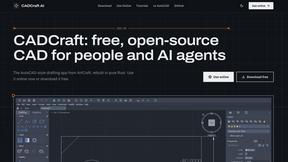
CADCraft
Free, open-source 2D CAD in Rust for precise drafting, layers, dimensions, plotting, and AI-agent automation.
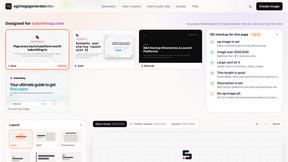
ogimagegenerator.dev
Paste a URL and AI designs on-brand Open Graph images from your page's colours, fonts and logo. Free, no sign-up.
Screen Issues
Free Online Screen Test Tool - Instantly diagnose dead pixels, lines, color issues, and flickering. Multiple test modes, no download needed.
Budgetpixel AI
Create and edit AI images, videos, music, and designs in one workspace, with multiple models, reusable characters, and API access.
HookAds
Free ad creative hub: 1,750+ prompts behind viral AI ads, 118 hook frameworks, teardowns, swipe files and 27 free AI ad tools. Copy, remix, ship.
Try OC Maker
Create OCs from text or images, customize their look, and turn them into animated videos with AI.
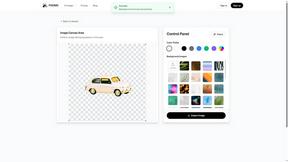
PXDMD
AI image cleanup for SaaS and e-commerce teams: remove backgrounds, erase objects, swap backgrounds - pay per image.
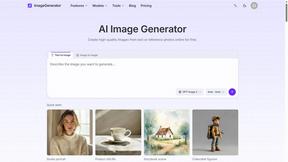
ImageGenerator
Create and edit AI images online with multiple models, text-to-image, image-to-image, background removal, and upscaling.
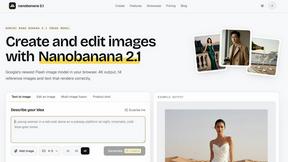
Nano Banana 2.1
A fast, simple image studio powered by Nano Banana 2.1. Create and edit high-quality images with accurate details, readable text, consistent character

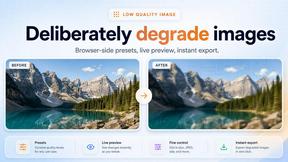
Low Quality Image Maker
Make images look low quality online for free. Compress, downscale, and pixelate photos right in your browser with no sign-up required.
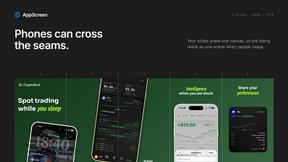
AppScreen
App Store screenshots, designed as one panorama. Lay out all your slides on one continuous canvas in your browser. Free to start, Pro is $9 once.
GPT Image 2 API
Generate and edit production-ready images with GPT Image 2 using prompts, reference images, clear text rendering, and a developer-friendly API.
Ideogram Studio
Create text-perfect logos, posters, ads, packaging, and ecommerce visuals with Ideogram 4 workflows, references, and API tools.
About MagicShot AI Alternatives
MagicShot AI is a comprehensive, all-in-one platform designed to help users create professional visual content. It falls squarely into the category of design tools, but with a specific focus on AI-driven photography, videography, and image generation. Rather than being a simple photo editor, it acts as a complete creative suite, offering over 80 tools that replace the need for separate software for headshots, stock photos, and video creation. Its core promise is to make high-end visual content accessible to everyone, regardless of their design experience. Users often look for alternatives for a few common reasons. Some may find that the platform’s vast array of features is more than they need, seeking a simpler, more focused tool for a single task like generating headshots. Others might be evaluating the subscription cost against their specific usage frequency, or they might need a tool that integrates more directly with a particular workflow, such as a specific social media scheduler. When choosing an alternative, it is essential to first identify your primary need: are you looking for a single-purpose tool for professional portraits, or a broader suite for content creation? You should also consider the quality of the output models, the ease of use of the interface, and whether the pricing model aligns with how often you plan to create content.
FAQs about MagicShot AI Alternatives
What is MagicShot AI?
MagicShot AI is a complete AI-powered platform for creating visual content, including photos, videos, and audio. It combines over 84 different tools into one subscription, allowing users to generate professional headshots, lifestyle images, marketing videos, and more from a single upload. The platform is designed to replace the need for separate photographers, stock photo libraries, video editors, and design software. It is trusted by over 400,000 users worldwide for its ease of use and high-quality results.
Who is MagicShot AI for?
MagicShot AI is built for a wide range of users, including job seekers, couples, social media creators, and small business owners. Job seekers use it to create polished, professional headshots for LinkedIn, while couples can generate wedding and pre-wedding portraits without the high cost of a traditional photographer. Social media creators can produce weeks of content, including avatars and Reels-ready videos, from a single upload, and small businesses can build a complete visual identity without hiring an expensive agency.
Is MagicShot AI free?
Based on the provided information, MagicShot AI operates on a subscription model that replaces the cost of multiple separate services like a photographer, stock photo library, and video editing software. There is no indication of a permanent free tier, though platforms like this often offer a trial or limited free credits to test the service. The value proposition is that one subscription provides professional-grade tools that would otherwise require multiple expensive bills. Users should check the official website for the most current pricing and any available trial options.
What are the main features of MagicShot AI?
MagicShot AI offers over 84 tools spanning AI photoshoots, text-to-image generation, AI video creation, photo enhancement, and audio production. Key features include curated, one-click workflows for professional headshots and lifestyle portraits, as well as tools for creating social media content like avatars and Reels-ready videos. The platform integrates the latest AI models to ensure high-quality, up-to-date outputs and focuses on ease of use, requiring no prompting expertise from the user. It is a comprehensive suite designed to handle nearly any visual idea from start to finish.