

Alternatives to Picture Enhancer
Picture Enhancer uses AI to deblur, upscale, and restore your photos for free right in your browser without any software install.
Explore 20 alternatives to Picture Enhancer. Compare features, pricing, and find the best fit for your needs.
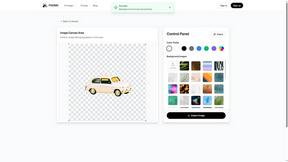
PXDMD
AI image cleanup for SaaS and e-commerce teams: remove backgrounds, erase objects, swap backgrounds - pay per image.
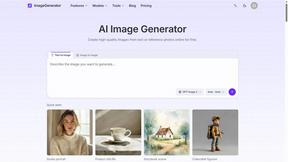
ImageGenerator
Create and edit AI images online with multiple models, text-to-image, image-to-image, background removal, and upscaling.
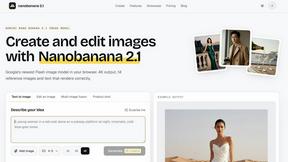
Nano Banana 2.1
A fast, simple image studio powered by Nano Banana 2.1. Create and edit high-quality images with accurate details, readable text, consistent character
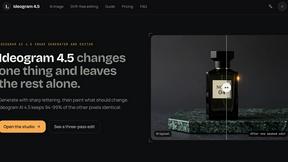
Ideogram AI 4.5
AI image generation and editing with precise typography, native 2K output, and localized edits.
AIPetGen
AIPetGen turns a photo of your dog, cat, or other pet, or a written description, into a new picture or a short animation.

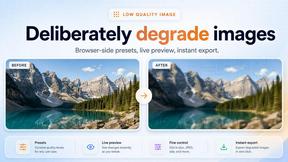
Low Quality Image Maker
Make images look low quality online for free. Compress, downscale, and pixelate photos right in your browser with no sign-up required.

Genjutsu AI
Genjutsu AI turns ideas into cinematic videos, product ads, social shorts, and quality images in minutes. Built for TikTok, Reels, Shorts.

ImageGPT
ImageGPT is an all-in-one AI creative platform for generating, editing and transforming images and videos using AI.

AI Album Cover Maker
Create release-ready album covers from a prompt or photo. Generate, refine, and export art for singles, EPs, mixtapes, and playlists.
GPT Image 2 API
Generate and edit production-ready images with GPT Image 2 using prompts, reference images, clear text rendering, and a developer-friendly API.

Flux Lora
Explore Flux LoRA workflows in a browser-based AI Studio, with a roadmap for models, generation, and guided training.


Ideogram Studio
Create text-perfect logos, posters, ads, packaging, and ecommerce visuals with Ideogram 4 workflows, references, and API tools.

Vynzo
AI image and video studio. Generate from a prompt, animate stills, swap faces, restyle clips and edit — one credit pool, no subscription.

Tikdek
An AI video and AI image platform for creating visual content in the browser and scaling production with stable APIs.

Vismuse
Create polished AI images and videos from prompts or references for social posts, ads, flyers, album covers, and campaigns.

AppGrowthKit
The Growth Toolkit for App Store & Google Play. Create the store assets that make your app feel ready to ship.

Trushot AI
TruShot creates ultra-realistic AI dating photos from just 4 selfies. Generate natural-looking, verification-friendly profile pictures for Tinder, Hin
About Picture Enhancer Alternatives
Picture Enhancer is a free, browser-based AI tool designed to improve the quality of digital images by reducing blur, increasing resolution, and restoring old or damaged photos. It belongs to the broader category of AI image generation and enhancement tools, which focus on using machine learning to automate complex editing tasks that were once manual. Users often look for alternatives to Picture Enhancer due to varying needs around pricing models, such as wanting completely unlimited free use without a credit system, or requiring more advanced features like batch processing without a paid plan. Others may need specific platform support, like mobile apps or desktop software that works offline, or they might seek different processing speeds or higher resolution outputs for professional printing. When choosing an alternative to Picture Enhancer, the first step is to assess your primary use case, whether it is deblurring action shots, upscaling product photos for e-commerce, or restoring old family portraits. Look for tools that clearly state their processing limits, such as maximum image size, file type support, and whether the results are watermark-free. Consider the payment structure carefully, as some alternatives may charge per image, require a monthly subscription, or offer a one-time purchase. Also evaluate the quality of the AI model by testing a sample image that represents your typical workload, as results can vary significantly between different services. Finally, check for privacy policies regarding uploaded images, especially if you are working with sensitive or personal photos.
FAQs about Picture Enhancer Alternatives
What is Picture Enhancer?
Picture Enhancer is a free online AI photo enhancer that allows users to deblur, upscale, and restore images directly in their web browser without needing to install any software. It uses artificial intelligence to analyze and improve the quality of JPG, PNG, and WebP photos. Users can choose from different processing modes and intensity levels, preview the results, and download a watermark-free final image only when the enhancement succeeds.
Who is Picture Enhancer for?
Picture Enhancer is designed for creators, sellers, and everyday users who need sharper images quickly and easily. It is ideal for social media posts, e-commerce product listings, screenshots, and family photos. The tool is accessible to anyone with a web browser, making it suitable for both beginners and experienced users who want to improve image quality without learning complex editing software.
Is Picture Enhancer free?
Yes, Picture Enhancer is free to use with a generous trial offer. Guests receive three free lifetime tries per IP address with no signup required. After the initial tries, users can sign in to use credits, and new accounts receive starter credits. Credits are charged only when a job succeeds, with costs ranging from 2 credits for Standard processing to 6 credits for Super processing. Paid plans are available for users who need more credits or batch enhancement.
What are the main features of Picture Enhancer?
Picture Enhancer offers three main processing modes: Deblur to reduce blurriness, Upscale to increase image resolution, and Restore to repair old or damaged photos. Users can choose from three intensity levels: Standard, Strong, or Super. The tool provides a before-and-after preview and delivers a watermark-free download. Paid users unlock Super tier access and the ability to batch enhance up to 10 images at once, with monthly plans granting fresh credits each cycle and permanent packs that never expire.