
Picture Enhancer
Picture Enhancer uses AI to deblur, upscale, and restore your photos for free right in your browser without any software install.
Visit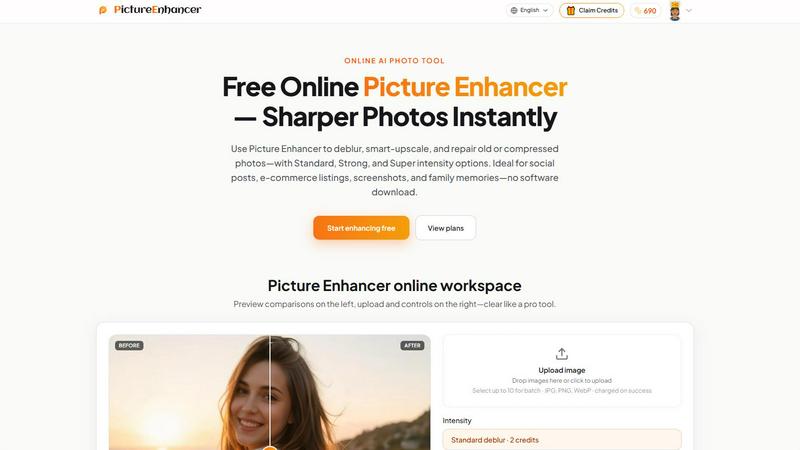
About Picture Enhancer
Picture Enhancer is a free online AI photo enhancement tool designed for creators, sellers, and everyday users who need sharper, cleaner images quickly and without complicated software. At its core, this tool takes blurry, low-resolution, or damaged photos and improves them using artificial intelligence. You simply upload a JPG, PNG, or WebP photo, choose one of three enhancement modes, and let the AI do the work. The three main modes are Deblur, which rebuilds edges and texture from camera shake or soft focus; Upscale, which enlarges images by 2x or 4x while adding detail; and Restore, which reduces scratches, fade, and compression artifacts from old or damaged photos. Each mode offers three intensity levels: Standard, Strong, and Super. This allows you to match the tool's power to the specific needs of your image. The value proposition is straightforward: you get professional-grade results without needing design skills, expensive software, or a subscription to start. Guests receive three free lifetime tries per IP address with no signup required. After signing in, you use credits that are charged only when an enhancement succeeds. This pay-for-success model means you never waste credits on failed attempts. The tool is ideal for social media posts, e-commerce product listings, screenshots, and preserving family photo memories. Everything happens in your browser with private processing, and downloads are watermark-free. Picture Enhancer strips away complexity and focuses on the fundamental task of making your photos look their best.
Features of Picture Enhancer
AI Deblur Mode
The AI Deblur mode is built to fix photos that look soft or unclear due to camera shake, mild motion blur, or missed focus. It works by intelligently rebuilding edges and restoring fine texture details that make an image look crisp. You can choose from Standard, Strong, or Super deblur intensity. Standard deblur handles light softness, while Strong and Super deblur tackle more significant blur issues, making faces, text, and product details readable again. This mode is especially useful for quick snapshots taken on phones or photos shot in low light.
Smart Upscale Mode
Smart Upscale lets you enlarge your photos by 2x or 4x without the usual pixelation or loss of quality. Instead of simply stretching the image, the AI analyzes the existing content and adds new, realistic detail to match the larger size. This is essential for turning small files into usable assets for social media cover images, product hero shots, or even basic print previews. The upscale works best when you start from a reasonably clear original, and you can pair it with the Deblur mode for an even better final result.
Old Photo and Damage Restore Mode
The Restore mode is designed to breathe new life into old, damaged, or heavily compressed photos. It reduces common issues like scratches, dust spots, fading, and the blocky artifacts caused by heavy JPEG compression. Strong and Super restore intensities are available for handling more severe damage, such as those found on scanned family prints from decades ago. This mode helps preserve memories by making old photos look cleaner and more vibrant, ready to be shared digitally or reprinted.
Intensity Tiers and Credit System
Each enhancement mode comes with three intensity tiers: Standard, Strong, and Super. This tiered system gives you control over how much processing power to apply. Standard uses 2 credits, Strong uses 4 credits, and Super uses 6 credits. Credits are only charged when the enhancement succeeds, so you never pay for failures. New accounts receive starter credits upon sign-in. For heavier use, monthly subscription plans grant credits each billing cycle, while permanent credit packs never expire. Super tiers and batch processing (up to 10 images at once) are reserved for paid users.
Use Cases of Picture Enhancer
Portraits and Everyday Photos
For anyone who takes photos of people, Picture Enhancer helps reduce mild blur so faces, eyes, and clothing details look cleaner and more defined. This is valuable for social media feeds, personal portfolios, or simply improving everyday snapshots taken with a phone. The Deblur mode with Standard or Strong intensity is usually enough to turn a soft photo into one that feels sharp and professional, making your memories look their best without needing a second shoot.
E-commerce and Product Shots
Online sellers and small business owners can use Picture Enhancer to improve product photos for listings on marketplaces or their own websites. The Upscale mode is particularly useful for enlarging small product images so they look good on hero banners or zoom-in views. The Deblur mode also helps tame the noise and softness that often comes from compressed images, ensuring that product details, textures, and text on packaging are clear and appealing to potential buyers.
Screenshots and UI Captures
If you create tutorials, write documentation, or post in support forums, Picture Enhancer can sharpen the text and interface elements in your screenshots. The Deblur mode, especially at Standard or Strong intensity, cleans up the edges of text and icons that often look jagged or soft when captured. This makes your guides and support materials more professional and easier for readers to follow, as every button label and menu item becomes crisp and legible.
Old Photo Memories and Family Archives
Preserving family history is a core use case for Picture Enhancer. The Restore mode is built to repair the scratches, fading, and dust that accumulate on scanned prints over the years. Strong or Super restore intensity can handle heavier damage, making old photos look much closer to their original state. This allows you to share restored images with family members, print them for albums, or upload them to digital archives without the visible wear and tear of time.
Frequently Asked Questions
What is Picture Enhancer?
Picture Enhancer is a free online AI tool that improves the quality of your photos. It can deblur images, upscale them to a larger size without losing detail, and restore old or damaged photos by reducing scratches, fade, and compression artifacts. It works entirely in your browser, requires no software download, and provides watermark-free results. Guests can try it three times for free without signing up.
Can I try Picture Enhancer without signing in?
Yes. Guests receive three free lifetime tries per IP address with no signup required. You can upload a photo, choose a mode and intensity, preview the result, and download it. After using your three guest tries, you will need to sign in to continue using the service. Signing in is free and new accounts receive starter credits to begin enhancing.
How does billing work after sign-in?
After signing in, you enhance photos using credits. Credits are only charged when an enhancement succeeds. The cost per enhancement depends on the intensity tier you choose: Standard uses 2 credits, Strong uses 4 credits, and Super uses 6 credits. You can purchase monthly subscription plans that grant credits each billing cycle, or buy permanent credit packs that never expire. Paid users also unlock Super intensity tiers and the ability to batch enhance up to 10 images at once.
Which modes does Picture Enhancer support?
Picture Enhancer supports three main enhancement modes: Deblur, Upscale, and Restore. Deblur rebuilds edges and texture to fix camera shake, soft focus, and mild motion blur. Upscale enlarges your photo by 2x or 4x while adding realistic detail. Restore reduces scratches, fade, and compression artifacts, especially on old or damaged photos. Each mode offers Standard, Strong, and Super intensity levels.
Will downloads include a watermark?
No. All successful enhancement results are downloaded without a watermark. You get the full, clean image file. This applies to both guest users and signed-in users. The only requirement is that the enhancement job must succeed for you to download the result.
Are my photos safe?
Yes. Picture Enhancer processes your photos privately. The service uses your uploaded image only to complete your specific enhancement request. Your photos are not stored, shared, or used for any other purpose. The processing happens securely, and you can delete your history from your account at any time.
What is the difference between subscription and permanent credit packs?
A monthly subscription grants you a set number of credits each billing cycle (monthly). If you do not use all your credits in a month, they may expire depending on the plan terms. Permanent credit packs are a one-time purchase. The credits you buy never expire and stay in your account until you use them. Both options unlock Super tiers and batch enhancement. The best choice depends on whether you need credits regularly or only occasionally.
Where do I check balance and history?
After signing in, you can view your credit balance and enhancement history in the My Assets section of your account. This area shows how many credits you have remaining, your past enhancement jobs, and allows you to revisit and download previous successful results.
Explore more in this category:
Similar to Picture Enhancer

A fast, simple image studio powered by Nano Banana 2.1. Create and edit high-quality images with accurate details, readable text, consistent character

AI image generation and editing with precise typography, native 2K output, and localized edits.

AIPetGen turns a photo of your dog, cat, or other pet, or a written description, into a new picture or a short animation.

Remove unwanted people, objects, text and watermarks from photos with AI

Make images look low quality online for free. Compress, downscale, and pixelate photos right in your browser with no sign-up required.

Genjutsu AI turns ideas into cinematic videos, product ads, social shorts, and quality images in minutes. Built for TikTok, Reels, Shorts.

ImageGPT is an all-in-one AI creative platform for generating, editing and transforming images and videos using AI.

Create release-ready album covers from a prompt or photo. Generate, refine, and export art for singles, EPs, mixtapes, and playlists.