
Favicon Generator
Create and download website favicons in various formats and sizes quickly and easily with no sign-up required.
Visit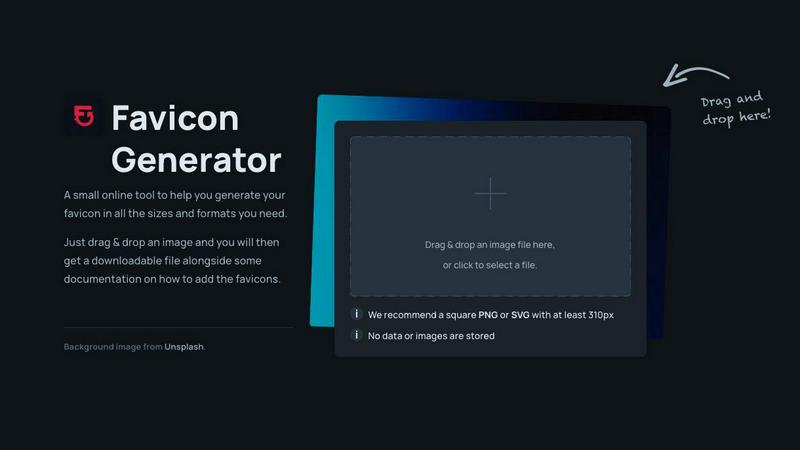
About Favicon Generator
Favicon Generator is a user-friendly online tool that empowers individuals and businesses to create custom favicons for their websites effortlessly. Favicons are those small yet significant icons that appear in browser tabs, bookmarks, and other user interface elements. They serve as visual identifiers for your brand, enhancing recognition and contributing to an improved user experience. This tool is specifically designed for web developers, designers, and anyone looking to elevate their website's aesthetic appeal without requiring complex software or technical skills. With a simple drag-and-drop interface, users can upload their logos or images and generate favicons in various sizes and formats in a matter of seconds. Supporting multiple file types such as ICO, PNG, and SVG, along with PWA requirements, Favicon Generator ensures that your website maintains a professional look across all devices. Whether for personal projects or professional endeavors, this tool is an invaluable resource for anyone wanting to make a memorable impression online.
Features of Favicon Generator
User-Friendly Interface
Favicon Generator offers a straightforward drag-and-drop functionality, allowing users to easily upload their images or logos. This intuitive feature simplifies the favicon creation process, making it accessible for everyone, regardless of their technical background.
Multiple Format Support
The tool supports several popular file formats including ICO, PNG, and SVG, ensuring that users can create favicons that meet their specific needs. This versatility allows for seamless integration into various web environments and ensures compatibility across different browsers and devices.
Instant Favicon Generation
One of the standout features of Favicon Generator is its ability to produce favicons in mere seconds. This instant generation capability means users can quickly obtain the necessary files without waiting, making it ideal for time-sensitive projects.
PWA Compatibility
Favicon Generator includes support for Progressive Web App (PWA) requirements, allowing users to create favicons suited for modern web applications. This ensures that your web app looks polished and professional, enhancing user engagement and retention.
Use Cases of Favicon Generator
Website Development
Web developers can utilize Favicon Generator to quickly create favicons for their projects, ensuring that all sites they build have cohesive branding. This is essential for establishing a professional presence online.
Branding for Small Businesses
Small business owners can enhance their brand identity by creating custom favicons that reflect their logo and style. This helps in building brand recognition among customers, especially in crowded online spaces.
Personal Blog Enhancement
Blogger and content creators can use Favicon Generator to add a personal touch to their blogs. A unique favicon can make their site stand out and create a more memorable experience for their readers.
Quick Design Solutions for Agencies
Design agencies can rely on Favicon Generator to provide quick and efficient favicon solutions for multiple client projects. This streamlines the design process and allows for more time to focus on other creative aspects.
Frequently Asked Questions
What image formats can I upload for favicon creation?
You can upload several image formats, including PNG and SVG, which are recommended for generating high-quality favicons. The tool is designed to handle various file types to meet your needs.
Is there a size requirement for the images I upload?
While the tool can accept various sizes, we recommend using a square PNG or SVG image with a minimum size of 310 pixels. This ensures optimal quality for the generated favicons.
Does Favicon Generator store my uploaded images?
No, Favicon Generator does not store any data or images you upload. Your privacy is important, and all files are processed without retaining any of your information.
Is the Favicon Generator really free to use?
Yes, Favicon Generator is completely free to use, requiring no sign-up or subscription. You can generate your favicons without any hidden fees or charges.
Similar to Favicon Generator

Create text-perfect logos, posters, ads, packaging, and ecommerce visuals with Ideogram 4 workflows, references, and API tools.

AI-native presentation and visual content platform that turns prompts, documents, images, videos, and data into polished, shareable decks.

Free Pokémon tools: random team generator, shiny odds calculator, Nuzlocke mode, name generator, mega & shiny generators.

Create a custom text logo, wordmark logo, or typography logo with editable fonts, colors, icons, shapes, and flexible export formats.


The Growth Toolkit for App Store & Google Play. Create the store assets that make your app feel ready to ship.

