
AI Audio Translator
AI Audio Translator seamlessly transcribes, translates, and dubs spoken content for real-time, interactive communication.
Visit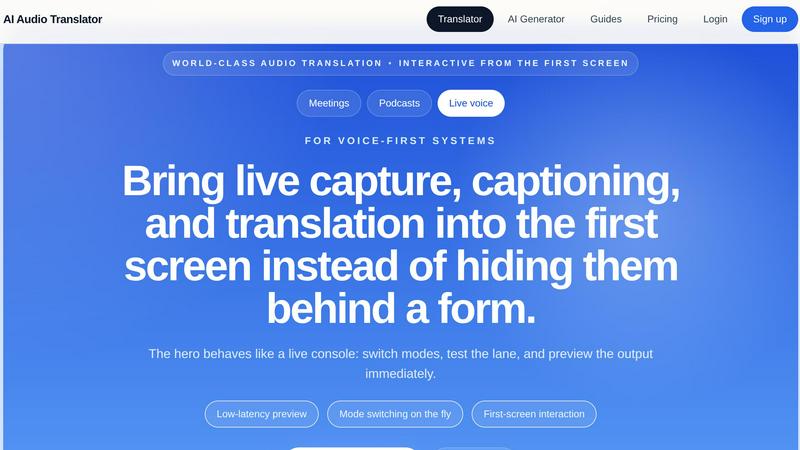
About AI Audio Translator
AI Audio Translator is a sophisticated browser-based tool designed to streamline spoken-content workflows. This innovative platform empowers users to effortlessly upload audio, paste public audio URLs, or record directly in the browser. The tool then generates a comprehensive transcript, translated text, and optional dubbed audio within a single, focused workflow. AI Audio Translator is particularly beneficial for podcasters, educators, and localization teams who require accurate translations of spoken content. By allowing users to review transcripts and translations before generating dubbed audio, the tool ensures a high-quality output. This meticulous approach to translation helps users maintain clarity and context, making it ideal for various applications, including podcasts, interviews, lessons, and demos. With AI Audio Translator, the complexities of audio translation are simplified, enabling users to produce professional-grade content efficiently.
Features of AI Audio Translator
Interactive Workflow
The AI Audio Translator offers a unique interactive workflow that allows users to switch modes and preview output in real-time. This live console approach ensures that users can test various functionalities without navigating away from the main interface, making the translation process more intuitive and user-friendly.
Multi-Language Support
Supporting a wide array of languages, including English, Chinese, Japanese, and many more, AI Audio Translator accommodates diverse user needs. This multi-language capability allows users to transcribe and translate content seamlessly, ensuring that spoken material can reach a broader audience without language barriers.
Transcript-First Review
The platform prioritizes a transcript-first review process, enabling users to inspect the transcript and translated text before generating dubbed audio. This feature enhances quality control, allowing for necessary edits and adjustments to be made, ensuring the final output meets the user's standards.
Flexible Input Options
AI Audio Translator supports multiple input methods, including uploaded audio files, public audio URLs, and browser recordings. This flexibility allows users to choose the most convenient method for their needs, simplifying the process of getting audio content into the translation pipeline.
Use Cases of AI Audio Translator
Podcast Translation
Podcasters can utilize AI Audio Translator to convert their episodes into translated transcripts and dubbed audio clips. This capability not only broadens their audience reach but also enhances accessibility for non-native speakers.
Educational Content Localization
Educators can leverage the tool to translate lessons and lectures into various languages, ensuring that students from diverse backgrounds can access the material. This is particularly useful for online courses and international educational programs.
Interview Transcription and Translation
For journalists and content creators, the AI Audio Translator can transcribe interviews and translate them into different languages. This feature helps in creating accessible content for international audiences and improves engagement.
Corporate Training and Demos
Businesses can use the tool to translate training materials and demo videos, providing multilingual resources for employees and clients. This ensures that all stakeholders receive the same quality of information regardless of language proficiency.
Frequently Asked Questions
How does AI Audio Translator work?
AI Audio Translator operates by allowing users to upload audio or record directly in the browser. The tool then transcribes the audio, translates the text, and can generate dubbed audio, all within a single workflow.
What types of audio files are supported?
The platform supports a variety of audio formats, including MP3, WAV, M4A, AAC, and OGG, with a maximum file size of 100MB. This ensures users can work with their preferred audio recordings without compatibility issues.
Can I edit the transcript before translation?
Yes, AI Audio Translator allows users to review and edit the transcript before proceeding with the translation. This feature ensures that the final output is accurate and meets the user's expectations.
Is there a limit on the length of audio that can be processed?
While there is no explicit limit on the length of audio for processing, users should consider the maximum file size of 100MB to ensure efficient uploads and processing times. Longer audio files may take additional time to transcribe and translate.
Explore more in this category:
Similar to AI Audio Translator


VideoAny lets you create videos, images, and audio from text or photos using AI in one simple platform.

InstaSong turns your text prompts into original royalty-free songs with vocals and instruments in under a minute.

MusicAny converts your text prompts into original songs, background music, and video-ready audio using one free online workflow.

Create studio-quality, royalty-free music in just 60 seconds by turning your text ideas into songs with our easy-to-use AI Music Generator.

The Audio Stuff offers honest, independent reviews of audiophile gear to help you build a superior hi-fi sound system without hype.

Lyria 3 Pro is a free AI music generator that creates longer, structured custom tracks for videos and creator projects.