
VideoAny
VideoAny lets you create videos, images, and audio from text or photos using AI in one simple platform.
VisitPublished on:
July 23, 2026
Pricing:
About VideoAny
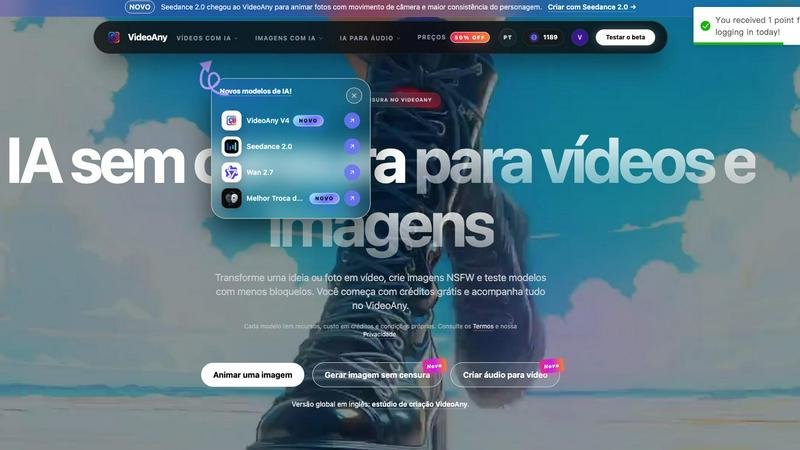
VideoAny is an AI creative platform available in Brazilian Portuguese that lets you produce videos, images, and audio from text prompts or visual references. It is designed for creators who want more freedom and fewer restrictions when generating content. The platform brings together multiple AI models in one online studio, allowing you to compare options, choose formats, and manage all your results from a single account. New users can start with promotional credits to test the service before purchasing additional credit packages. The core value proposition is simple: you get an uncensored AI environment for video, image, and audio creation. This means you can explore a wider range of ideas, including NSFW content, without the usual blockers found in other tools. VideoAny supports workflows like text-to-video, image-to-video, video-to-video, face swap, lip sync, and creative effects. The image workspace lets you generate and edit pictures from prompts, while the audio tools help you create voice, music, and sound effects to complement your projects. Whether you are a beginner making your first AI video or an experienced creator looking for more control, VideoAny provides the foundational tools you need to turn ideas into finished files. The platform also includes newer models like Seedance 2.0 for animating photos with camera movement and character consistency, and Wan 2.7 for transforming images into videos with fluid motion and prompt direction. All of this works together in one place, making it easier to learn, experiment, and produce without jumping between different services.
Features of VideoAny
Uncensored Video Generation
VideoAny allows you to generate videos from text or images with fewer restrictions than most AI platforms. You can describe a scene from scratch or upload a photo to control character appearance, framing, and style before generating movement. This feature is especially useful for creators who want to explore adult or NSFW content without censorship. Each model has its own cost in credits, duration limits, and settings, so you can choose the best option for your specific idea. The platform also supports video-to-video workflows, letting you transform existing clips into new styles or scenes.
Image Creation and Editing
The image workspace in VideoAny lets you create NSFW images from text prompts or by transforming a reference picture. You can describe the scene, choose the format, and generate new images that serve as the base for video projects. This feature works hand-in-hand with the video tools, so you can prepare an image in the same studio and then animate it. The platform includes models like GPT Image 2 for generating images from text, giving you multiple ways to start your creative process. All generated images are saved in your account history for later access and reuse.
Audio Tools for Video
VideoAny includes audio creation features that let you generate voice, music, and sound effects without leaving the production flow. You can create the missing soundtrack for your video, add a voiceover, or layer in effects to enhance the final result. This integration means you do not need separate software for audio, saving time and keeping your project organized. The audio tools are designed to complement the video and image workflows, so you can build a complete piece of content from start to finish in one account.
Multi-Model Comparison and Settings
The platform lets you compare available AI models side by side before committing to a generation. You can test the same prompt or image across different models to see how each one handles movement, camera angles, rhythm, and style. Each model has its own credit cost, generation time, and output quality, so you can make informed choices based on your needs. You can also adjust settings like format, duration, and resolution to fine-tune your results. All your generations are stored in a history log, making it easy to revisit and download previous work.
Use Cases of VideoAny
Creating NSFW Videos from Text or Image
If you want to generate adult content without censorship, VideoAny provides a straightforward workflow. You can start with a text prompt to describe a new scene or upload an image to keep character details consistent. This is ideal for creators who need to produce explicit material for artistic, educational, or personal projects. The platform shows the credit cost before you generate, so you can manage your budget while experimenting with different models.
Animating Still Photos into Moving Videos
With models like Seedance 2.0 and Wan 2.7, you can take a single photo and turn it into a short video with camera movement and character consistency. This use case is perfect for bringing old family photos to life, creating dynamic social media content, or adding motion to product images. You control the prompt direction and movement style, so the final video matches your vision. The process is simple: upload your image, choose a model, and let the AI generate the animation.
Generating Soundtracks and Voiceovers for Videos
VideoAny’s audio tools let you create the audio layer for your projects without switching to another app. You can generate background music, sound effects, or a synthetic voice to narrate your video. This is useful for content creators who need to produce explainer videos, advertisements, or short films quickly. The audio generation works alongside the video and image tools, so you can preview and adjust everything in one studio.
Comparing AI Models for Best Results
When you are unsure which AI model works best for your idea, VideoAny lets you test the same prompt or image across multiple options. You can compare factors like motion quality, adherence to the prompt, generation speed, and credit consumption. This is valuable for creators who want to optimize their output for specific styles or budgets. The ability to see side-by-side results helps you learn which models suit different types of content, from realistic scenes to abstract animations.
Frequently Asked Questions
What is an uncensored AI, and how does VideoAny use it?
An uncensored AI is a system that accepts a wider variety of ideas and applies fewer restrictions to content creation. In VideoAny, this means you can generate videos, images, and audio for topics that other platforms might block, including NSFW and adult material. The platform provides dedicated workflows for these types of content, and you can choose from multiple models that have different levels of freedom. You should always check the Terms and Privacy policy for each model, as they have their own rules and credit costs.
Can I try VideoAny for free before buying credits?
Yes. When you create a new account, you receive promotional credits that let you test the service without paying upfront. Before each generation, VideoAny shows you the credit cost for the selected model, settings, and duration. This allows you to experiment with different ideas and see how the platform works before committing to a credit package. If you run out of free credits, you can purchase additional packages to continue creating.
How do I choose the best model for my video or image?
The best way to choose a model is to run short tests using the same image and a similar prompt. Compare the results based on how well the model maintains fidelity to your reference, the naturalness of movement, how closely it follows your prompt, the generation time, and the credit cost. VideoAny makes this easy by letting you switch between models and see your history. Over time, you will learn which models work best for different styles, such as realistic, animated, or abstract content.
Where are my generated videos and images stored?
All files you create are saved in your account history within the VideoAny studio. You can open the history to view previous versions, check the results, and download the final file after processing is complete. This makes it simple to revisit old projects, share files, or use them as references for new creations. The history is tied to your account, so you can access it from any device when you log in.
Similar to VideoAny

AI image cleanup for SaaS and e-commerce teams: remove backgrounds, erase objects, swap backgrounds - pay per image.


Create and edit AI images online with multiple models, text-to-image, image-to-image, background removal, and upscaling.

Turn two photos into a Raindance AI pier video with the soundtrack included.

Edit a video clip with reference images while keeping the original motion.

Make the Alors on Danse AI meme video from two photos, soundtrack included.

Make the viral Rumpelstiltskin tiptoe dance meme video from two photos.

Turn a prompt into a 1080p motion-graphics MP4 planned and coded by Claude Opus 5.5.