

Alternatives to TinyFast
TinyFast compresses images, videos, and PDFs locally on your Mac for quick and secure file management.
Explore 20 alternatives to TinyFast. Compare features, pricing, and find the best fit for your needs.

Nano Banana 2.1
A fast, simple image studio powered by Nano Banana 2.1. Create and edit high-quality images with accurate details, readable text, consistent character

Ideogram AI 4.5
AI image generation and editing with precise typography, native 2K output, and localized edits.

Panzoe
Panzoe is an all-in-one AI platform for personal productivity, business automation, AI assistants, content creation, and custom AI solutions.

AIPetGen
AIPetGen turns a photo of your dog, cat, or other pet, or a written description, into a new picture or a short animation.



Low Quality Image Maker
Make images look low quality online for free. Compress, downscale, and pixelate photos right in your browser with no sign-up required.

MD to Text Converter
Free online Markdown to text converter. Strip formatting, copy readable plain text instantly, and keep every conversion private in your browser.

AI Email Filter
AI Email Filter sorts incoming mail into folders using plain-language prompts you write. Works with any IMAP mailbox; bring your own LLM if you want.

Egmatic
No-code 2D game editor: visual node logic, drag-and-drop scenes, live preview. Exports to Windows, macOS, Linux, Android, iOS, Web.

Product Launch Checklist
A free launch checklist for SaaS, apps, AI tools and more. Every step says why it matters and when you can skip it.

Kody Tools
Free collection of online developer utilities, code formatters, and digital converters designed to streamline your daily workflow.
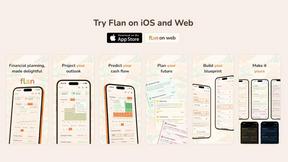
Flan
Visual financial timelines for couples and young professionals: model cash flow, life events, and shared goals.

Forms Plugin
The #1 Native Form Builder Plugin for Framer - No Code, No Embeds, No External Platforms.

FaceCoda
Free AI attractiveness test and face analysis with private, on-device photo processing.

GPT Image 2 API
Generate and edit production-ready images with GPT Image 2 using prompts, reference images, clear text rendering, and a developer-friendly API.

Flux Lora
Explore Flux LoRA workflows in a browser-based AI Studio, with a roadmap for models, generation, and guided training.

HomeAnswerBook
Practical, independent guides to home repairs, maintenance, costs, troubleshooting, and everyday fixes.

About TinyFast Alternatives
TinyFast is a powerful software tool designed specifically for macOS that focuses on file compression, allowing users to reduce the size of images, videos, PDFs, and more directly on their devices. This application is particularly beneficial for developers, designers, and creators who need to manage large files efficiently while maintaining privacy. Users often seek alternatives to TinyFast for various reasons, including pricing differences, specific feature requirements, or compatibility with different operating systems. When searching for alternatives, it is important to consider factors such as local versus cloud processing, user interface simplicity, and support for a wide range of file formats. Additionally, assessing the speed of the compression process and the security measures in place will help ensure that the chosen tool aligns with your workflow needs and data privacy expectations.
FAQs about TinyFast Alternatives
What is TinyFast?
TinyFast is a macOS application that compresses images, videos, PDFs, and other file types locally, ensuring faster and more secure workflows.
Who is TinyFast for?
TinyFast is ideal for developers, designers, and creators who frequently manage large files and require efficient and private file handling.
Is TinyFast free?
TinyFast is a paid application, providing value through its local processing and robust feature set.
What are the main features of TinyFast?
The main features of TinyFast include 100% local processing, a fast drag-and-drop interface, and support for a variety of common file types.