
TinyFast
TinyFast compresses images, videos, and PDFs locally on your Mac for quick and secure file management.
Visit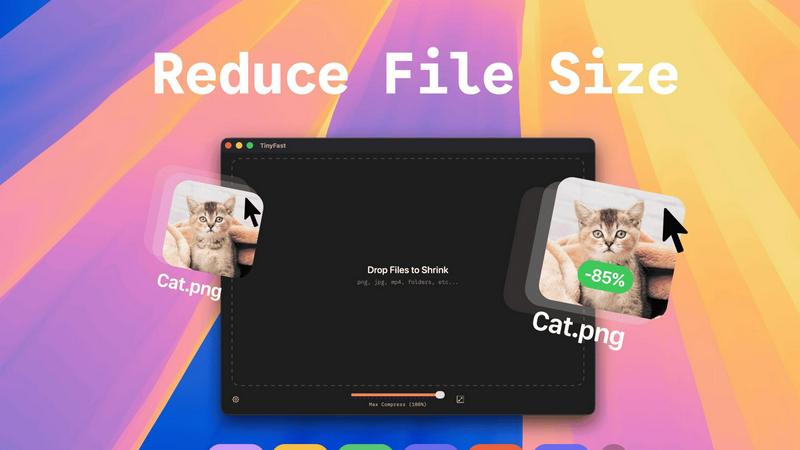
About TinyFast
TinyFast is a powerful software tool designed specifically for macOS users, focused on a single, essential task: file size reduction. This application provides local compression for a wide variety of file types, including images (PNG, JPEG), videos (MP4, MOV), documents (PDF), and even audio and code files. Users can simply drag their files into the TinyFast window and retrieve a smaller, optimized version in mere seconds. The entire process occurs locally on the user's Mac, ensuring that no data is uploaded to the internet. This approach not only addresses the needs for speed but also prioritizes user privacy. By avoiding the delays of uploads and downloads, compression is nearly instantaneous, while keeping all sensitive data on the local device guarantees complete confidentiality. TinyFast is tailored for developers, designers, and creators who frequently handle various media and documents, requiring a reliable solution that marries efficiency with security. This straightforward tool empowers users to take direct control of their digital assets without dependence on external web services.
Features of TinyFast
Batch & Drag-Drop Shrink
With TinyFast, users can easily drop entire folders for batch processing, allowing them to receive optimized output in just seconds. This feature saves time and improves workflow efficiency, making it ideal for those who handle large volumes of files.
Blazing-Fast Compression
TinyFast employs optimized native engines that provide lightning-fast compression of large files. Users experience no waiting for uploads and downloads, making file reduction almost instantaneous and enhancing productivity.
Resize Resolution
TinyFast allows users to set automatic resizing for images and videos, enabling them to save space without compromising on quality. This feature is particularly useful for those who need specific resolutions for web use or other applications.
100% Local & Private
One of TinyFast's defining features is its commitment to privacy. Users can compress files without uploads, ensuring that sensitive information remains on their device. This design principle is crucial for professionals handling confidential documents and media.
Use Cases of TinyFast
Graphic Designers
Graphic designers can utilize TinyFast to compress large image files quickly, ensuring their portfolios and project submissions remain efficient and easy to share. This functionality is vital when working with high-resolution graphics.
Video Editors
Video editors can benefit from TinyFast’s ability to compress video files without sacrificing quality. By streamlining file sizes, they can facilitate faster uploads and smoother collaboration with clients and team members.
Developers
Developers can use TinyFast to optimize code files and documentation. By reducing file sizes, they can enhance the performance of applications and websites, ensuring a better user experience overall.
Content Creators
Content creators, including bloggers and social media managers, can rely on TinyFast to compress images and videos for online platforms. This not only minimizes loading times but also improves SEO and user engagement by delivering faster content.
Frequently Asked Questions
How does TinyFast ensure my files remain private?
TinyFast operates entirely on your Mac, meaning all file compression occurs locally. No data is uploaded to the internet, ensuring complete confidentiality and security for your sensitive assets.
Can I compress multiple files at once with TinyFast?
Yes, TinyFast supports batch processing. You can drag entire folders into the application, allowing you to compress multiple files simultaneously, saving you time and effort.
What file types are supported by TinyFast?
TinyFast supports a wide range of file types, including images (PNG, JPG, TIFF), videos (MP4, MOV), documents (PDF, DOCX), audio (MP3), and even code files (JS, CSS, JSON), making it versatile for various user needs.
Is there a trial version available for TinyFast?
Yes, TinyFast offers a free plan that allows you to compress up to 5 files per day. This provides users with an opportunity to explore all features without commitment before deciding on a paid plan.
Explore more in this category:
Similar to TinyFast

Free collection of online developer utilities, code formatters, and digital converters designed to streamline your daily workflow.

Visual financial timelines for couples and young professionals: model cash flow, life events, and shared goals.

The #1 Native Form Builder Plugin for Framer - No Code, No Embeds, No External Platforms.

Free AI attractiveness test and face analysis with private, on-device photo processing.

Generate and edit production-ready images with GPT Image 2 using prompts, reference images, clear text rendering, and a developer-friendly API.

Explore Flux LoRA workflows in a browser-based AI Studio, with a roadmap for models, generation, and guided training.

Practical, independent guides to home repairs, maintenance, costs, troubleshooting, and everyday fixes.

Highlight faster. Study in flow with custom shortcuts and a workflow built around you. Print smarter, or turn any page into a tiled poster.