

Alternatives to RecordFlow
RecordFlow automatically saves your Zoom cloud recordings to Google Drive and can delete them from Zoom to free up storage.
Explore 20 alternatives to RecordFlow. Compare features, pricing, and find the best fit for your needs.
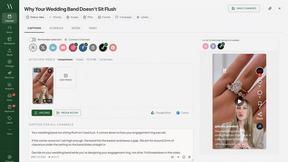
Maeve Social
Plan content, get client approvals, publish to nine social platforms, manage your inbox and report from one workspace.
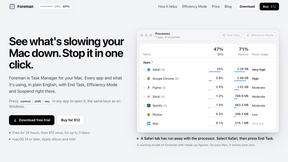
Foreman
See every app and what it's using in plain English, and end or slow down the one that's hogging your Mac.

Uniclip
Clip pages, take full-page screenshots and batch-capture list data to Notion, Feishu, Obsidian, Markdown, CSV or JSON.
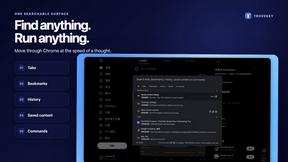
TroveKey
Search tabs, Chrome bookmarks and history, run browser commands, and save webpages and social posts locally—no account.
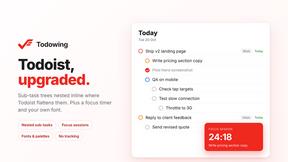
Todowing
Chrome extension for Todoist that nests sub-tasks under their parents in Today, Upcoming, Filter and Label views, where Todoist shows them flat.
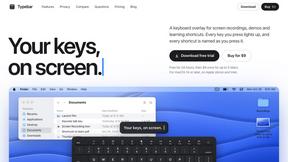
Typebar
Every key you press lights up on an on-screen keyboard, and each shortcut is named. For screen recordings, demos and learning shortcuts.
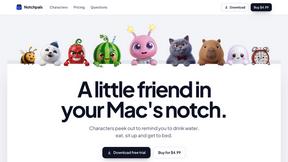
Notchpals
Little characters peek out of your Mac's notch to remind you to drink water, eat, sit up and get to bed. Quiet during calls. $4.99 once.

LightScreen
Free fullscreen light screen tool online. Turn any display into a flashlight, ambient light, or solid-color screen. No download or sign-up.
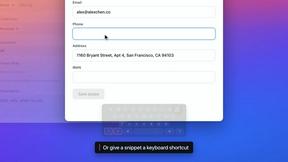
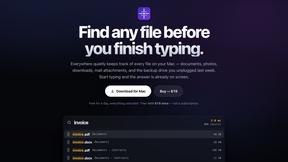
Everywhere
Fast file search for the Mac. Results as you type, files inside Mail and Photos, works with Wi-Fi off. $19 once.
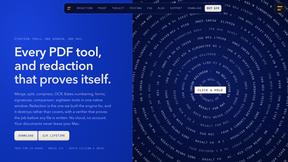
Basalt
Eighteen PDF tools in one native Mac window: merge, split, compress, OCR, Bates numbering, forms, signing and redaction. Offline. $29 once.
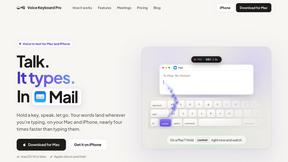
Voice Keyboard Pro
Hold a key, say what you mean, let go. Clean, punctuated text lands at the cursor in any app on your Mac or iPhone.
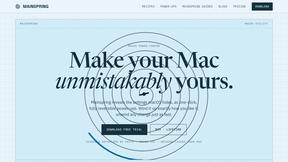
Mainspring
Mainspring turns the settings macOS hides into 90+ one-click, fully reversible power-ups for Finder, Dock, screenshots and more. $29 once.
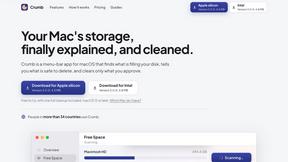
Crumb
A Mac menu bar app for a full disk. See what is using your space, read whether it comes back on its own, and remove only what you tick.
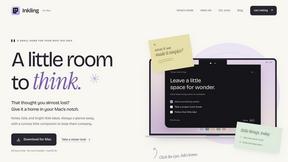
Inkling
Catch a thought without leaving what you are doing. Notes, checklists and a little companion in your Mac's notch. $12 once.
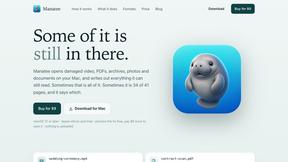
Manatee
A Mac app that opens damaged video, PDFs, archives and documents and writes out everything it can still read. $9 once, no uploads.
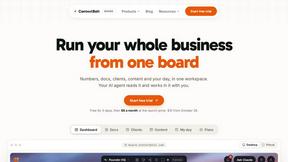
Context Board
Context Board brings your numbers, docs, clients, content and day into one workspace that Claude and Codex can read and update.

BacklinkBot
AI SEO agent that finds pages ranking for your keywords, pitches the people behind them from your inbox, and follows up. You approve every send.

About RecordFlow Alternatives
RecordFlow is a specialized tool in the productivity and management category, designed to solve a single, recurring problem: the automatic transfer of Zoom cloud recordings to Google Drive. It functions as a bridge between two popular platforms, removing the manual steps of downloading, organizing, and re-uploading meeting files. Users typically begin looking for alternatives when their needs outgrow this specific workflow, perhaps because their team uses a different cloud storage provider like Dropbox or OneDrive, or because they require more granular control over file organization and retention policies beyond what a simple folder structure offers. When evaluating alternatives to a tool like RecordFlow, the most important factors to consider are platform compatibility and automation depth. You should first confirm whether the alternative supports your specific video conferencing platform and your preferred cloud storage destination. Next, examine the reliability of the transfer process—look for solutions that handle large files without corruption, offer automatic retries on failure, and provide clear confirmation that files have been safely moved before deleting anything from the original source. Finally, consider the setup complexity and ongoing maintenance; the best alternatives preserve the "set it and forget it" philosophy that makes automation tools valuable in the first place.
FAQs about RecordFlow Alternatives
What is RecordFlow?
RecordFlow is a productivity tool that automatically backs up your Zoom cloud recordings to Google Drive. It handles video, audio, transcripts, and chat logs, organizing them by year and date. The setup takes about 60 seconds, and once configured, new recordings sync automatically and forever without any manual effort.
Who is RecordFlow for?
RecordFlow is designed for coaches, consultants, therapists, professors, and small teams who cannot afford to lose a recording. It is ideal for anyone who relies on Zoom for important client sessions, classes, or meetings and wants a simple, reliable way to archive those files in Google Drive without paying for extra Zoom storage.
Is RecordFlow free?
The provided content does not specify whether RecordFlow is free or paid. It focuses on the product's features and benefits, such as automatic transfer, optional auto-delete, and secure encryption. For pricing details, you would need to visit the official RecordFlow website or contact their sales team.
What are the main features of RecordFlow?
RecordFlow automatically transfers Zoom cloud recordings to Google Drive within minutes of a meeting ending, and it can backfill recordings from the past two years. It supports all file types including MP4, M4A, VTT transcripts, and formatted Google Docs, plus chat logs. Key features include optional auto-delete of Zoom recordings after safe transfer, chunked transfers for large files, smart deduplication, automatic retries, and AES-256 encryption with OAuth 2.0 security.