

Alternatives to HappyHorse
HappyHorse is a cinematic AI video generator that turns prompts and images into polished clips with stronger motion, consistency, and multilingual.
Explore 20 alternatives to HappyHorse. Compare features, pricing, and find the best fit for your needs.

PXDMD
AI image cleanup for SaaS and e-commerce teams: remove backgrounds, erase objects, swap backgrounds - pay per image.

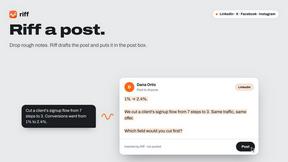
Riff
Free Chrome extension. Paste your rough point and Chrome's built-in AI writes a fresh reply for that post on X, LinkedIn, Facebook or Instagram.


ImageGenerator
Create and edit AI images online with multiple models, text-to-image, image-to-image, background removal, and upscaling.

Raindance AI Video Generator
Turn two photos into a Raindance AI pier video with the soundtrack included.


DanseAI - Alors on Danse AI Video Genera
Make the Alors on Danse AI meme video from two photos, soundtrack included.

Rumpelstiltskin AI Video Generator
Make the viral Rumpelstiltskin tiptoe dance meme video from two photos.
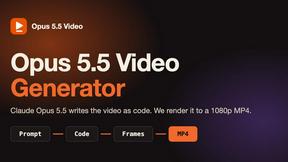
Opus 5.5 Video Generator
Turn a prompt into a 1080p motion-graphics MP4 planned and coded by Claude Opus 5.5.


Nano Banana 2.1
A fast, simple image studio powered by Nano Banana 2.1. Create and edit high-quality images with accurate details, readable text, consistent character
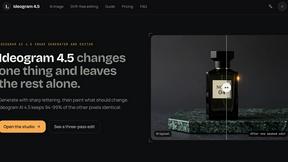
Ideogram AI 4.5
AI image generation and editing with precise typography, native 2K output, and localized edits.

Bulin AI
Upload one portrait. Bulin AI puts you in the official Bulin 47 freestyle. The source video guides the moves and camera. No prompt.
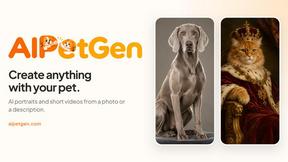
AIPetGen
AIPetGen turns a photo of your dog, cat, or other pet, or a written description, into a new picture or a short animation.


Hotel Lobby AI Video Generator
Turn two photos into a Hotel Lobby dance video in the orange A COLORS SHOW booth

Low Quality Image Maker
Make images look low quality online for free. Compress, downscale, and pixelate photos right in your browser with no sign-up required.

About HappyHorse Alternatives
HappyHorse is a cinematic AI video and image generation platform that belongs to the broad category of creative AI tools, sitting at the intersection of video production and image generation. It uses its own proprietary model, HappyHorse 1.0, to transform text prompts, reference frames, and scene directions into polished video clips. The platform is designed for users who need high-fidelity visuals with strong adherence to their creative direction, focusing on human-centric motion and longer scene consistency. Users often look for alternatives to HappyHorse for a variety of practical reasons. Pricing is a common factor, as some creators may need a more budget-friendly solution or a different payment structure. Feature requirements also drive the search; some users might need a tool that specializes more heavily in static image generation, while others may require different integration capabilities with their existing workflow. Platform needs, such as availability on specific operating systems or access to a mobile app, can also lead users to explore other options. When choosing an alternative, the most important factors to evaluate are the quality of prompt adherence, the realism of motion in video outputs, the control you have over scene direction, and the overall consistency across longer clips. Understanding these core requirements will help you find a tool that matches your specific creative or production goals.
FAQs about HappyHorse Alternatives
What is HappyHorse?
HappyHorse is a cinematic AI video and high-fidelity image generator built around the HappyHorse AI platform and the HappyHorse 1.0 model. It allows users to turn text prompts, reference frames, and scene direction into polished video clips. The platform is designed for stronger prompt adherence, unified multimodal control, and human-centric motion quality.
Who is HappyHorse for?
HappyHorse is for content creators, filmmakers, marketers, and artists who need to generate high-quality cinematic video and images from descriptive prompts. It is particularly suited for users who require precise control over scene direction and consistent character motion across longer clips. The platform serves professionals who value strong adherence to their creative input and realistic human movement in AI-generated visuals.
Is HappyHorse free?
Based on the provided product description, there is no explicit mention of a free tier or pricing model for HappyHorse. Users should check the official HappyHorse website or platform for the most current information on pricing, free trials, or subscription plans. The platform is positioned as a professional cinematic tool, which typically indicates a paid service for full access.
What are the main features of HappyHorse?
The main features of HappyHorse include cinematic AI video generation and high-fidelity image creation using the HappyHorse 1.0 model. It offers multimodal control by accepting prompts, reference frames, and scene direction as input. Key capabilities include stronger prompt adherence, unified control across different input types, high-quality human-centric motion, and longer scene consistency for polished video clips.