

Alternatives to Crops
Crops organizes creative assets and streamlines approvals so teams can focus on making better campaigns.
Explore 20 alternatives to Crops. Compare features, pricing, and find the best fit for your needs.


JevModel
Jev turns text or JSON into Choice, Score and Noul answers with probabilities. Build decision flows, process batches and call the API from one Console

Panzoe
Panzoe is an all-in-one AI platform for personal productivity, business automation, AI assistants, content creation, and custom AI solutions.

CleanSmart
CleanSmart removes duplicates, fixes formatting, fills gaps, and flags anomalies in one automated pass. No code. No data engineers.
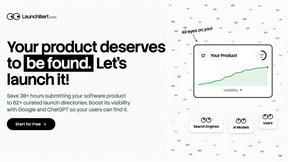
LaunchBert
LaunchBert saves you hours launching to directories - with a curated roadmap, one-click badge integration, and a form auto-fill Chrome extension.

Enlisted
Search 20,000+ open-source and SaaS tools by the job you need done or the app you want to replace.

MD to Text Converter
Free online Markdown to text converter. Strip formatting, copy readable plain text instantly, and keep every conversion private in your browser.

AI Email Filter
AI Email Filter sorts incoming mail into folders using plain-language prompts you write. Works with any IMAP mailbox; bring your own LLM if you want.

TrackMedia
Social media content engine that drives revenue. Publish to every platform, track clicks in real time, and let AI agents run it.

AppScreen
App Store screenshots, designed as one panorama. Lay out all your slides on one continuous canvas in your browser. Free to start, Pro is $9 once.
Egmatic
No-code 2D game editor: visual node logic, drag-and-drop scenes, live preview. Exports to Windows, macOS, Linux, Android, iOS, Web.
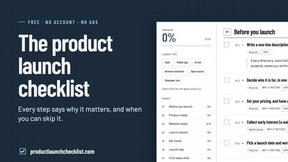
Product Launch Checklist
A free launch checklist for SaaS, apps, AI tools and more. Every step says why it matters and when you can skip it.

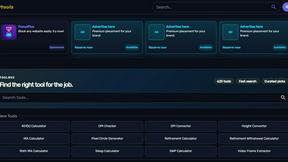
Kody Tools
Free collection of online developer utilities, code formatters, and digital converters designed to streamline your daily workflow.

Flan
Visual financial timelines for couples and young professionals: model cash flow, life events, and shared goals.
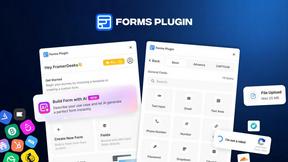
Forms Plugin
The #1 Native Form Builder Plugin for Framer - No Code, No Embeds, No External Platforms.
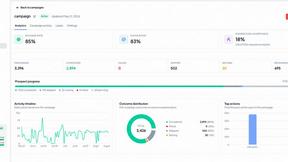
OutreachGenie
Plan and review LinkedIn prospecting, outreach flows, post previews, and campaign progress in one workspace.

HomeAnswerBook
Practical, independent guides to home repairs, maintenance, costs, troubleshooting, and everyday fixes.

About Crops Alternatives
Crops is a Digital Asset Management (DAM) software built to serve as a foundational system for creative and marketing teams. It organizes creative assets and streamlines the approval process to eliminate workflow chaos, allowing teams to focus on their core work of building campaigns. Users often explore alternatives for several fundamental reasons. These can include budget constraints, the need for different feature sets, or specific platform requirements like a deeper integration with an existing tech stack. It's a natural part of finding the right operational fit for a team's unique processes and scale. When evaluating any alternative, focus on the core problems you need to solve. Look for a solution that reliably organizes assets, centralizes feedback, and helps prevent errors. The goal is to establish a solid, uncomplicated foundation that removes daily friction, giving your team back the time and clarity needed to do their best work.
FAQs about Crops Alternatives
What is Crops?
Crops is a Digital Asset Management (DAM) software designed to organize creative assets and streamline approvals, providing a single AI-powered workspace for marketing and creative teams.
Who is Crops for?
Crops is built for creative and marketing teams who need a foundational system to manage asset chaos, centralize feedback, and automate quality checks in their campaign workflows.
What are the main features of Crops?
The main features are Smart Asset Organization, which uses AI to tag and search assets, and Streamlined Approvals, which centralizes feedback and tracks status directly on the assets.
Why choose Crops?
Teams choose Crops to automate the tedious, error-prone parts of the creative process, establishing a reliable foundation that saves time and helps ensure final deliverables are flawless.