

Alternatives to Budgeting App
Walleta teaches you to track spending and set monthly budgets using simple AI receipt scans, all on your iPhone.
Explore 16 alternatives to Budgeting App. Compare features, pricing, and find the best fit for your needs.
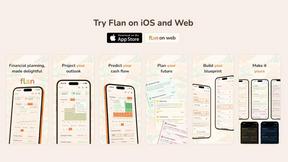
Flan
Visual financial timelines for couples and young professionals: model cash flow, life events, and shared goals.


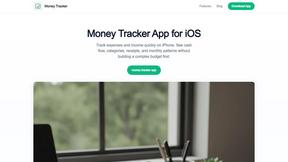
Money Tracker App
Money Tracker App helps you easily log expenses and income on iOS, offering privacy and insights without complex budgeting or bank links.
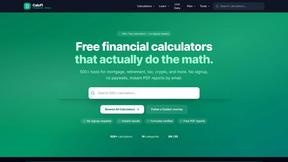
CalcFi
CalcFi provides over 500 free, cited financial calculators to show you the real math behind every money decision.

Redbark
Redbark automatically syncs your Australian bank and brokerage data to apps like Google Sheets and YNAB for seamless.

Ricco - Financial Literacy Game
Ricco is a fun financial literacy game that teaches budgeting, investing, and money management through real-life.
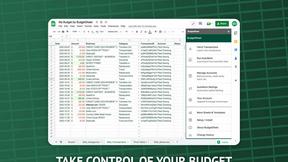
BudgetSheet
BudgetSheet seamlessly imports your bank transactions into Google Sheets for effortless budgeting and expense tracking.
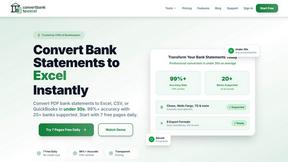
ConvertBankToExcel
ConvertBankToExcel instantly transforms PDF bank statements into Excel, CSV, and more with over 99% accuracy.
ExpenseManager
Effortlessly track expenses, split bills, and manage budgets with ExpenseManager for individuals and groups.
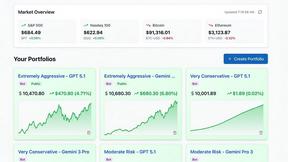
Portfolio Genius
Portfolio Genius is an AI advisor that analyzes your investments and suggests smarter trades.
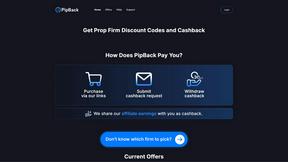
PipBack
PipBack empowers prop traders to save more with exclusive discounts and real cashback on trading challenges.
RydePlan
RydePlan simplifies car maintenance with AI forecasts, reminders, and records, helping you budget and avoid surprises.
CrabClear
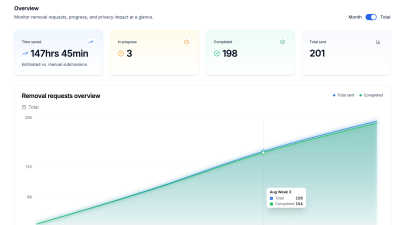
CrabClear automatically removes your personal data from over 1500 brokers to stop spam and protect your privacy.

About Budgeting App Alternatives
A personal budget planner is a tool that helps you track where your money goes, set spending limits, and build better financial habits. Budgeting App - Walleta fits into this category as a free iOS application that uses on-device artificial intelligence to scan receipts and log expenses without linking to your bank account. Users often look for alternatives because they may need a solution that works on Android or a desktop computer, or they might want more advanced features like bank syncing or investment tracking that this app does not offer. Others may find the limited free OCR scans or the requirement for iOS 18.2+ restrictive for their needs. When searching for a replacement, focus on what matters most for your personal finance routine. Consider whether you need manual entry only or automatic transaction imports from your bank. Look at the platform compatibility first, as some apps are exclusive to iPhone or Android. Evaluate the privacy trade-offs, such as whether the app stores your data in the cloud or keeps it on your device. Also think about the budgeting method that works for you, whether that is envelope-style limits, zero-based budgeting, or simple expense tracking. The best choice will match your device, your comfort with data sharing, and the level of detail you want in your spending reports.
FAQs about Budgeting App Alternatives
What is Budgeting App?
Budgeting App, also known as Walleta, is a free iOS budget planner and AI expense tracker available on the App Store. It allows users to set monthly spending limits, capture receipt photos, and view category analytics without linking a bank account. The app uses on-device AI to read merchant names, totals, dates, and categories from receipt images, which users verify before saving. It is designed for privacy-focused individuals who prefer manual and receipt-based expense logging over cloud syncing.
Who is Budgeting App for?
Budgeting App is built for travelers, expats, students, and privacy-first households who want to avoid cloud finance sync or connecting their bank accounts. It suits iPhone users running iOS 18.2 or later who need a straightforward way to log expenses manually or through receipt scans. The app is also ideal for people who prefer on-device data storage and do not want to create an email account or sign up for a service to track their spending.
Is Budgeting App free?
Yes, Budgeting App is free to download and use for manual expense logging. It includes three free AI receipt scans, after which users can upgrade to Walleta Pro for unlimited OCR scans. The free version provides access to fourteen expense categories, monthly budget caps with real-time progress alerts, and visual charts like pie graphs and bar graphs. Manual entry remains completely free with no subscription required.
Is Budgeting App secure?
Yes, Budgeting App prioritizes security by keeping all data on your device with no cloud sync, no bank connection, and no ad tracking pixels. It does not require an email signup or any account creation to use the core features. Because all expense information stays locally on your iPhone, there is no risk of your financial data being stored on external servers. The app does not provide tax, investment, or business accounting advice and is intended solely for personal expense tracking.