
Budgeting App
Walleta teaches you to track spending and set monthly budgets using simple AI receipt scans, all on your iPhone.
Visit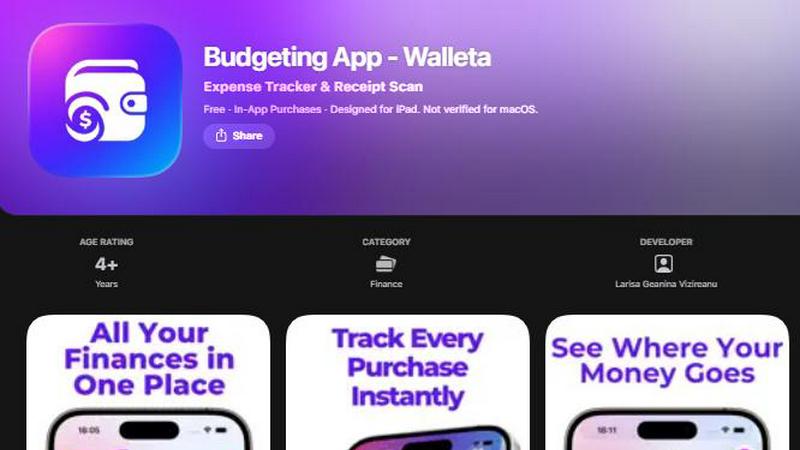
About Budgeting App
Budgeting App, also known as Walleta, is a free iOS budget planner and AI expense tracker designed for iPhone users who want to take control of their spending without linking a bank account. At its core, this app replaces the need for multiple finance tools by combining receipt scanning, manual expense logging, monthly budget setting, and detailed analytics into one private, on-device experience. The app is built for people who value their financial privacy and prefer to keep all their data stored locally on their phone. Instead of connecting to your bank or requiring an email signup, Walleta lets you log every purchase with a single tap or by snapping a photo of a receipt. Its on-device AI reads the merchant, total, date, and category from receipt photos, and you verify the details before saving. This makes it an ideal tool for travelers, expats, students, and privacy-first households who want to track where their money goes without relying on cloud sync or third-party services. The main value proposition is simple: you get a complete picture of your spending habits through beautiful pie charts, bar graphs, and calendar views, all while maintaining complete control over your financial data. Whether you are trying to stick to a monthly budget, understand your spending patterns, or simply keep a record of your daily expenses, Walleta provides a back-to-basics approach to money management that is both powerful and private.
Features of Budgeting App
AI Receipt Scanning
The AI receipt scanning feature uses on-device intelligence to read the merchant name, total amount, date, and category directly from a photo of your receipt. You simply point your camera at any clear, readable receipt, and the app extracts the key details automatically. You then verify the information before saving it to your spending history. This eliminates the need for manual typing and speeds up the logging process significantly. Free users get three AI scans to try the feature, and upgrading to Walleta Pro unlocks unlimited scans. It is important to note that the scanning works best with receipts where all details are visible and legible. Faded or damaged slips may require manual entry.
One-Tap Expense Logging
One-tap expense logging lets you record a purchase in seconds without typing anything. The app includes fourteen built-in categories such as Food, Groceries, Transport, Shopping, Health, Rent, Bills, Subscriptions, Coffee, Travel, and Fun. You simply select the category, enter the amount, and the expense is saved to your daily log. This feature is perfect for quick entries when you are on the go or when a receipt is too faded for the AI scanner. It keeps your spending record accurate and up to date with minimal effort, making it easy to build a consistent tracking habit.
Monthly Budget Caps and Alerts
Monthly budget caps allow you to set a spending limit for each category or for your overall expenses. Once you define a limit, the app shows your progress in real time with a visual indicator. As you log expenses, the progress bar updates, and you receive alerts when you are approaching or exceeding your budget. This feature helps you avoid overspending and keeps you aware of your financial boundaries throughout the month. The alerts are designed to be helpful reminders rather than intrusive notifications, so you can stay on track without feeling overwhelmed.
Beautiful Analytics and Calendar View
Beautiful analytics give you a clear visual breakdown of your spending patterns through pie charts, bar graphs, and category summaries. You can view your data for weekly, monthly, and yearly periods to see trends over time. The calendar view lets you browse expenses day by day across the month, so you can see exactly what you spent on any given date at a glance. This combination of charts and a calendar makes it easy to understand where your money is going and identify areas where you might want to adjust your spending habits. Multi-currency support is also included, making it useful for travelers and expats who deal with different currencies.
Use Cases of Budgeting App
Tracking Daily Expenses Without a Bank Account
Many people want to track their spending but are uncomfortable linking their bank account to an app. Budgeting App solves this problem by allowing you to log every purchase manually or by scanning a receipt. You can record cash transactions, debit card purchases, and even payments made with prepaid cards. This use case is ideal for individuals who prefer to keep their financial data completely offline and private. By logging expenses as they happen, you build an accurate record of your spending without ever connecting to a financial institution.
Managing a Monthly Budget for Household Expenses
Households that want to stick to a monthly spending limit can use the budget caps feature to set limits for categories like Groceries, Bills, and Rent. Each time a purchase is logged, the budget progress updates in real time, and alerts notify you when you are close to exceeding your limit. This helps families avoid overspending on variable expenses and ensures that essential costs are covered. The ability to review spending history at the end of the month also allows for meaningful discussions about where the household budget can be improved.
Expense Tracking for Travelers and Expats
Travelers and expats often deal with multiple currencies and need a simple way to record expenses while on the move. Budgeting App supports multi-currency codes, so you can log purchases in the local currency and review your spending later. The one-tap logging feature is especially useful when you are in a hurry or when receipts are not available. You can also use the AI scanner to capture receipts from restaurants, transportation, and hotels. Since no bank connection or email signup is required, the app works perfectly even when you are using a temporary phone or have limited internet access.
Privacy-First Financial Record Keeping for Students
Students who are just starting to manage their own finances often want a simple, private way to track their spending without sharing personal data. Budgeting App fits this need perfectly because it stores all data on the device and does not use tracking pixels or cloud sync. Students can log expenses for food, transport, and entertainment, set a monthly budget for their allowance or part-time income, and review their spending patterns through charts. This back-to-basics approach helps build good financial habits early without the risk of data being shared with third parties.
Frequently Asked Questions
Does Budgeting App connect to my bank account?
No, Budgeting App does not connect to your bank account. It is designed to be a completely private expense tracker that works without any bank linking. All your data stays on your iPhone, and you log expenses manually or by scanning receipts. This makes it a great choice for anyone who wants to keep their financial information offline and secure.
How many AI receipt scans do I get for free?
Free users get three AI receipt scans to try the feature. After you use those three scans, you can continue to log expenses manually using the one-tap logging feature. If you want unlimited AI receipt scans, you can upgrade to Walleta Pro through an in-app purchase. The three free scans give you a chance to see how well the scanner works with your receipts before deciding to subscribe.
What happens if my receipt is faded or damaged?
If your receipt is faded, damaged, or otherwise unclear, the AI scanner may not be able to read the details accurately. In that case, you should use the manual one-tap logging feature to enter the merchant, total, date, and category yourself. The app is designed to work with both scanning and manual entry, so you can always record your expenses regardless of the condition of your receipt.
Is my data safe and private?
Yes, your data is completely safe and private. Budgeting App does not require an email signup, does not use cloud sync, and does not include any ad tracking pixels. All your financial information is stored locally on your iPhone. The app does not connect to your bank, and no one else can access your spending records. This privacy-first design ensures that your finances remain yours alone.
Pricing of Budgeting App
Budgeting App is free to download and use. The free version includes unlimited manual expense logging, monthly budget caps, beautiful analytics, calendar view, multi-currency support, and three AI receipt scans to try the feature. For users who want unlimited AI receipt scans, Walleta Pro is available as an in-app purchase. The specific pricing for the Pro subscription is set within the app and may vary by region. There are no other paid tiers or hidden fees, and the free version provides a fully functional expense tracking experience without any bank connection or account requirement.
Similar to Budgeting App

Visual financial timelines for couples and young professionals: model cash flow, life events, and shared goals.


Money Tracker App helps you easily log expenses and income on iOS, offering privacy and insights without complex budgeting or bank links.

CalcFi provides over 500 free, cited financial calculators to show you the real math behind every money decision.

Redbark automatically syncs your Australian bank and brokerage data to apps like Google Sheets and YNAB for seamless.

Ricco is a fun financial literacy game that teaches budgeting, investing, and money management through real-life.

BudgetSheet seamlessly imports your bank transactions into Google Sheets for effortless budgeting and expense tracking.