
Unicode to Bamini Converter
This free online tool instantly converts Tamil text from modern Unicode encoding to the widely used Bamini font standard.
Visit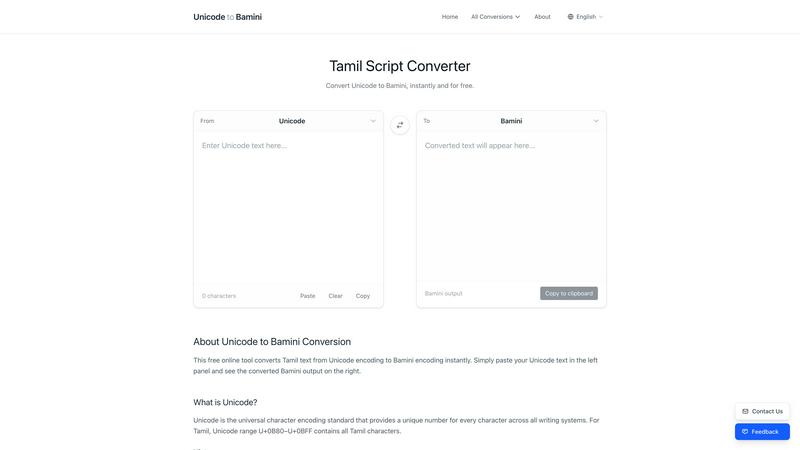
About Unicode to Bamini Converter
The Unicode to Bamini Converter is a fundamental web-based tool designed to bridge the gap between modern and legacy Tamil text encoding systems. At its core, this tool performs instant, bidirectional conversion between the universal Unicode standard and over 25 specialized Tamil font encodings, with a primary focus on the widely used Bamini format. It addresses a critical need in the digital preservation and accessibility of Tamil literature, journalism, and historical documents. This converter is built for Tamil publishers, journalists, content creators, developers, and researchers who regularly encounter documents created in older, font-dependent systems like Bamini or TSCII. Its main value proposition is simplicity and accessibility: it requires no software installation, works directly in any modern web browser on both desktop and mobile devices, and performs conversions in real-time without reloading the page. By transforming legacy encodings into Unicode, it ensures that valuable Tamil texts remain readable, searchable, and usable on any contemporary platform, device, or application without the need for specific, often obsolete, fonts. This tool is foundational for maintaining the continuity of Tamil digital heritage.
Features of Unicode to Bamini Converter
Comprehensive Encoding Support
This tool provides conversion capabilities for an extensive library of over 25 Tamil font encodings. Beyond the core conversion between Unicode and Bamini, it supports major formats like TSCII, Anjal, TAB, Dinamani, and Murasoli, along with many other lesser-known systems. This wide coverage ensures that users can handle virtually any legacy Tamil document they encounter, making it a one-stop solution for encoding conversion needs without requiring multiple specialized tools or complex software.
Real-Time, Instant Conversion
The converter engine operates instantly and dynamically. As soon as you paste or type text into the source field, the conversion happens in real-time with no need to click a "convert" button or reload the webpage. This immediate feedback loop allows for rapid editing, proofreading, and processing of text, significantly streamlining workflows for users who need to convert large volumes of content or make quick adjustments during the conversion process.
Complete Character Mapping Reference
A fundamental educational feature of this tool is the inclusion of a detailed character mapping table. This reference clearly displays how each character in the Bamini encoding (and other formats) corresponds to its specific Unicode code point. This transparency is crucial for users who need to verify accuracy, understand the conversion logic, troubleshoot problematic characters, or simply learn about the structural differences between these complex encoding systems.
Cross-Platform and Multilingual Accessibility
Designed for universal access, the converter functions flawlessly on any device with a web browser, including desktop computers, laptops, tablets, and smartphones. Furthermore, its interface is available in five languages: English, Tamil, Sinhala, Hindi, and Chinese. This multilingual support lowers the barrier to entry for a global audience of Tamil language users and scholars, ensuring the tool is usable and helpful regardless of the user's primary language.
Use Cases of Unicode to Bamini Converter
Digitizing Legacy Publications and Archives
Newspapers, publishing houses, and libraries possess vast archives of materials created in Bamini, TSCII, and similar encodings. This converter is essential for systematically digitizing these archives by transforming them into future-proof Unicode. This process preserves historical newspapers, books, and official documents, making them searchable and accessible online for researchers, students, and the general public without compatibility issues.
Modernizing Content for Websites and Apps
Web developers and digital content creators often need to republish or integrate existing Tamil content from old sources into new websites, mobile applications, or e-books. Converting this content from legacy formats like Bamini to Unicode is a necessary first step. It ensures the text renders correctly for all users across all browsers and operating systems, providing a consistent and professional user experience.
Academic and Linguistic Research
Researchers and linguists studying Tamil literature, historical documents, or corpus linguistics frequently encounter texts in various obsolete encodings. This tool allows them to normalize all source materials into a single, standard Unicode format. This standardization is foundational for accurate analysis, text mining, computational processing, and the creation of unified digital corpora for scholarly work.
Ensuring Legacy System Compatibility
In some operational environments, older software systems, specialized printing setups, or embedded devices may still require input in a specific legacy encoding like Bamini. When new content is authored in standard Unicode, this converter allows users to generate compatible Bamini text to feed into these legacy systems, maintaining workflow continuity while the broader infrastructure is updated.
Frequently Asked Questions
What is the difference between Unicode and Bamini encoding?
Unicode is a universal character encoding standard that assigns a unique number to every character used in all the world's writing systems, including Tamil. It is platform-independent and ensures consistent display. Bamini, in contrast, is a legacy font-specific encoding that uses positions within the ASCII table to represent Tamil letters. It requires the specific Bamini font to be installed to display correctly, whereas Unicode text will display with any standard Tamil-supporting font.
Is there a limit to how much text I can convert at once?
No, the Unicode to Bamini Converter is designed to handle text of any length. You can paste entire documents, chapters, or articles into the input field, and the tool will process it instantly. Since the conversion happens locally in your web browser, there are no server-imposed limits on file size or character count, making it suitable for both short snippets and lengthy manuscripts.
Do I need to install any software or fonts to use this converter?
No installation is required. This is a completely free, web-based tool that runs directly in your internet browser. You do not need to install any software, browser extensions, or specific Tamil fonts. The tool performs the character code conversion independently; you only need a font that can display standard Unicode Tamil characters to view the output, which most modern systems have by default.
Can I convert from Bamini back to Unicode with this tool?
Yes, absolutely. The converter is fully bidirectional. While the primary interface may default to Unicode-to-Bamini conversion, you can easily reverse the direction using the swap button (often labeled with arrows like "↔"). This allows you to paste Bamini-encoded text and convert it back into standard Unicode, which is a crucial function for reading and modernizing old documents.
Explore more in this category:
Similar to Unicode to Bamini Converter

Chrome extension for real-time AI translation in Google Meet. MeeLang delivers low-latency bilingual subtitles, AI summaries, and meeting transcripts.

Learn languages with real movie and TV show clips.

Turn Long YouTube Videos into Quick AI Summaries in Seconds.

Transform documents into engaging audio, podcasts, or lectures for active learning and deeper understanding on the go.

Learn languages through personalized stories, building confidence and vocabulary in just 10 minutes a day.

Glossa provides real-time AI translation of sermons into over 100 languages, connecting your church to a global.

Lovalingo translates and indexes React apps in 60 seconds, providing seamless multilingual support without JSON.

100% Free YouTube transcript extractor supporting translation in 125+ languages. No login or limits.