
Tin Computer
Tin Computer learns your product, finds what slows growth, then builds and ships fixes automatically.
Visit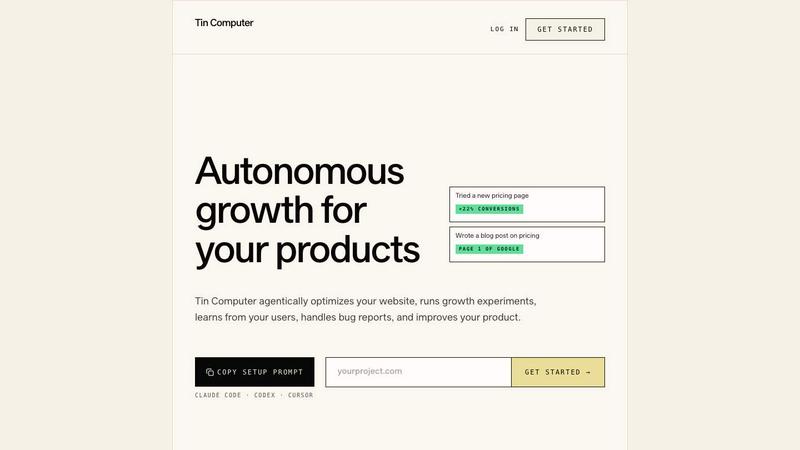
About Tin Computer
Tin Computer is an artificial intelligence growth agent built specifically for small software-as-a-service (SaaS) teams who want to grow their product without adding headcount or increasing ad spend. At its core, Tin Computer connects directly to the tools you already use, including GitHub, Stripe, Google Analytics, Search Console, PostHog, Sentry, and Vercel, and then autonomously runs a continuous growth playbook across the surfaces you already own. Instead of waiting for a roadmap meeting or a marketing brief, Tin Computer reads your product funnel, identifies what is slowing growth down, builds a fix or experiment, ships it as a pull request for you to review and merge, and then watches the result to learn what worked. This cycle repeats endlessly, covering organic search engine optimization through blog posts and comparison pages, product engineering through bug fixes and onboarding tweaks, and analytics through funnel diagnostics and cohort analysis. The product is designed for founders and small teams who are tired of manual growth efforts that produce incremental gains, and who want a system that works around the clock. The real world results speak clearly: Claw Messenger, a dormant side project, grew from 480 dollars to 11,580 dollars in annual recurring revenue and from four paying customers to 118 paying customers in just 92 days after turning on Tin Computer. There is no ad spend, no cold outreach, and no waiting for a growth hire. Tin Computer simply plugs in and runs.
Features of Tin Computer
Autonomous Funnel Reading
Tin Computer connects to your analytics stack and continuously reads your entire funnel to find exactly where growth is slowing down. It does not rely on manual reports or weekly check-ins. Instead, it monitors user behavior, conversion rates, and drop-off points in real time. When it spots something stuck, such as a checkout page with high abandonment or a signup flow that loses users, it flags that area as the next experiment target. This feature ensures that every action it takes is grounded in actual data from your product, not guesswork or hunches.
Automated Pull Request Shipping
Once Tin Computer identifies a growth opportunity, it does not just write a recommendation. It builds the fix or experiment from start to finish and ships it as a pull request directly to your GitHub repository. This could be a pricing change, a new comparison page, a tighter signup flow, or a technical SEO fix. You review the code, approve it, and merge it. There is no need to assign tasks to a developer or wait for a sprint cycle. The agent handles the entire engineering and deployment process, so your team stays focused on core product work.
Continuous Learning Loop
After a change is shipped, Tin Computer does not move on blindly. It watches the results of every experiment by tracking metrics like conversion rate, user engagement, and revenue impact. If the change works, it keeps the improvement and looks for the next opportunity. If it does not work, the agent rolls back or adjusts the approach. This learning loop means that every week, your product gets a little bit better based on real feedback from your users and your analytics. Over time, these small gains compound into significant growth.
Multi Specialist Team Behind One Agent
When you talk to Tin Computer, you are actually interacting with a coordinated team of specialized AI agents working behind the scenes. Each agent owns a specific lane, just like a real hire would. There is a strategist who decides the overall direction, a research analyst who digs into user behavior, an organic growth engineer who handles SEO, a product analyst who studies funnels, a product engineer who builds fixes, and a customer support engineer who handles user questions. This structure means that Tin Computer can tackle complex growth challenges from multiple angles simultaneously, without needing you to manage a team.
Use Cases of Tin Computer
Growing a Dormant Side Project
Many founders have side projects that launched, got a few users, and then flatlined because there was no time to actively grow them. Tin Computer is ideal for this scenario. You simply point it at the project, connect your GitHub and analytics, and let it run. It will start by reading your existing funnel, finding the biggest bottlenecks, and shipping experiments to fix them. The Claw Messenger case study shows exactly this: a project with only 480 dollars in annual recurring revenue and four paying customers grew to over 13,500 dollars in ARR and 146 customers in just 112 days. The agent handled SEO, outreach, support, and analytics without any manual intervention.
Improving Organic Search Rankings
For SaaS companies that rely on organic traffic, Tin Computer acts as a dedicated SEO engineer. It reads your Search Console data to find pages that are underperforming, then writes and ships new blog posts, comparison pages, and technical fixes to improve your rankings. It also optimizes for AI search engines and generative engine optimization, ensuring your product appears in the new wave of AI powered search results. This is all done through your existing codebase and content management system, so there is no need for a separate SEO tool or agency.
Optimizing Product Onboarding and Conversion
If your product has a signup flow, trial period, or checkout process that is losing users, Tin Computer can diagnose exactly where the friction is. It analyzes cohort data and funnel metrics to find the drop-off points, then builds and ships experiments to fix them. This might involve rewriting a headline, adjusting a pricing tier, adding a referral discount, or simplifying an onboarding step. The agent runs these tests continuously, keeping what works and discarding what does not, so your conversion rate improves steadily over time.
Automating Bug Fixes and Small Feature Requests
Small SaaS teams often struggle to balance bug fixes with growth work. Tin Computer handles both. It monitors your error tracking tools like Sentry and your support email inbox to identify common bugs and user requests. Then it writes the code to fix the bug or implement the small feature, and ships it as a pull request. This keeps your product stable and responsive to user feedback without pulling your engineering team away from bigger projects. The agent can even launch a referral program the same day a user asks for one, as happened with Claw Messenger.
Frequently Asked Questions
How does Tin Computer connect to my existing tools?
Tin Computer plugs directly into your existing stack through API connections. You authorize it to access your GitHub repository, Stripe account, Google Analytics, Search Console, PostHog, Sentry, Vercel, and support email. Once connected, the agent reads your data and ships changes through pull requests that you review and merge. There is no need to migrate data or learn a new platform. The setup takes a few minutes, and then Tin Computer begins working on your growth immediately.
Do I need to be technical to use Tin Computer?
You need to be comfortable reviewing and merging pull requests in GitHub, but you do not need to write code yourself. Tin Computer handles all the engineering work. It writes the code for experiments, bug fixes, and content changes, and then opens a pull request for your approval. You simply read the summary of what changed, check the code if you want, and click merge. This makes it accessible to technical founders and non technical product managers who have basic familiarity with version control.
What happens if an experiment does not work?
Tin Computer is designed to learn from both successes and failures. If an experiment does not improve your metrics, the agent does not keep it running. It either rolls back the change or adjusts the approach based on what the data shows. The learning loop ensures that only effective improvements stay live. Over time, this means your product gets better every week, even if some individual experiments do not pan out. The agent tracks everything, so you can see the full history of what was tried and what the results were.
Can I use Tin Computer for multiple projects at once?
Yes. Tin Computer is built to manage a portfolio of projects. You do not need to maintain old ideas or abandon them when you start something new. You can point Tin Computer at multiple repositories and let it grow each one independently. The agent handles the workload for all of them, running growth experiments, fixing bugs, and optimizing content across every project you own. This allows you to keep building new products while your existing ones continue to generate revenue and grow on autopilot.
Pricing of Tin Computer
Tin Computer offers two straightforward pricing tiers. Every plan includes all features of the agent. The difference is how much work the agent ships each week. The Standard plan costs 99 dollars per month and includes 30 tasks per week. The Unlimited Growth plan costs 299 dollars per month and includes unlimited tasks per week. You can cancel at any time, and you can move up or down between plans whenever you need. There are no long term contracts or hidden fees. Both plans give you the same autonomous growth engine, so you pick the tier based on how fast you want to grow your product.
Similar to Tin Computer

CleanSmart removes duplicates, fixes formatting, fills gaps, and flags anomalies in one automated pass. No code. No data engineers.

LaunchBert saves you hours launching to directories - with a curated roadmap, one-click badge integration, and a form auto-fill Chrome extension.

Search 20,000+ open-source and SaaS tools by the job you need done or the app you want to replace.

Social media content engine that drives revenue. Publish to every platform, track clicks in real time, and let AI agents run it.

App Store screenshots, designed as one panorama. Lay out all your slides on one continuous canvas in your browser. Free to start, Pro is $9 once.

A free launch checklist for SaaS, apps, AI tools and more. Every step says why it matters and when you can skip it.


The #1 Native Form Builder Plugin for Framer - No Code, No Embeds, No External Platforms.