
TenderLead
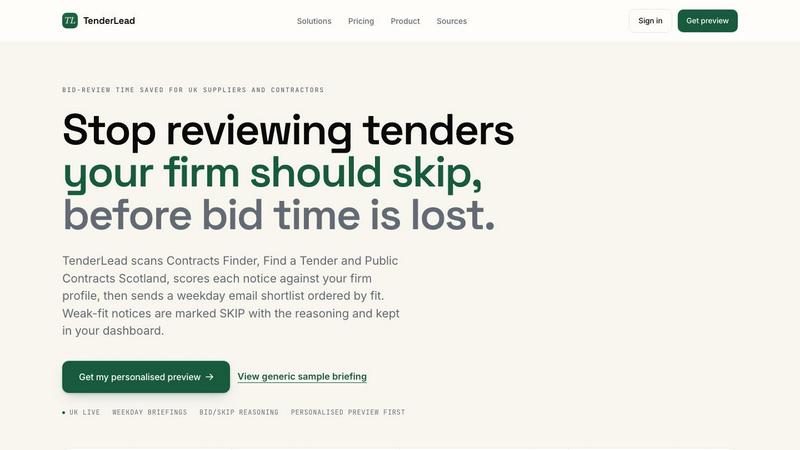
TenderLead scores UK public sector tenders against your firm so you only spend time on the right ones.
VisitPublished on:
July 4, 2026
Pricing:
About TenderLead
TenderLead is a focused software tool built for UK suppliers, consultants, and contractors who sell their services to the public sector. Its single purpose is to help you qualify public-sector tenders before you commit a bid team. The core problem it solves is wasted time. Many firms spend hours, sometimes days, reading through tender notices that are a poor fit for their business. TenderLead stops that waste by turning broad tender discovery into a scored, source-linked summary. It scans official UK sources like Contracts Finder, Find a Tender, and Public Contracts Scotland. It then scores each new notice against your specific company profile. The result is a short, weekday email briefing that shows you only the opportunities worth your time. Weak-fit notices are marked SKIP with clear reasoning. This keeps weak opportunities away from your bid table. TenderLead is for any firm that sells into councils, the NHS, universities, central government, or frameworks. You use it when you need to see route access, buyer fit, evidence strength, incumbent risk, and bid effort before spending days on a response. It is a back-to-basics tool that brings calm and clarity to the first stage of the bidding process. It does not replace your bid team. It makes sure your bid team only works on the right opportunities.
Features of TenderLead
Source-Linked Scored Summaries
TenderLead does not just list new tender notices. It scores each one against your firm profile and presents the results in a clear, source-linked summary. Each opportunity in your weekday briefing shows a score out of 100, the buyer name, the contract value, the deadline, and the framework eligibility. The summary includes direct links to the official source so you can verify the details. This feature turns a long list of notices into a short, ranked list of opportunities. You see the fit immediately without needing to open each notice.
BID, REVIEW, and SKIP Scoring
Every tender notice in your briefing receives a clear action label: BID, REVIEW, or SKIP. The BID label means the opportunity is a strong fit based on your services, past buyers, and framework access. The REVIEW label means more information is needed before a final decision. The SKIP label means the notice is a weak fit and should be ignored. Each SKIP notice includes the specific reasoning, such as wrong technology stack, on-site requirement, or too short a deadline. This feature saves your team from spending time reading notices that are not a match.
Proof Gap and Deadline Risk Flags
TenderLead highlights two critical areas that often trip up bid teams: proof gaps and deadline risk. The proof gap flag shows where your current evidence or case studies may not fully match the buyer's requirements. This lets you prepare before the bid begins. The deadline risk flag marks any notice with a deadline under ten working days. This prevents your team from starting a rushed bid that has a low chance of success. Both flags appear directly in the briefing summary.
Saved No-Bid Rules and Dashboard History
You can set saved no-bid rules that automatically skip certain types of opportunities. For example, you can set a rule to skip all notices requiring on-site hardware delivery or all contracts below a certain value. These rules improve the scoring accuracy over time. All scored notices, including those marked SKIP, are saved in your signed-in dashboard. This gives you a full history of every opportunity found. You can review past notices to confirm that no winnable opportunity was hidden. The dashboard provides a complete record of your tender qualification activity.
Use Cases of TenderLead
Qualifying NHS and Council Tenders
A digital services supplier that sells into the NHS and local councils uses TenderLead to qualify new opportunities. The supplier sets up a firm profile that includes cloud delivery, .NET development, and G-Cloud 14 framework access. Each morning, TenderLead scans for new notices from NHS England and city councils. The briefing shows a scored list of opportunities. The supplier sees a Digital Patient Portal from NHS England with a score of 87 out of 100 and a BID label. They also see a Legacy Radar Maintenance notice from the Ministry of Defence with a score of 34 and a SKIP label. The supplier spends four minutes reviewing the briefing and only commits bid time to the high-scoring NHS opportunity.
Avoiding Weak-Fit Framework Opportunities
A construction consultant holds several framework agreements but often receives notices that are outside their core expertise. The consultant uses TenderLead to set no-bid rules for any notice requiring physical hardware installation or on-site work outside their region. The weekday briefing automatically skips these notices. The consultant only sees opportunities that match their framework slots and service areas. This saves the consultant from reading dozens of irrelevant notices each week. The dashboard stores all skipped notices for quarterly review.
Prioritizing High-Value Central Government Contracts
A central government contractor bids on contracts from HMRC, DEFRA, and the Ministry of Defence. The contractor uses TenderLead to filter for contracts over £100,000 that match their technology stack of Python and cloud platforms. The briefing shows a Low-Code Platform Refresh from HMRC with a score of 74 and a BID label. It also shows an On-Prem Data Warehouse from DEFRA with a score of 28 and a SKIP label. The contractor focuses their bid team on the HMRC opportunity. They avoid the DEFRA notice because it requires Oracle and SSIS, which are not their stack.
Managing Bid Team Workload
A small consultancy with a limited bid team uses TenderLead to manage workload. The team cannot afford to spend days on qualification. They rely on the weekday briefing to see the top three or four opportunities worth bidding. The deadline risk flag prevents them from starting bids with less than ten working days left. The proof gap flag helps them prepare evidence before the bid starts. The team uses the dashboard to track their bid history and review past SKIP decisions. This keeps the bid team focused on winnable opportunities and prevents burnout.
Frequently Asked Questions
How does TenderLead score each tender notice?
TenderLead scores each notice by comparing it against your firm profile. The profile includes your services, past buyers, framework access, technology stack, and delivery locations. The scoring model also considers route access, buyer fit, evidence strength, incumbent risk, and bid effort. Each notice receives a score out of 100. The score determines whether the notice is labeled BID, REVIEW, or SKIP. You can improve the scoring accuracy by marking good matches and setting no-bid rules.
What UK tender sources does TenderLead scan?
TenderLead scans three official UK sources: Contracts Finder, Find a Tender, and Public Contracts Scotland. These sources cover most public-sector opportunities in England, Scotland, and the UK-wide market. The tool polls these sources regularly and deduplicates the results. Weekend notices are picked up in the Monday morning run. The latest notice is typically only a few hours old when it appears in your briefing.
Can I see the reasoning behind a SKIP label?
Yes. Every notice marked SKIP includes a clear reasoning section in the briefing. The reasoning explains why the notice is a weak fit. Common reasons include wrong technology stack, on-site requirement, short deadline, low contract value, or no framework access. The reasoning is linked to the specific details in your firm profile. This helps you understand the scoring decision and confirm that no winnable opportunity was hidden.
Is my dashboard history available for past notices?
Yes. All scored notices, including those marked SKIP, are saved in your signed-in dashboard. The dashboard shows the full scored history of every opportunity found. You can filter by date, score, or label. This gives you a complete record of your tender qualification activity. You can review past notices to confirm that no winnable opportunity was missed. The dashboard also stores your saved no-bid rules and profile settings.
Similar to TenderLead

AI Email Filter sorts incoming mail into folders using plain-language prompts you write. Works with any IMAP mailbox; bring your own LLM if you want.

Learn languages with real movie and TV show clips.

All-in-One POS, Inventory & Accounting Software for Bangladeshi Businesses


Visual financial timelines for couples and young professionals: model cash flow, life events, and shared goals.


