
SVG to 3D
Easily convert your SVG files into stunning 3D models with advanced controls and lightning-fast processing in your.
Visit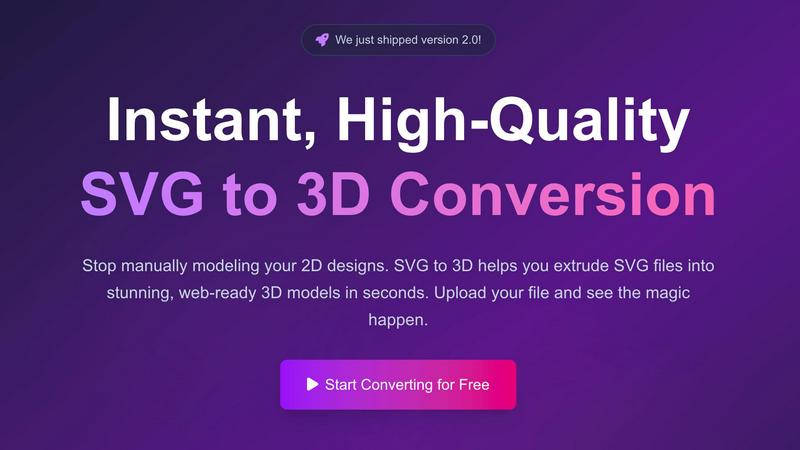
About SVG to 3D
SVG to 3D is an innovative online tool designed to transform two-dimensional SVG vector graphics into stunning three-dimensional models swiftly and effortlessly. This tool addresses a common challenge faced by designers, developers, and 3D printing enthusiasts who often find it tedious to navigate complex software like Blender or Cinema 4D just to create a simple 3D extrusion of a logo or icon. With SVG to 3D, users can upload their SVG files and within seconds, see their designs transformed into high-quality 3D models. This tool is particularly valuable for web developers needing lightweight models, designers looking to enhance their portfolios, and 3D printing enthusiasts who want to create physical versions of their digital designs. Ultimately, SVG to 3D provides a fast, user-friendly, and efficient solution for anyone looking to elevate their creative projects.
Features of SVG to 3D
One-Click to GLB for the Web
This feature allows users to export their 3D models as GLB files with just a single click. These files are optimized for web use, making them ideal for web developers who wish to integrate 3D elements into their projects seamlessly. The GLB format ensures that your models are lightweight and ready for use in frameworks like Three.js or React Three Fiber.
3D-Print Ready
SVG to 3D supports clean STL exports, making it a valuable tool for 3D printing enthusiasts. Users can directly use the exported STL files with their slicer software to prepare for printing. This feature eliminates the need for additional modeling software, streamlining the 3D printing process.
Advanced Material System
The Advanced Material System feature allows users to apply realistic Physically Based Rendering (PBR) materials and custom textures to their 3D models. This capability adds depth and realism to the designs, ensuring that the final output stands out. Users can also incorporate professional lighting effects, enhancing the visual appeal of their models.
Lightning-Fast Processing
SVG to 3D boasts optimized algorithms that convert SVG files into 3D models in mere seconds. This speed ensures that users can quickly iterate on their designs, making it an essential tool for professionals who require timely results without compromising on quality.
Use Cases of SVG to 3D
Interactive 3D Logos and Icons for Web
Web developers can leverage SVG to 3D to convert standard SVG icons into interactive 3D models that can be integrated into websites. This feature elevates the overall user experience by providing engaging and visually appealing elements that capture user attention.
Creating 3D Models for 3D Printing
Designers and hobbyists can utilize SVG to STL functionality to bring their 2D designs to life through 3D printing. The tool ensures that the models are ready for fabrication, allowing users to create custom parts, art pieces, or prototypes without needing extensive CAD knowledge.
Enhancing UI/UX Designs
SVG to 3D can be used to add depth to user interface and user experience designs, making them more visually appealing. Designers can quickly mock up and present UI elements with realistic lighting in 3D, which can impress clients and stakeholders during presentations.
Rapid Prototyping for Product Development
Product developers can use SVG to 3D for rapid prototyping of product designs. By converting 2D concepts into 3D models, they can visualize and test their ideas quickly, leading to more efficient development cycles and better end products.
Frequently Asked Questions
How does SVG to 3D work?
SVG to 3D works by allowing users to upload their SVG files directly into the browser. The tool then processes the file using optimized algorithms to create a 3D model, which can be customized further before exporting in various formats.
Is SVG to 3D free to use?
Yes, SVG to 3D offers a free version that allows users to convert SVG files into 3D models without any registration required. This makes it accessible for anyone looking to create 3D models quickly and easily.
What file formats can I export to using SVG to 3D?
Users can export their 3D models in multiple file formats, including GLB, GLTF, OBJ, and STL. This versatility makes it easy to integrate the models into various workflows, from web development to 3D printing.
Is my data secure when using SVG to 3D?
Yes, privacy and security are priorities for SVG to 3D. The tool processes files locally in the user's browser whenever possible, ensuring that designs remain private and secure without being uploaded to external servers.
Similar to SVG to 3D

Apps and files on an infinite canvas where people and AI agents work together.

Signage and kiosk infrastructure for AI agents. Your agent publishes images, video, streams, web pages and apps to screens via one plugin.screenRIG is

Free YouTube transcripts on the web, a Chrome extension, and an API + MCP server so AI assistants can read YouTube.

Soul Cinema is a cinematic AI image generator that turns a written shot into a film-grade still, with cinematographer lighting, Soul ID character cons

High-performance custom PHP websites, ecommerce stores, and AI discovery infrastructure that make your site readable by AI.


Turn any image into editable layers with AI
