
SupaSidebar
SupaSidebar gives you instant keyboard access to your links, files, and folders on Mac.
Visit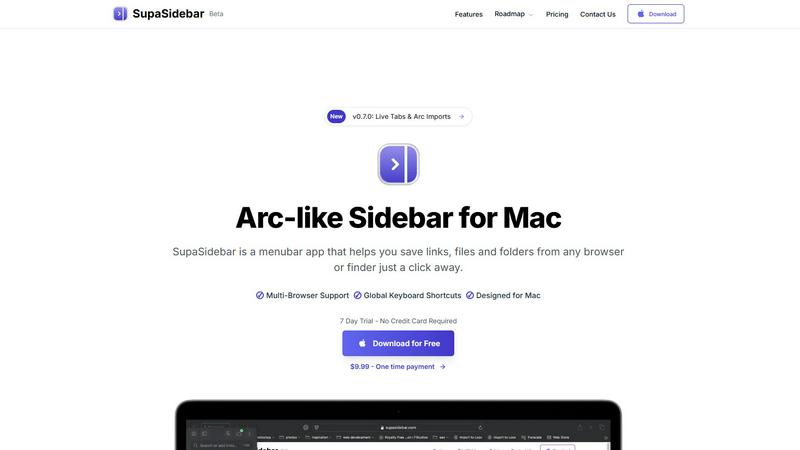
About SupaSidebar
SupaSidebar is a dedicated menubar application for Mac, designed to fundamentally improve how you access and organize your digital work. Inspired by the efficient sidebar concept of the Arc browser, it provides a universal, always-accessible panel for your most important resources. At its core, SupaSidebar solves a simple but widespread problem: the time and effort wasted switching between apps, hunting for files, and managing countless browser tabs. It allows you to instantly save and retrieve links from any major web browser—including Safari, Chrome, Firefox, Brave, and Arc—as well as files and folders directly from your Finder. All data is stored locally on your Mac, ensuring privacy and speed. The application is built for anyone seeking a more organized and focused workflow, from students and researchers managing sources to professionals juggling multiple projects. Its main value proposition is delivering a clutter-free, keyboard-centric command center that keeps your essential tools at your fingertips, reducing distraction and significantly boosting daily productivity on macOS.
Features of SupaSidebar
Universal Capture with Keyboard Shortcuts
SupaSidebar empowers you to save content without interrupting your flow. Using intuitive global keyboard shortcuts, you can instantly capture the current website link (CMD+CTRL+S) or copy it to your clipboard (CMD+CTRL+C) directly from any browser. This eliminates the tedious process of manually copying, switching apps, and pasting, making saving references, articles, or tools a seamless part of your browsing experience.
Recents History for Instant Recall
Never lose track of your digital trail. SupaSidebar automatically tracks every website you visit across all supported browsers for the past 48 hours, logging them in the "Recents" section. This feature acts as a short-term memory for your Mac, allowing you to instantly find and re-open that webpage you were viewing just a short while ago without digging through your browser history or countless open tabs.
Fast Universal Search
Access anything on your Mac with a single keystroke. By pressing CMD+CTRL+K, you activate a powerful search bar that scans across all your saved items—websites, files, folders, and applications. This centralized search function means you can launch apps, open documents, or navigate to saved links without ever taking your hands off the keyboard, dramatically speeding up task switching.
Organized Spaces and Pinned Favorites
Keep your most critical resources immediately accessible. You can pin important links, files, or folders to the top of your sidebar for one-click access. Furthermore, SupaSidebar organizes items into separate "Spaces," allowing you to categorize resources by project, topic, or context. This structure helps maintain order and ensures you can quickly find what you need for your current task.
Use Cases of SupaSidebar
Academic Research and Study
For students and academics, SupaSidebar streamlines the research process. You can quickly save journal articles, reference websites, and PDF documents into dedicated project spaces while studying. The "Recents" history helps you backtrack through sources, and the universal search lets you instantly pull up any saved material when writing papers or preparing for exams, keeping all research materials consolidated and accessible.
Project Management and Development
Developers and project managers can use SupaSidebar to centralize all project-related assets. Create a space for each project to hold links to documentation, design mockups, task boards, repository pages, and local project folders. This eliminates the need to bookmark in multiple browsers or navigate deep into file systems, providing a single, persistent hub for all project resources right from the desktop.
Streamlined Content Creation
Writers, designers, and content creators can benefit greatly. Save inspiration links, stock photo folders, branding guidelines, and writing templates directly into the sidebar. When working, quickly jump between research tabs, asset folders, and writing apps using keyboard shortcuts, maintaining a focused creative workflow without the clutter of dozens of open windows and tabs.
Daily Personal Productivity
For everyday Mac users, SupaSidebar reduces digital friction. Keep your daily checklists, often-used finance websites, favorite news links, and personal document folders pinned and ready. It replaces the need for scattered bookmarks and desktop clutter, offering a clean, fast, and organized way to access the digital tools you use every day, saving time and mental energy.
Frequently Asked Questions
Is SupaSidebar a browser extension?
No, SupaSidebar is not a browser extension. It is a standalone menubar application installed directly on your macOS system. It works alongside your existing browsers by using system-level accessibility features to communicate with them, allowing it to capture links and history from Safari, Chrome, Firefox, Brave, Arc, and others without requiring individual extensions for each one.
Which browsers does SupaSidebar work with?
SupaSidebar is compatible with all major browsers on Mac. This includes Safari, Google Chrome, Mozilla Firefox, Brave, and the Arc browser. The application is designed to integrate seamlessly with these browsers to capture your current tab's link and track your browsing history directly from its sidebar interface.
What macOS version do I need?
SupaSidebar requires macOS 13 (Ventura) or a later version to function properly. This ensures compatibility with the necessary system frameworks and security features that allow the app to operate reliably across your applications and provide its full set of features, including global keyboard shortcuts and browser integration.
Where is my data stored?
All your data within SupaSidebar--including saved links, files, folders, and your browsing history--is stored locally on your Mac. Nothing is sent to or stored on external servers. This local-first approach prioritizes your privacy and security, ensures fast access to your information, and means your data remains entirely under your control.
Pricing of SupaSidebar
SupaSidebar offers a free tier and two paid upgrade options, with a special 30% discount available during its beta period using the code BETA30.
Free Forever Plan: This plan costs $0 and includes support for all major browsers, 3 organizational Spaces, and a 7-day trial of Pro features. It is designed to be fully functional for most users' daily needs.
Pro Plan: Priced at $13.99 per year (or $19.99 monthly), the Pro plan unlocks unlimited Spaces for extensive organization, early access to new features, and priority customer support. The annual plan offers significant savings.
Lifetime Plan: For a one-time payment of $34.99 (discounted from $49.99 during beta), the Lifetime plan provides permanent access to all Pro features, valid for use on up to 5 active devices. This is a cost-effective option for long-term users.
All plans are backed by a 14-day money-back guarantee. The company also offers a 50% educational discount for students who verify their status with a university email address.
Explore more in this category:
Similar to SupaSidebar

Practical, independent guides to home repairs, maintenance, costs, troubleshooting, and everyday fixes.

Highlight faster. Study in flow with custom shortcuts and a workflow built around you. Print smarter, or turn any page into a tiled poster.

Turn videos, images, and files into secure direct links for sharing, embedding, and automated workflows.

Build Mode is a Mac app that turns focused sessions into visible progress, so you can see the work adding up before the results arrive.

Free, open-source scheduler. Web/mobile/API. Fees.


Capture any workflow in your browser and export a branded, step-by-step SOP with screenshots. €5 per document, no subscription.