
LuxSign vs Updaytr
Side-by-side comparison to help you choose the right product.

LuxSign enables secure electronic signatures for documents, compliant with EU regulations, all hosted in Luxembourg.
Last updated: February 26, 2026
Updaytr
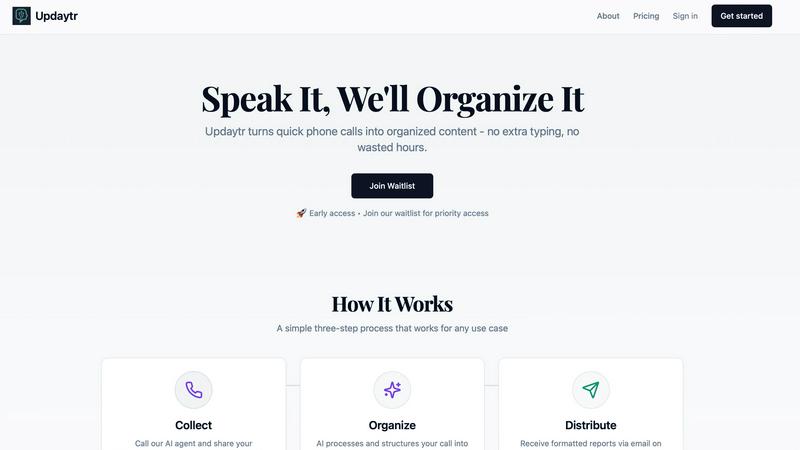
Updaytr turns team phone updates into organized reports, eliminating status meetings.
Last updated: March 1, 2026
Visual Comparison
LuxSign

Updaytr
Feature Comparison
LuxSign
Multiple Signature Methods
LuxSign provides versatile signing options, allowing users to draw their signature with a mouse, type their name, or upload an image of their signature. This flexibility accommodates various preferences and speeds up the signing process, making it convenient for every user.
Advanced Security
Security is paramount with LuxSign. The platform employs industry-standard encryption to protect documents during upload, storage, and transmission. Additionally, documents are stored on secure servers in Luxembourg, ensuring compliance with EU data protection regulations for peace of mind.
Collaboration Workspaces
LuxSign facilitates teamwork through collaboration workspaces where users can create shared environments for their teams. This feature allows users to organize documents in folders, manage member access, and collaborate seamlessly on signing workflows, enhancing productivity and efficiency.
Complete Audit Trail
Maintaining transparency and security, LuxSign provides a complete audit trail for every action taken on a document. Each log includes timestamps, IP addresses, and signer information, ensuring compliance and providing a reliable record for verification purposes.
Updaytr
Voice-to-Report Conversion
This is the foundational feature of Updaytr. Team members can call in their updates from any phone, at any time. They simply speak naturally about their work, progress, or issues. The advanced AI then transcribes this conversation and, crucially, structures the raw audio into a well-organized, written report. This eliminates all typing, allowing for quick updates from the field and turning spoken words into actionable written content automatically.
Automated Report Distribution
Once the AI has processed and organized the updates, Updaytr handles delivery automatically. Managers and other stakeholders receive consolidated, beautiful reports directly in their email inbox. You can set the delivery schedule—whether daily, weekly, or at another interval—ensuring the right people get the right information at the right time without anyone having to manually send or forward anything.
Smart Contextual Organization
The AI does more than just transcribe; it intelligently organizes the information. It can automatically tag updates by project, client, or team member based on the content of the call. The system also remembers context from previous calls, providing continuity in reporting. This smart categorization ensures that reports are logical and easy to scan, making it simple to track progress over time on specific tasks or projects.
Flexible and Accessible Setup
Updaytr is designed for ease of use from day one. There is no complex software for field teams to install or learn. They use a tool they already have: a phone. Administrators can easily add team members and their phone numbers to the system. The service offers a free tier to get started, requires no credit card for the trial, and works with any telephone, making it accessible for businesses of all types and technical levels.
Use Cases
LuxSign
Real Estate Transactions
In the real estate sector, LuxSign can be utilized to streamline the signing of contracts and agreements between buyers, sellers, and agents. The platform's secure and compliant nature ensures that all parties can sign documents electronically, expediting the entire process.
Employment Contracts
LuxSign is an excellent tool for HR departments to manage employment contracts. With the ability to send documents for signature and track their status in real-time, HR teams can ensure that all contracts are signed promptly and securely.
Financial Agreements
Financial institutions can leverage LuxSign for signing loan agreements and other financial documents. The platform's compliance with eIDAS standards guarantees that these documents are legally valid across the European Union, thus enhancing trust in the transaction.
Remote Team Collaboration
For companies with remote teams, LuxSign simplifies the document signing process. Employees can sign documents from anywhere, at any time, using their smartphones or tablets. This flexibility is essential for maintaining productivity in a distributed work environment.
Updaytr
Construction and Field Supervision
Construction supervisors and remodeling contractors can use Updaytr to receive daily progress reports from their crews. Instead of chasing down foremen for updates, they get a consolidated email detailing work completed, materials needed, and any on-site issues. This provides clear visibility into multiple projects without interrupting the workflow on the job site.
Sales and Client Service Reporting
Outside sales representatives and insurance adjusters can call in immediately after client visits. They can share meeting notes, deal progress, and next steps verbally while the details are fresh. Updaytr organizes these updates, ensuring managers are instantly aware of sales pipelines and client status without waiting for typed reports at the end of the day.
Service and Maintenance Technicians
HVAC, plumbing, and other service technicians can report job completions, equipment status, and parts used directly from the customer's location. This creates immediate service records, informs dispatch of availability for the next job, and provides customers with prompt, professional documentation of the work performed, all through a simple phone call.
Personal Productivity and Journaling
Individuals can use Updaytr for personal organization. Whether tracking daily activities, progress on personal projects, or simply recording thoughts and ideas, users can call in their updates. The AI organizes these into a private log or journal, creating a searchable record of notes and accomplishments without the need for a separate app or writing.
Overview
About LuxSign
LuxSign is a secure, cloud-based electronic signature platform designed specifically for businesses that require high compliance standards. Originating from Luxembourg, LuxSign ensures that all documents are encrypted end-to-end and stored exclusively within the country, thereby guaranteeing full compliance with the General Data Protection Regulation (GDPR). The platform supports the European Union's eIDAS Simple Electronic Signature (SES) standards, ensuring that contracts signed through LuxSign hold legal validity across all member states. LuxSign is equipped with essential features such as parallel and sequential signing workflows, drag-and-drop signature field placement, and automated email notifications for signers. Its advanced tiers offer additional functionalities like document templates, comprehensive audit trails, bulk signing capabilities, collaboration workspaces, custom branding options, and a REST API for system integrations. This makes LuxSign an ideal solution for businesses aiming to streamline their document signing processes while ensuring security and compliance.
About Updaytr
Updaytr is an AI-powered communication tool designed to eliminate the friction of team reporting. It serves a simple, fundamental need: keeping everyone informed without wasting time. The tool is built for teams, especially those working in the field, where typing updates on a phone or computer is impractical. Team members simply call a dedicated number and speak their updates. Updaytr's AI then listens, understands, and organizes these spoken words into clear, formatted reports. These reports are automatically delivered via email to managers and stakeholders on a set schedule. This process removes the need for lengthy status meetings, cumbersome paperwork, and manual report compilation. The core value proposition is efficiency through simplicity. By turning a natural phone call into a structured report, Updaytr allows field workers to focus on their jobs and managers to stay informed with minimal effort. It is a back-to-basics solution that leverages modern AI to solve the age-old problem of effective team communication.
Frequently Asked Questions
LuxSign FAQ
What types of documents can I sign using LuxSign?
You can sign a variety of document formats using LuxSign, including PDF, DOC, and DOCX files. The platform supports automatic conversion for seamless processing.
Is LuxSign GDPR compliant?
Yes, LuxSign is fully compliant with GDPR and Luxembourg data protection laws. All documents are encrypted and stored securely in Luxembourg, ensuring your data privacy is protected.
How many signers can I add to a document?
LuxSign allows you to add up to four signers per document. You can choose to set up either parallel signing or sequential signing workflows to suit your needs.
What kind of support does LuxSign offer?
LuxSign provides email support for users, with premium plans offering priority support for faster response times. This ensures that users have access to assistance when needed for any signing-related inquiries.
Updaytr FAQ
How does Updaytr handle different team members' voices?
Updaytr's AI is designed to transcribe speech accurately from a variety of voices and accents. When you set up your team, you associate each member with their phone number. The system uses this information alongside advanced speech recognition to correctly attribute updates to the right person, ensuring reports are clearly organized by team member.
Can I customize what the report looks like?
Yes, the AI organizes updates into a clean, formatted report structure. While the primary focus is on automatic organization by project, client, or tags mentioned in the call, the resulting email report is designed for clarity and ease of reading. The system structures the spoken content with appropriate headings and sections based on the context it detects.
Is my data secure with Updaytr?
Updaytr takes data security seriously. The provided context notes that for specific industries, like healthcare, users should be aware of compliance limitations (e.g., it is not HIPAA compliant). For general business use, you should refer to the company's Security & Compliance, Privacy, and Terms pages (linked in the footer) for detailed information on their data handling and security practices.
What if a team member has poor cell service?
The tool is built for field use and is resilient. If a call drops or has poor audio, the team member can simply call back to continue or restart their update. The AI will process the audio it receives. For consistent issues, using a landline or waiting for better service are practical solutions, as the system is accessible from any phone.
Alternatives
LuxSign Alternatives
LuxSign is a sophisticated electronic signature platform designed to facilitate secure document signing for businesses. It operates within the productivity and management category, ensuring that all signatures comply with eIDAS SES standards, thus providing legal validity across the European Union. Businesses often seek alternatives to LuxSign for various reasons, including pricing considerations, specific feature requirements, or the need for different platform integrations that better fit their operational workflows. When looking for an alternative to LuxSign, it is important to evaluate the platform's compliance with legal standards, the security measures in place for data protection, and the range of features offered. Users should consider their unique needs, such as the ability to customize workflows, the level of customer support, and integration capabilities with existing systems. Assessing these factors will help ensure that the chosen platform aligns with the business's goals and requirements.
Updaytr Alternatives
Updaytr is a productivity and management tool that transforms spoken phone updates into organized, written reports. It serves teams that need to share field updates without the friction of typing or scheduling meetings. This category of software focuses on streamlining communication and automating routine reporting tasks. Users often explore alternatives for several practical reasons. These can include budget constraints, the need for specific integrations with other business tools, or a preference for different input methods beyond phone calls. Some teams may require more advanced project management features or different reporting formats. When evaluating other options, consider the core need: converting verbal updates into actionable written records. Key factors include the method of input, such as voice, text, or app-based entry, the quality of the automated organization, and the flexibility of report distribution. The ideal tool should fit seamlessly into your team's existing workflow without creating additional steps.