
About Updaytr
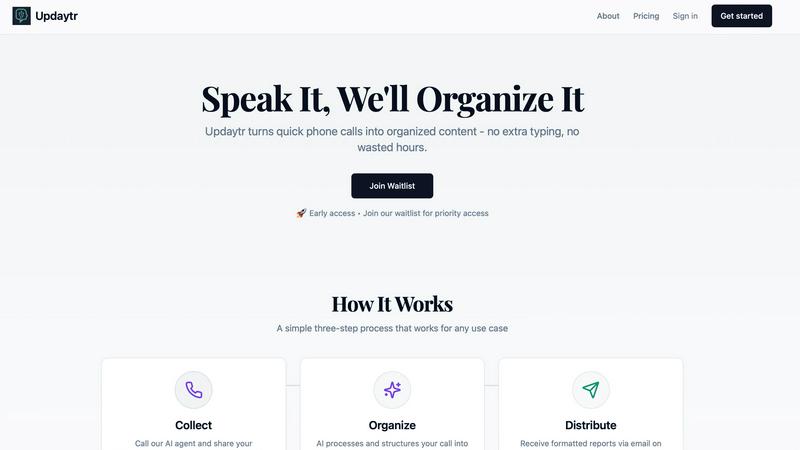
Updaytr is an AI-powered communication tool designed to eliminate the friction of team reporting. It serves a simple, fundamental need: keeping everyone informed without wasting time. The tool is built for teams, especially those working in the field, where typing updates on a phone or computer is impractical. Team members simply call a dedicated number and speak their updates. Updaytr's AI then listens, understands, and organizes these spoken words into clear, formatted reports. These reports are automatically delivered via email to managers and stakeholders on a set schedule. This process removes the need for lengthy status meetings, cumbersome paperwork, and manual report compilation. The core value proposition is efficiency through simplicity. By turning a natural phone call into a structured report, Updaytr allows field workers to focus on their jobs and managers to stay informed with minimal effort. It is a back-to-basics solution that leverages modern AI to solve the age-old problem of effective team communication.
Features of Updaytr
Voice-to-Report Conversion
This is the foundational feature of Updaytr. Team members can call in their updates from any phone, at any time. They simply speak naturally about their work, progress, or issues. The advanced AI then transcribes this conversation and, crucially, structures the raw audio into a well-organized, written report. This eliminates all typing, allowing for quick updates from the field and turning spoken words into actionable written content automatically.
Automated Report Distribution
Once the AI has processed and organized the updates, Updaytr handles delivery automatically. Managers and other stakeholders receive consolidated, beautiful reports directly in their email inbox. You can set the delivery schedule—whether daily, weekly, or at another interval—ensuring the right people get the right information at the right time without anyone having to manually send or forward anything.
Smart Contextual Organization
The AI does more than just transcribe; it intelligently organizes the information. It can automatically tag updates by project, client, or team member based on the content of the call. The system also remembers context from previous calls, providing continuity in reporting. This smart categorization ensures that reports are logical and easy to scan, making it simple to track progress over time on specific tasks or projects.
Flexible and Accessible Setup
Updaytr is designed for ease of use from day one. There is no complex software for field teams to install or learn. They use a tool they already have: a phone. Administrators can easily add team members and their phone numbers to the system. The service offers a free tier to get started, requires no credit card for the trial, and works with any telephone, making it accessible for businesses of all types and technical levels.
Use Cases of Updaytr
Construction and Field Supervision
Construction supervisors and remodeling contractors can use Updaytr to receive daily progress reports from their crews. Instead of chasing down foremen for updates, they get a consolidated email detailing work completed, materials needed, and any on-site issues. This provides clear visibility into multiple projects without interrupting the workflow on the job site.
Sales and Client Service Reporting
Outside sales representatives and insurance adjusters can call in immediately after client visits. They can share meeting notes, deal progress, and next steps verbally while the details are fresh. Updaytr organizes these updates, ensuring managers are instantly aware of sales pipelines and client status without waiting for typed reports at the end of the day.
Service and Maintenance Technicians
HVAC, plumbing, and other service technicians can report job completions, equipment status, and parts used directly from the customer's location. This creates immediate service records, informs dispatch of availability for the next job, and provides customers with prompt, professional documentation of the work performed, all through a simple phone call.
Personal Productivity and Journaling
Individuals can use Updaytr for personal organization. Whether tracking daily activities, progress on personal projects, or simply recording thoughts and ideas, users can call in their updates. The AI organizes these into a private log or journal, creating a searchable record of notes and accomplishments without the need for a separate app or writing.
Frequently Asked Questions
How does Updaytr handle different team members' voices?
Updaytr's AI is designed to transcribe speech accurately from a variety of voices and accents. When you set up your team, you associate each member with their phone number. The system uses this information alongside advanced speech recognition to correctly attribute updates to the right person, ensuring reports are clearly organized by team member.
Can I customize what the report looks like?
Yes, the AI organizes updates into a clean, formatted report structure. While the primary focus is on automatic organization by project, client, or tags mentioned in the call, the resulting email report is designed for clarity and ease of reading. The system structures the spoken content with appropriate headings and sections based on the context it detects.
Is my data secure with Updaytr?
Updaytr takes data security seriously. The provided context notes that for specific industries, like healthcare, users should be aware of compliance limitations (e.g., it is not HIPAA compliant). For general business use, you should refer to the company's Security & Compliance, Privacy, and Terms pages (linked in the footer) for detailed information on their data handling and security practices.
What if a team member has poor cell service?
The tool is built for field use and is resilient. If a call drops or has poor audio, the team member can simply call back to continue or restart their update. The AI will process the audio it receives. For consistent issues, using a landline or waiting for better service are practical solutions, as the system is accessible from any phone.
Pricing of Updaytr
Updaytr offers a Free Tier to get started with no credit card required. For detailed pricing plans and to estimate your team's usage, you can visit the "View Pricing" and "Estimate Usage" sections on their website. This indicates a flexible pricing model likely based on the number of users or volume of updates, allowing businesses to scale the service to their needs.
Explore more in this category:
Similar to Updaytr

AI Email Filter sorts incoming mail into folders using plain-language prompts you write. Works with any IMAP mailbox; bring your own LLM if you want.

No-code 2D game editor: visual node logic, drag-and-drop scenes, live preview. Exports to Windows, macOS, Linux, Android, iOS, Web.

A free launch checklist for SaaS, apps, AI tools and more. Every step says why it matters and when you can skip it.

Free collection of online developer utilities, code formatters, and digital converters designed to streamline your daily workflow.


Visual financial timelines for couples and young professionals: model cash flow, life events, and shared goals.

The #1 Native Form Builder Plugin for Framer - No Code, No Embeds, No External Platforms.

Plan and review LinkedIn prospecting, outreach flows, post previews, and campaign progress in one workspace.