Patrivox vs Playwriter
Side-by-side comparison to help you choose the right product.

Patrivox
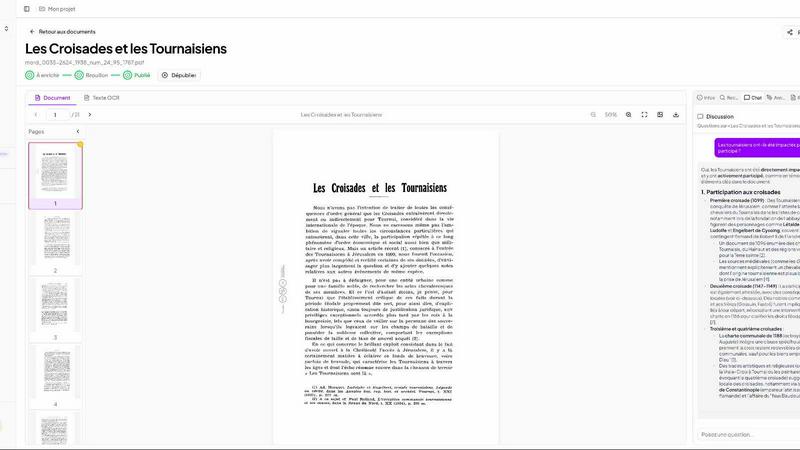
Patrivox uses AI to digitize and make your entire document archive searchable in minutes.
Last updated: March 4, 2026

Visual Comparison
Patrivox
Playwriter

Overview
About Patrivox
Patrivox is a foundational software platform designed to solve a basic but critical problem: making large collections of scanned documents useful. Many organizations, such as municipal archives, historical societies, and heritage libraries, possess vast archives of PDFs that are effectively locked away. These documents are difficult to search through, requiring hours of manual effort to find specific information. Patrivox addresses this by applying modern artificial intelligence to transform these static files into a dynamic, searchable knowledge base. At its core, the platform uses advanced Optical Character Recognition (OCR) powered by Mistral AI to read every word in your documents. It then goes further by automatically identifying and linking key entities like people, places, organizations, and dates. This process creates a connected web of information, or a knowledge graph, from your archives. The main value proposition is simple: it turns inaccessible data into easily searchable knowledge. Users can find information in seconds using a typo-tolerant search or by asking questions in plain language, with the AI providing answers directly sourced from the documents. Built and hosted entirely in Europe, Patrivox is a sovereign solution focused on empowering organizations to preserve and open their heritage to researchers, teams, and the public.
About Playwriter
AI agents cannot browse the web properly. They either have no browser access, or they get a fresh Chrome with no logins, no extensions, and instant bot detection. Playwriter gives them your actual browser session instead. One Chrome extension, full automation API, everything you are already logged into. Includes accessibility snapshots (5-20KB instead of 100KB+ screenshots), a debugger with breakpoints, live code editing, network interception, and video recording. Works with any MCP client: Cursor, Claude, VS Code, and more. Open source, MIT licensed.