
Never Drop vs Phishly
Side-by-side comparison to help you choose the right product.

Never Drop
NeverDrop captures contacts, enriches profiles, and drafts personalized follow-ups instantly to close deals faster.
Last updated: February 28, 2026

Phishly
Phishly uses AI to instantly detect phishing emails in your Gmail inbox.
Visual Comparison
Never Drop

Phishly
Feature Comparison
Never Drop
AI-Powered Business Card Scanning
Never Drop allows users to scan any business card in seconds using their smartphone camera. The app's AI-powered OCR technology extracts essential contact details such as name, company, title, phone number, and email instantly. This eliminates the hassle of manual typing and reduces the risk of losing valuable cards.
Automatic Email Enrichment
Business cards often contain generic emails or lack email addresses entirely. Never Drop resolves this issue by automatically finding verified work emails based on the contact's name and company. This feature ensures that your contact profiles are enriched and ready for CRM integration without any manual effort.
Personalized AI-Generated Follow-Ups
After scanning a business card, users can dictate voice notes or add text context about their conversation. Never Drop leverages this information to generate a personalized follow-up email, tailored to the specifics of your interaction. Users can review and send the email with just one tap, all in under two minutes.
Team Collaboration and Management
Never Drop offers a collaborative workspace for sales teams, allowing them to organize scans by event, reassign leads between representatives, and track team activities through a comprehensive dashboard. This ensures that everyone on the team remains aligned, and nothing slips through the cracks.
Phishly
One-Click Gmail Integration
Phishly integrates directly into your Gmail workflow through a simple Chrome extension. There is no complicated setup or configuration. Once installed, a "Scan with Phishly" button appears in your Gmail interface. When you open any email that raises doubts, a single click initiates the analysis. This seamless integration means you don't have to leave your inbox or copy information to another platform, making the security check a quick and natural part of your email review process.
AI-Powered Phishing Detection
The platform uses advanced artificial intelligence to examine the content and structure of an email. It is trained to recognize a wide array of phishing indicators. This includes detecting suspicious domain names that mimic legitimate ones, identifying urgent or threatening language designed to provoke a hasty response, uncovering attempts to spoof or impersonate a known sender, and spotting social engineering tactics that manipulate emotions. The AI does the heavy lifting of pattern recognition that can be difficult for the human eye to catch consistently.
Clear Risk Assessment & Explanation
After analysis, Phishly does not just give a vague warning. It provides a straightforward, three-tier risk rating: Safe, Medium Risk, or High Risk. More importantly, it accompanies this rating with a detailed, plain-language explanation. It will point out the specific elements that caused concern, such as "The sender's domain is misspelled" or "This email uses urgent language demanding immediate action." This educational component helps you understand why an email is suspicious, improving your own ability to spot similar scams in the future.
Privacy-Focused Web Tool
For emails received outside of Gmail or for users who prefer not to use an extension, Phishly offers a web-based tool. You can copy the text and headers of any suspicious email and paste them into the tool on the Phishly website for instant analysis. Crucially, both the extension and the web tool operate on a fundamental principle of user consent and privacy. Phishly only analyzes emails that you explicitly and manually choose to scan. It does not automatically read, access, or store your emails without your direct action.
Use Cases
Never Drop
Trade Shows and Expos
Sales teams attending trade shows can benefit significantly from Never Drop. The ability to scan business cards quickly and efficiently ensures that leads are captured before they leave the booth, allowing for immediate follow-up and maximizing conversion opportunities.
Networking Events
At networking events, professionals often meet numerous contacts in a short period. Never Drop enables users to capture these connections effortlessly, adding context about conversations to ensure that follow-ups are relevant and timely.
Conferences and Seminars
Conferences present a unique opportunity for businesses to connect with potential clients and partners. With Never Drop, users can easily manage contacts gathered during these events and send personalized follow-up emails that capitalize on the momentum gained during the conference.
Business Meetings and Dinners
In more intimate settings like business dinners, Never Drop helps users maintain a professional edge by allowing them to capture leads without the need for cumbersome note-taking. This ensures that conversations are remembered and followed up on promptly.
Phishly
Verifying Urgent Account Alerts
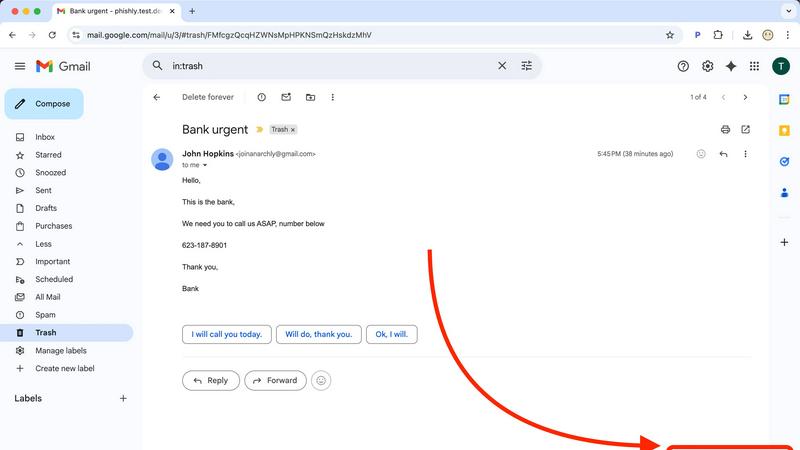
You receive an email that appears to be from your bank, a payment service, or a popular website like Netflix, claiming your account is compromised and urging you to click a link to verify your identity. Instead of panicking and clicking, you use Phishly to scan the email. The tool can detect if the links lead to a fake domain or if the language uses excessive urgency, helping you determine if it's a legitimate alert or a phishing attempt designed to steal your login credentials.
Screening Email Invoices and Payment Requests
Small business owners and freelancers often receive invoices and payment requests via email. A scammer may send a fake invoice pretending to be a regular vendor or client. By scanning such emails with Phishly, you can check for signs of sender spoofing or suspicious attachment files. This simple step can prevent costly business email compromise (BEC) scams and ensure you only send payments to legitimate recipients.
Educating Family Members on Email Safety
Phishing scams target everyone, including those less familiar with technology. You can use Phishly as an educational tool for family members, such as parents or children. When they receive a questionable email, you can show them how to use the tool to scan it. The clear "Safe/Medium/High Risk" result and the accompanying explanation provide a concrete, non-technical lesson on what makes an email dangerous, building their confidence and digital literacy.
Analyzing Suspicious Job Offers or Communications
Unexpected job offers, prize notifications, or messages from unknown contacts can be phishing lures. These often promise high rewards for little effort to entice you into providing personal information. Pasting the content of such communications into the Phishly web tool allows for a quick reality check. The AI can identify hallmarks of these "too good to be true" scams, such as poor grammar, generic greetings, and requests for personal details upfront, protecting you from identity theft or fraud.
Overview
About Never Drop
Never Drop is an innovative lead-capture app meticulously designed for sales teams working in dynamic and fast-paced environments such as trade shows, conferences, and networking events. Its primary function is to streamline the process of collecting and managing leads effectively. Users can easily scan business cards using their smartphones, which significantly reduces the time and effort typically required for manual data entry. Once a card is scanned, users have the option to enrich the captured data with voice notes or text context about their conversations. This ensures that vital details about each lead are preserved. One of the standout features of Never Drop is its advanced AI technology, which drafts personalized follow-up emails in under two minutes. This capability helps eliminate the risk of losing leads by ensuring that timely follow-ups are sent. Additionally, Never Drop integrates seamlessly with popular CRMs like HubSpot, keeping your sales pipeline organized and efficient. By utilizing Never Drop, sales teams can bid farewell to lost leads and embrace a more streamlined approach to turning prospects into closed deals.
About Phishly
Phishly is a straightforward, AI-powered tool designed to help you identify phishing emails. At its core, phishing is a type of online scam where criminals try to trick you into revealing sensitive information, like passwords or credit card numbers, by pretending to be a trustworthy source. Phishly cuts through this deception. It operates as a simple Chrome extension for your Gmail and as a web tool, putting powerful detection right where you need it. When you receive an email that seems suspicious, you can open it in Gmail and click "Scan with Phishly." Alternatively, you can copy and paste the email's content directly onto the Phishly website. The tool then instantly analyzes the text, looking for common warning signs of a phishing attempt. It provides a clear, easy-to-understand risk assessment—categorizing the email as Safe, Medium Risk, or High Risk—along with a detailed explanation of what triggered the alert. This tool is perfect for individuals, families, and small businesses who want effective protection against these common threats without the complexity and cost of large enterprise security software. Phishly respects your privacy by only scanning emails you explicitly choose to analyze. It requires no technical knowledge, is free to use, and delivers immediate answers, acting as a reliable second opinion whenever you question an email's legitimacy.
Frequently Asked Questions
Never Drop FAQ
What is Never Drop?
Never Drop is a lead-capture app designed for sales teams at events. It enables users to scan business cards, add contextual notes, and generates personalized follow-up emails in under two minutes. It also enriches contact data with verified emails and integrates with CRMs.
How does business card scanning work?
Users can take a photo of any business card through the Never Drop app. The app utilizes AI-powered OCR to extract relevant contact details, including the person's name, company, title, phone number, and email. Manual entry of contact details is also an option if preferred.
What types of events is Never Drop suitable for?
Never Drop is ideal for various events such as trade shows, conferences, networking events, meetups, and business dinners. It allows users to categorize scans by event, making it easy to track and manage leads from specific conferences.
Do I need the mobile app for Never Drop?
Yes, the mobile app is essential for scanning business cards, recording voice context, and triggering follow-ups on the go. The web dashboard complements the mobile app by allowing team management, review of scans, configuration of settings, and billing management. Both platforms work together seamlessly.
Phishly FAQ
How does Phishly protect my privacy?
Phishly is built with a fundamental commitment to user privacy. The tool only analyzes emails that you explicitly choose to scan. When you click the "Scan with Phishly" button in Gmail or paste text into the web tool, only that specific email content is sent for analysis. Phishly does not continuously monitor, read, or store your emails. You remain in complete control of what is checked, ensuring your private correspondence stays private.
Is technical knowledge required to use Phishly?
No, absolutely no technical knowledge is required. Phishly is designed for everyday users. The installation of the Chrome extension is a standard process, and from there, security checks are performed with a single click. The results are presented in simple, clear language with a straightforward risk rating (Safe, Medium, High). The goal is to make powerful phishing detection accessible to anyone, regardless of their technical background.
What does Phishly look for in an email?
Phishly's AI is trained to identify multiple common red flags associated with phishing emails. This includes analyzing the sender's email address for subtle misspellings or suspicious domains, examining links to see if they lead to fraudulent websites, detecting the use of urgent or threatening language designed to cause panic, and identifying attempts to impersonate trusted organizations or individuals. It combines these signals to provide a comprehensive risk assessment.
Is Phishly really free to use?
Yes, Phishly is currently free to use. The core service of scanning individual emails for phishing indicators through both the Chrome extension and the web tool is available at no cost. This makes it an accessible security resource for individuals, families, and small businesses looking for effective protection without a financial investment or subscription commitment.