

Alternatives to Vivideo
Vivideo is a free online tool that lets you turn text or images into high-quality videos using multiple top AI models.
Explore 20 alternatives to Vivideo. Compare features, pricing, and find the best fit for your needs.
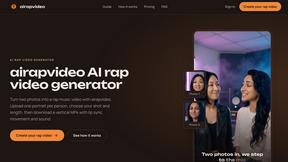
airapvideo
Turn two portraits into a lip-synced AI rap video. Pick framing and length, get a share-ready 9:16 MP4 for TikTok and Reels.

GenX
All-in-one AI workspace to generate images, videos, and audio with multiple leading AI models.
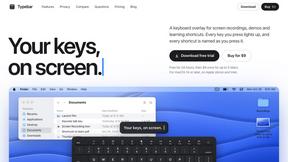
Typebar
Every key you press lights up on an on-screen keyboard, and each shortcut is named. For screen recordings, demos and learning shortcuts.


Nano AI
Create and edit AI images, generate videos, and compare models in one creative workbench.



Play Jean Phil
Play Jean Phil is a Jean Phil AI video generator. Upload one photo of a person or a pet and it plays Jean Philanthrope.

Gas Station Dance AI Generator
Browser-based AI generator that recreates the viral gas station dance video from 1–3 photos.

Unforgettable Car AI
Unforgettable Car AI generates the 15-second Unforgettable car trend video from a single selfie.

Ozil Goal AI
Ozil Goal AI turns one photo into an AI remake of Mesut Özil's famous 2016 chip-and-dribble goal against Ludogorets

Tip Toe AI
Upload a Dancer photo and a Partner photo and get your own AI Tip Toe barn-dance video. Free 5s preview, 12s HD from $4.90. No subscription.

Ozil Goal AI
Turn one photo into the viral Özil goal meme video: you, your dog, a toy or a drawing scores. Free 5s preview, 10s 720p from $4.90. No subscription.


Raindance AI Video Generator
Turn two photos into a Raindance AI pier video with the soundtrack included.


DanseAI - Alors on Danse AI Video Genera
Make the Alors on Danse AI meme video from two photos, soundtrack included.

Rumpelstiltskin AI Video Generator
Make the viral Rumpelstiltskin tiptoe dance meme video from two photos.
Opus 5.5 Video Generator
Turn a prompt into a 1080p motion-graphics MP4 planned and coded by Claude Opus 5.5.
About Vivideo Alternatives
Vivideo is an AI-powered video generation tool that falls under the category of automated video creation software. It allows users to transform text prompts, scripts, articles, or uploaded images into complete video projects without needing traditional editing skills. While Vivideo offers a powerful set of features like AI voiceovers, automatic subtitles, and HD exports, users often look for alternatives due to specific needs such as budget constraints, a desire for different pricing models, or the need for more granular control over the editing timeline. Others may seek platforms that specialize in a particular type of content, such as long-form educational videos versus short-form social media clips. When choosing an alternative to Vivideo, the foundational step is to clearly define your primary use case. Start by asking if you need a tool that excels at text-to-video conversion or one that is better suited for image-to-video animation. Evaluate the core features that matter most to your workflow, such as the quality of the AI voiceover library, the availability of multilingual support, and the resolution of the final export. Finally, consider the learning curve; a more complex tool might offer more customization, but a simpler one will get your first video published faster. Always test the free trial or basic tier of any potential replacement to ensure it handles your specific type of content reliably before committing to a subscription.
FAQs about Vivideo Alternatives
What is Vivideo?
Vivideo is an advanced AI video generator that turns text, scripts, or images into high-quality videos automatically. It uses multiple AI models to generate visuals, voiceovers, subtitles, music, and transitions, streamlining the entire video production process. The platform is designed to make professional video creation accessible to everyone, from beginners to experienced marketers.
Who is Vivideo for?
Vivideo is built for creators, marketers, businesses, and educators who need to produce video content quickly without a steep learning curve. It is ideal for generating videos for social media platforms like TikTok, Instagram Reels, and YouTube Shorts, as well as for marketing campaigns, product promotions, and tutorials. The tool is designed to serve both individuals and teams who want to scale their video output efficiently.
What are the main features of Vivideo?
Key features include text-to-video and image-to-video generation, multilingual AI voiceovers, automatic captioning, and customizable aspect ratios for different platforms. The platform is powered by multiple AI video models and supported by millions of stock assets, allowing users to create content in HD and 4K resolution. It also offers an intuitive editing workflow that handles the heavy lifting of video assembly, including the addition of transitions and background music.
Is Vivideo free?
Based on the product description, Vivideo is a commercial tool that offers professional features like HD and 4K exports, which typically require a paid subscription. While specific pricing tiers are not listed in the provided content, most platforms in this category offer a limited free trial or a basic plan with watermarked exports. Users should check the official Vivideo website for the most current pricing and free trial availability.