

Alternatives to Very Good Calendar Sync
Very Good Calendar Sync quietly syncs your work, personal, and client calendars on your Mac without linking accounts or exposing sensitive data.
Explore 20 alternatives to Very Good Calendar Sync. Compare features, pricing, and find the best fit for your needs.
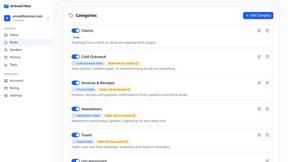
AI Email Filter
AI Email Filter sorts incoming mail into folders using plain-language prompts you write. Works with any IMAP mailbox; bring your own LLM if you want.
Egmatic
No-code 2D game editor: visual node logic, drag-and-drop scenes, live preview. Exports to Windows, macOS, Linux, Android, iOS, Web.
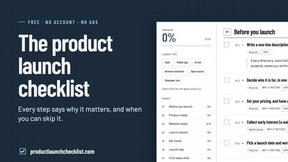
Product Launch Checklist
A free launch checklist for SaaS, apps, AI tools and more. Every step says why it matters and when you can skip it.
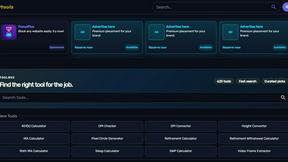
Kody Tools
Free collection of online developer utilities, code formatters, and digital converters designed to streamline your daily workflow.
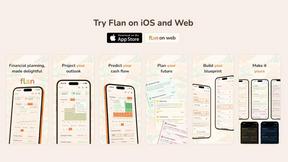
Flan
Visual financial timelines for couples and young professionals: model cash flow, life events, and shared goals.
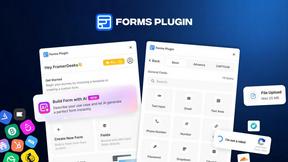
Forms Plugin
The #1 Native Form Builder Plugin for Framer - No Code, No Embeds, No External Platforms.

HomeAnswerBook
Practical, independent guides to home repairs, maintenance, costs, troubleshooting, and everyday fixes.
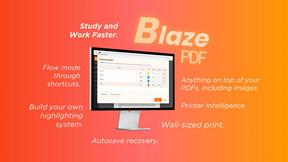
BlazePDF
Highlight faster. Study in flow with custom shortcuts and a workflow built around you. Print smarter, or turn any page into a tiled poster.


Video2URL
Turn videos, images, and files into secure direct links for sharing, embedding, and automated workflows.
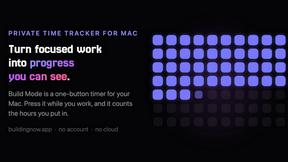
Build Mode for Mac
Build Mode is a Mac app that turns focused sessions into visible progress, so you can see the work adding up before the results arrive.



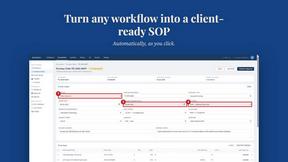
MySOP.guru
Capture any workflow in your browser and export a branded, step-by-step SOP with screenshots. €5 per document, no subscription.
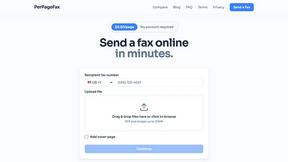
PerPageFax
PerPageFax lets you send a fax online from any browser for a flat $0.50 per page — no account, no subscription, no fax machine.

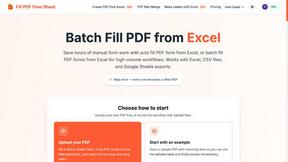
Fill PDF from Sheet
Fill PDF from Sheet automates the process of populating PDF forms from data in Excel, CSV, or Google Sheets.


About Very Good Calendar Sync Alternatives
Very Good Calendar Sync is a focused macOS utility that quietly keeps your calendars in sync without any manual effort. It belongs to the productivity and management category, specifically designed for people who need to maintain separate work and personal calendars but want them to stay automatically updated. The app works entirely on your Mac, using the native Calendar.app access to monitor changes and mirror them according to your rules, all while keeping your data private and never sending it to the cloud. Users commonly look for alternatives to Very Good Calendar Sync for a few key reasons. Some may need a cross-platform solution that works on Windows, Android, or iOS, since this app is limited to macOS. Others might find the feature set too minimal for complex scenarios like team-wide calendar publishing or shared resource booking. Pricing can also be a factor, as some users prefer a one-time purchase or a free tool with basic sync capabilities. When choosing an alternative, focus on three things: what platforms you need to support, how granular you need your sync filters to be, and whether you are comfortable with cloud-based sync or require a fully offline, local-only solution like this one.
FAQs about Very Good Calendar Sync Alternatives
What is Very Good Calendar Sync?
Very Good Calendar Sync is a macOS app that quietly and automatically synchronises your calendars so you no longer need to check multiple places. It works in the background, monitoring your calendars and syncing changes as they happen. You set it up once and it runs quietly, ensuring new meetings on one calendar appear on another without any manual action.
Who is Very Good Calendar Sync for?
This app is perfect for consultants managing client calendars, employees balancing work and personal schedules, freelancers juggling multiple projects, or anyone tired of calendar chaos. It is designed for individuals who use macOS and need a simple, private way to keep separate calendars in sync without sharing data with third parties.
Is Very Good Calendar Sync secure?
Yes, security is a core feature. Your calendar data never leaves your Mac, and you do not need to share any credentials. The app uses your Mac's native calendar access, so nothing is transmitted externally. There is no cloud storage involved and no third-party access to your information.
What are the main features of Very Good Calendar Sync?
The app syncs any calendar available in macOS Calendar.app and gives you full control over what gets synchronised. You can choose specific weekdays to skip weekends, set daily hours like 9 AM to 6 PM only, and set a start date for syncing. You also decide what to share with the other calendar: all event details or just the time you are busy.