

Alternatives to QuickTextTools
QuickTextTools gives you over 76 free browser-based utilities to clean, format, and analyze text instantly without signing up.
Explore 20 alternatives to QuickTextTools. Compare features, pricing, and find the best fit for your needs.

JevModel
Jev turns text or JSON into Choice, Score and Noul answers with probabilities. Build decision flows, process batches and call the API from one Console

Panzoe
Panzoe is an all-in-one AI platform for personal productivity, business automation, AI assistants, content creation, and custom AI solutions.

MD to Text Converter
Free online Markdown to text converter. Strip formatting, copy readable plain text instantly, and keep every conversion private in your browser.

AI Email Filter
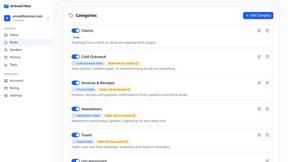
AI Email Filter sorts incoming mail into folders using plain-language prompts you write. Works with any IMAP mailbox; bring your own LLM if you want.


Egmatic
No-code 2D game editor: visual node logic, drag-and-drop scenes, live preview. Exports to Windows, macOS, Linux, Android, iOS, Web.

Product Launch Checklist
A free launch checklist for SaaS, apps, AI tools and more. Every step says why it matters and when you can skip it.

Kody Tools
Free collection of online developer utilities, code formatters, and digital converters designed to streamline your daily workflow.
Flan
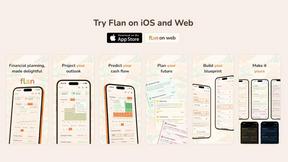
Visual financial timelines for couples and young professionals: model cash flow, life events, and shared goals.
Forms Plugin
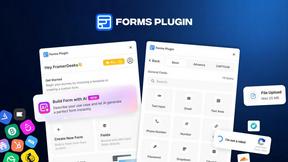
The #1 Native Form Builder Plugin for Framer - No Code, No Embeds, No External Platforms.

HomeAnswerBook
Practical, independent guides to home repairs, maintenance, costs, troubleshooting, and everyday fixes.

BlazePDF
Highlight faster. Study in flow with custom shortcuts and a workflow built around you. Print smarter, or turn any page into a tiled poster.


Video2URL
Turn videos, images, and files into secure direct links for sharing, embedding, and automated workflows.

Build Mode for Mac
Build Mode is a Mac app that turns focused sessions into visible progress, so you can see the work adding up before the results arrive.



About QuickTextTools Alternatives
QuickTextTools is a free online platform that falls within the productivity and management category, offering over 76 browser-based utilities designed to help writers, marketers, developers, and students work more efficiently. It provides a central hub for tasks like text formatting, SEO analysis, keyword management, and writing assistance, all without requiring any software downloads or complicated setups. Users often look for alternatives to QuickTextTools for a variety of reasons, including a need for more specialized features in a particular area like advanced SEO reporting, a desire for offline access or desktop applications, or a preference for a different user interface that better matches their workflow. Some may also seek tools that integrate more seamlessly with their existing software ecosystem or offer collaborative features for team projects. When choosing an alternative to QuickTextTools, it is important to first clearly define your core needs and the specific tasks you perform most frequently. Focus on finding a tool that excels in your primary area of work, whether that is text manipulation, keyword research, or content optimization, rather than one that tries to do everything. Consider the platform's ease of use and whether it offers a clean, distraction-free environment that helps you stay focused. Additionally, evaluate the tool's privacy policy and data handling practices, especially if you work with sensitive or proprietary content, and check if the tool provides reliable customer support or a helpful knowledge base for when you encounter challenges.
FAQs about QuickTextTools Alternatives
What is QuickTextTools?
QuickTextTools is a free, user-friendly online platform that provides over 76 browser-based utilities designed to enhance productivity for writers, marketers, developers, and content creators. It serves as a comprehensive toolkit offering a variety of tools for text formatting, SEO analysis, writing assistance, and keyword management. All tools operate directly in your browser, eliminating the need for any complicated setups or software downloads.
Who is QuickTextTools for?
QuickTextTools is built for a wide range of users including writers, marketers, developers, students, SEO professionals, and content creators. It is especially useful for anyone who needs to streamline text-related tasks, such as cleaning up keyword lists, analyzing meta tags, or converting text case formatting. The platform is designed to help these users work smarter and more efficiently by providing practical, easy-to-access solutions.
Is QuickTextTools free?
Yes, QuickTextTools is a completely free online platform that offers all of its 76+ utilities at no cost to the user. There are no hidden fees or subscription charges required to access any of the tools. This makes it an accessible and valuable resource for individuals and professionals who need productivity tools without a financial investment.
What are the main features of QuickTextTools?
QuickTextTools features a wide array of utilities categorized into text formatting tools, SEO analysis utilities, writing assistants, keyword management tools, and developer utilities. Key functionalities include the ability to clean up messy keyword lists, analyze SEO meta tags, convert text case formatting, and improve the overall writing process. These features are designed to simplify workflows and save time for a diverse range of users.