

Alternatives to Online Keyboard Shortcuts
OnlineShortcuts.com teaches you the essential keyboard shortcuts for Windows, MacOS, and Linux to work faster and reduce mouse dependency.
Explore 20 alternatives to Online Keyboard Shortcuts. Compare features, pricing, and find the best fit for your needs.

Flan
Visual financial timelines for couples and young professionals: model cash flow, life events, and shared goals.
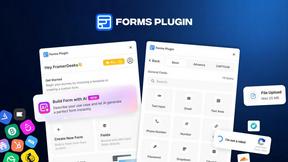
Forms Plugin
The #1 Native Form Builder Plugin for Framer - No Code, No Embeds, No External Platforms.

HomeAnswerBook
Practical, independent guides to home repairs, maintenance, costs, troubleshooting, and everyday fixes.
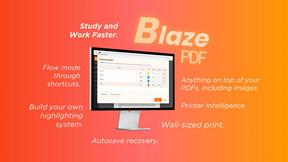
BlazePDF
Highlight faster. Study in flow with custom shortcuts and a workflow built around you. Print smarter, or turn any page into a tiled poster.


Video2URL
Turn videos, images, and files into secure direct links for sharing, embedding, and automated workflows.

Build Mode for Mac
Build Mode is a Mac app that turns focused sessions into visible progress, so you can see the work adding up before the results arrive.



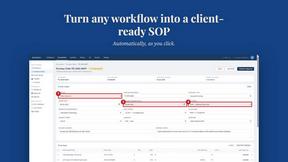
MySOP.guru
Capture any workflow in your browser and export a branded, step-by-step SOP with screenshots. €5 per document, no subscription.

PerPageFax
PerPageFax lets you send a fax online from any browser for a flat $0.50 per page — no account, no subscription, no fax machine.


Fill PDF from Sheet
Fill PDF from Sheet automates the process of populating PDF forms from data in Excel, CSV, or Google Sheets.


Glanced
Follow news, blogs, newsletters, and podcasts in a free RSS reader, with AI summaries, top stories, full-text search, saved searches, and a catalog.


Create PDF from Excel Online
Create PDF from Excel online and preview every page before downloading. Fit wide sheets, repeat headers, and combine workbooks privately


About Online Keyboard Shortcuts Alternatives
Online Keyboard Shortcuts is a reference tool that falls under the Productivity & Management category, providing a comprehensive directory of essential key combinations for Windows, MacOS, and Linux operating systems. Its core purpose is to help users perform tasks faster and more efficiently by reducing reliance on a mouse, turning complex actions into simple two or three key presses. Users often look for alternatives to this type of resource for several reasons, including the need for a more interactive learning experience, the desire for customizable shortcut lists, or the requirement for a downloadable offline version that does not depend on a live website. Others may seek a tool that integrates directly into their operating system to provide real-time reminders or one that covers a broader range of software applications beyond just the operating system itself. When choosing an alternative to a basic online shortcut list, it is important to focus on foundational aspects such as the depth of coverage for your specific operating system and the accuracy of the commands listed. Consider whether you need a static reference or a dynamic tool that allows you to create and save your own custom shortcuts. Look for resources that offer clear visual guides or search functions to quickly find the exact command you need, as this directly impacts the efficiency gain you are seeking. The best choice will align with your learning style, whether that involves reading through a structured list, using a cheat sheet you can print, or employing an interactive application that tests your recall.
FAQs about Online Keyboard Shortcuts Alternatives
What is Online Keyboard Shortcuts?
Online Keyboard Shortcuts is a foundational reference website dedicated to listing the most important keyboard shortcuts for Windows, MacOS, and Linux operating systems. It serves as a productivity tool that helps users perform common tasks more easily and efficiently by using key combinations instead of a mouse. The site is organized by operating system, making it a straightforward educational resource for anyone looking to speed up their daily computer workflow.
Who is Online Keyboard Shortcuts for?
This resource is designed for any computer user who wants to work faster and reduce their dependency on a mouse, from beginners to experienced professionals. It is particularly useful for office workers, developers, designers, and students who frequently switch between Windows, MacOS, and Linux environments. By providing a central list of shortcuts, it serves as a back-to-basics learning tool for anyone looking to improve their operational efficiency.
Is Online Keyboard Shortcuts free?
Based on the provided product description, the website is presented as a straightforward informational resource containing a list of keyboard shortcuts. There is no mention of any paywall, subscription, or premium features. It functions as a free educational reference, allowing users to access the core content of essential shortcuts for all three major operating systems without any cost.
What are the main features of Online Keyboard Shortcuts?
The primary feature of Online Keyboard Shortcuts is its comprehensive and organized listing of keyboard shortcuts for Windows, MacOS, and Linux. It focuses on the most important combinations that help users do tasks more easily and efficiently. The core feature is the educational value it provides, allowing users to learn and memorize key combinations to reduce mouse dependency and accelerate their daily computer use.