

Alternatives to Caption.IM
Caption.im transforms audio on your Mac into real-time captions, translations, and summaries for effortless communication and accessibility.
Explore 20 alternatives to Caption.IM. Compare features, pricing, and find the best fit for your needs.

Safe Outreach
AI-powered platform that evaluates the safety of LinkedIn automation tools and helps reduce the risk of account restrictions.

How Long How Many Tool
Timers and hourly checks to figure how out long until a certain time or how many days away.
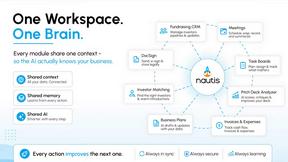

ButterShare
Send files straight between two browsers with a 6-digit key. No signup, no install, nothing stored on a server.

Maeve Social
Plan content, get client approvals, publish to nine social platforms, manage your inbox and report from one workspace.
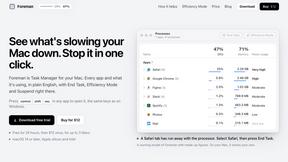
Foreman
See every app and what it's using in plain English, and end or slow down the one that's hogging your Mac.

Uniclip
Clip pages, take full-page screenshots and batch-capture list data to Notion, Feishu, Obsidian, Markdown, CSV or JSON.
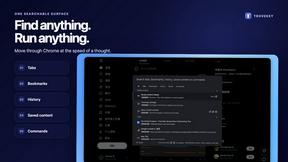
TroveKey
Search tabs, Chrome bookmarks and history, run browser commands, and save webpages and social posts locally—no account.
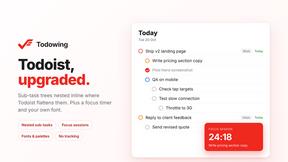
Todowing
Chrome extension for Todoist that nests sub-tasks under their parents in Today, Upcoming, Filter and Label views, where Todoist shows them flat.
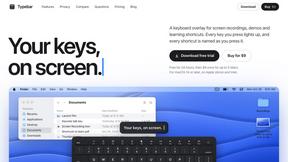
Typebar
Every key you press lights up on an on-screen keyboard, and each shortcut is named. For screen recordings, demos and learning shortcuts.
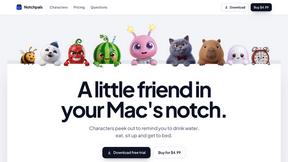
Notchpals
Little characters peek out of your Mac's notch to remind you to drink water, eat, sit up and get to bed. Quiet during calls. $4.99 once.

LightScreen
Free fullscreen light screen tool online. Turn any display into a flashlight, ambient light, or solid-color screen. No download or sign-up.
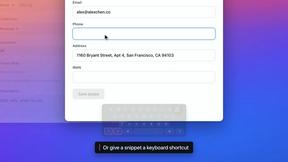

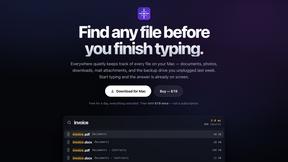
Everywhere
Fast file search for the Mac. Results as you type, files inside Mail and Photos, works with Wi-Fi off. $19 once.

Basalt
Eighteen PDF tools in one native Mac window: merge, split, compress, OCR, Bates numbering, forms, signing and redaction. Offline. $29 once.
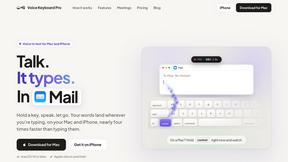
Voice Keyboard Pro
Hold a key, say what you mean, let go. Clean, punctuated text lands at the cursor in any app on your Mac or iPhone.

Mainspring
Mainspring turns the settings macOS hides into 90+ one-click, fully reversible power-ups for Finder, Dock, screenshots and more. $29 once.
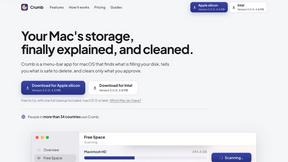
Crumb
A Mac menu bar app for a full disk. See what is using your space, read whether it comes back on its own, and remove only what you tick.

About Caption.IM Alternatives
Caption.IM is an innovative audio-to-captioning tool designed specifically for macOS users. It falls under the category of productivity and management software, providing essential features like real-time captioning, translation, and summarization of audio content. This tool is particularly valuable for professionals and students who need to capture spoken content accurately during meetings, lectures, or online courses. Users often seek alternatives to Caption.IM for a variety of reasons, including pricing concerns, specific feature requirements, or compatibility with different operating systems and platforms. When searching for an alternative, it's important to consider factors such as the ease of use, the range of supported applications, privacy features, and the overall effectiveness of the captioning technology. Identifying the specific needs and preferences of the user can help in selecting the most suitable option.
FAQs about Caption.IM Alternatives
What is Caption.IM?
Caption.IM is a real-time AI captioning assistant designed for macOS that converts audio into captions, provides instant translations, and generates structured meeting notes. It works across various applications, capturing system audio directly to deliver accurate and timely captions without relying on browser extensions or external bots. This focus on local processing ensures that users maintain privacy while enhancing their productivity.
Who is Caption.IM for?
Caption.IM is ideal for professionals, educators, and students who require accurate transcription of audio content during meetings, lectures, or online courses. It caters to those who need to make their conversations more accessible, facilitate multilingual communication, and streamline the process of note-taking. Its user-friendly interface allows anyone needing reliable captioning solutions to benefit from its features.
Is Caption.IM free?
Caption.IM is not a free tool, as it offers various premium features and functionalities that cater to professional needs. Pricing details can vary based on the subscription model or package chosen. Users are encouraged to check the official website for the most accurate and up-to-date pricing information.
What are the main features of Caption.IM?
The main features of Caption.IM include real-time captioning, instant translations of multilingual content, audio recording capabilities, and the ability to generate structured meeting notes, summaries, and mind maps. These features are powered by local AI, ensuring high accuracy and privacy for users. This makes Caption.IM a comprehensive tool for enhancing productivity and accessibility in various audio-centric environments.