

Alternatives to Browser Notes
Browser Notes saves your notes, boards, and mind maps directly in your browser with no signup or cloud required.
Explore 20 alternatives to Browser Notes. Compare features, pricing, and find the best fit for your needs.

Panzoe
Panzoe is an all-in-one AI platform for personal productivity, business automation, AI assistants, content creation, and custom AI solutions.

MD to Text Converter
Free online Markdown to text converter. Strip formatting, copy readable plain text instantly, and keep every conversion private in your browser.
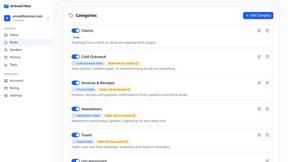
AI Email Filter
AI Email Filter sorts incoming mail into folders using plain-language prompts you write. Works with any IMAP mailbox; bring your own LLM if you want.
Egmatic
No-code 2D game editor: visual node logic, drag-and-drop scenes, live preview. Exports to Windows, macOS, Linux, Android, iOS, Web.

Product Launch Checklist
A free launch checklist for SaaS, apps, AI tools and more. Every step says why it matters and when you can skip it.

Kody Tools
Free collection of online developer utilities, code formatters, and digital converters designed to streamline your daily workflow.
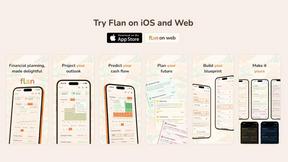
Flan
Visual financial timelines for couples and young professionals: model cash flow, life events, and shared goals.
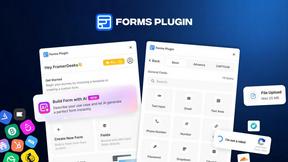
Forms Plugin
The #1 Native Form Builder Plugin for Framer - No Code, No Embeds, No External Platforms.

HomeAnswerBook
Practical, independent guides to home repairs, maintenance, costs, troubleshooting, and everyday fixes.
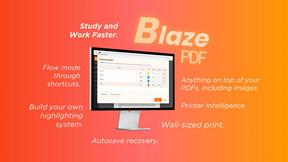
BlazePDF
Highlight faster. Study in flow with custom shortcuts and a workflow built around you. Print smarter, or turn any page into a tiled poster.


Video2URL
Turn videos, images, and files into secure direct links for sharing, embedding, and automated workflows.

Build Mode for Mac
Build Mode is a Mac app that turns focused sessions into visible progress, so you can see the work adding up before the results arrive.



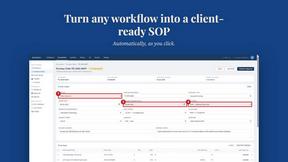
MySOP.guru
Capture any workflow in your browser and export a branded, step-by-step SOP with screenshots. €5 per document, no subscription.

PerPageFax
PerPageFax lets you send a fax online from any browser for a flat $0.50 per page — no account, no subscription, no fax machine.

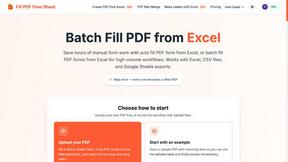
Fill PDF from Sheet
Fill PDF from Sheet automates the process of populating PDF forms from data in Excel, CSV, or Google Sheets.
About Browser Notes Alternatives
In the world of productivity tools, software often falls into one of two camps: those that are feature-rich but require constant internet access and data sharing, and those that are simple but limited in scope. Browser Notes belongs to the category of local-first productivity tools, a class of software designed to keep your work private and offline by default. It combines notes, sticky notes, and mind maps into a single workspace that lives entirely in your browser, requiring no account creation or cloud sync. This approach appeals to users who value privacy and simplicity, but it is not a perfect fit for everyone. Users commonly look for alternatives to Browser Notes for several practical reasons. Some may need robust collaboration features for team projects, which local-first tools typically do not offer. Others might require native mobile apps for on-the-go access, or deeper integrations with third-party services like calendar or task management platforms. Pricing can also be a factor, as some users prefer subscription-based models with ongoing support, while others seek a one-time purchase. When choosing an alternative, focus on what matters most for your workflow: consider whether you need offline functionality, data ownership, cross-platform support, or the ability to share and edit notes with others in real time. A solid alternative should align with your core need without adding unnecessary complexity or compromising your privacy preferences.
FAQs about Browser Notes Alternatives
What is Browser Notes?
Browser Notes is a local-first productivity tool that combines notes, sticky notes, and mind maps into a single workspace. It operates entirely within your browser, storing all data locally rather than on external servers. No account creation, signup, or cloud synchronization is required to use it, making it a private and self-contained solution.
Who is Browser Notes for?
Browser Notes is designed for individuals who value privacy, simplicity, and offline accessibility in their note-taking and brainstorming workflows. It is ideal for users who want to keep their ideas local and avoid cloud-based tracking or forced syncs. Students, freelancers, and professionals who work on sensitive or personal projects will find it particularly useful.
Is Browser Notes free?
Yes, Browser Notes is free to use. There are no subscription fees, hidden charges, or premium tiers. The tool is built around a local-first philosophy, meaning you can use all its features without paying or sharing any personal information.
What are the main features of Browser Notes?
The main features of Browser Notes include a unified workspace for text notes, sticky notes, and mind maps. It works offline, stores everything in your browser, and allows you to back up your data at any time. There is no account, no tracking, and no forced sync, giving you full control over your information.