
TaleHug AI Story Generator for Kids
TaleHug helps kids turn their voice, drawing, or idea into a short illustrated storybook for safe co-reading.
Visit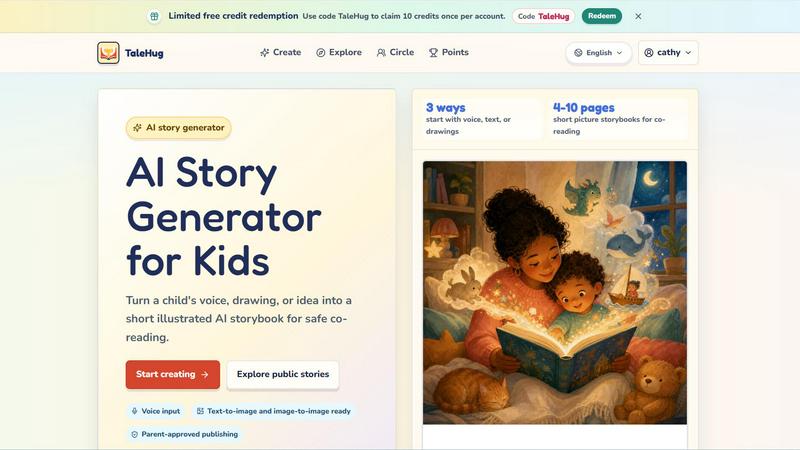
About TaleHug AI Story Generator for Kids
TaleHug is an AI-powered storytelling tool designed specifically for children to create their own illustrated storybooks. The platform transforms a child's voice, drawing, or simple idea into a short, illustrated story that families can read together. TaleHug focuses on being kid-friendly, with colorful illustrations and a simple interface that makes story creation engaging and approachable for young readers and writers. The tool is built for children in preschool and kindergarten ages, typically between 3 and 6 years old. The main value proposition of TaleHug is that it turns imaginative play into a structured reading and writing activity. Children can start with voice input, text, or their own drawings, and the AI generates picture storybooks that are 4 to 10 pages long. This makes it perfect for co-reading sessions between parents and children. TaleHug also prioritizes safety and privacy. Stories are private by default, and any public or circle sharing requires adult approval. There are no public comments in the current version, and the platform uses safe display names instead of full child names. Parents can feel confident that their child's personal information is protected. TaleHug is operated by Vava AI Labs LLC and offers a limited free credit system. New users can redeem the code TaleHug to claim 10 credits once per account. The platform also features a public gallery where approved stories are shared, a tutorial video, and example scenes to help children get started. Overall, TaleHug is a foundational tool for early literacy, combining the power of AI with the timeless joy of storytelling.
Features of TaleHug AI Story Generator for Kids
Three Ways to Start
Children can begin their story creation journey using voice input, text, or their own drawings. This feature makes the tool accessible for children who are not yet reading or writing fluently. A child can simply speak an idea into the microphone, type a few words, or upload a picture they have drawn. The AI then takes that input and generates a complete storybook. This flexibility ensures that every child, regardless of their skill level, can participate in creating stories.
Text-to-Image and Image-to-Image Ready
TaleHug uses advanced AI to convert text descriptions into full-color illustrations. It also supports image-to-image generation, meaning a child can upload a drawing and the AI will create a polished, storybook-style illustration based on that original artwork. This feature bridges the gap between a child's simple sketch and a professional-looking picture book page. It encourages children to keep drawing and imagining, knowing their work can be transformed into something beautiful.
Parent-Approved Publishing
Safety is a core feature of TaleHug. All stories are created as private drafts by default. Before a story can be shared to a circle of family and friends or published to the public gallery, a parent or guardian must give approval. The platform also uses safe display names instead of real child names and does not collect school names, addresses, or contact details. This feature ensures that children can enjoy sharing their creativity without compromising their privacy.
Visibility Modes: Private, Circle, and Public
TaleHug offers three clear visibility options for every story. Private mode keeps the story visible only to the child and their parent. Circle mode allows sharing with a selected group of family members or friends. Public mode makes the story visible to all TaleHug users in the approved gallery. This tiered system gives parents full control over who sees their child's work. It also teaches children about digital sharing boundaries in a safe, guided environment.
Use Cases of TaleHug AI Story Generator for Kids
Bedtime Story Creation
Parents can use TaleHug to create personalized bedtime stories for their children. Instead of reading a generic book, a parent and child can work together to generate a story about the child's own experiences, favorite animals, or imaginary friends. The 4 to 10 page format is perfect for a short bedtime reading session. The gentle story ideas, like Moon Rabbit Bedtime or Cloud Hopping, provide ready-made prompts that wind down the day. This use case turns storytime into an interactive, bonding experience.
Classroom Writing Activities
Teachers in preschool and kindergarten classrooms can use TaleHug as a tool for early writing and literacy lessons. Children can practice expressing ideas verbally or through drawings, and then see those ideas turned into a printed storybook. The tool supports social stories like Sharing the Red Truck and First School Morning, which teach important classroom lessons. Teachers can use the visibility settings to keep stories private to the class or share them with parents through the circle feature.
Developing Emotional Vocabulary
TaleHug includes story prompts that help children name and understand their feelings. The Feelings Under the Sea prompt, for example, is a color-rich adventure focused on naming emotions. A child can create a story about being scared, happy, or sad, and see those feelings represented in words and pictures. This use case supports social-emotional learning in a natural, engaging way. Parents and teachers can use these stories as conversation starters about emotions and how to handle them.
Encouraging Reluctant Readers and Writers
For children who are hesitant to read or write, TaleHug lowers the barrier to entry. A child who struggles with handwriting can use voice input to tell their story. A child who is not confident in drawing can use the AI to generate illustrations from text. The finished product is a professional-looking storybook that gives the child a sense of accomplishment and pride. This use case builds confidence and shows children that they are capable of creating stories, even if traditional reading and writing feels difficult.
Frequently Asked Questions
How does TaleHug keep my child safe while using the app?
TaleHug is designed with safety as the top priority. All stories are created as private drafts by default. No story can be shared publicly or with a circle of users without adult approval. The platform uses safe display names instead of real child names and does not collect school names, addresses, or any contact details for children. There are no public comments in the current version of the app, which prevents any unwanted interaction. The public gallery only shows approved examples that have been reviewed by the team.
Can my child use TaleHug if they cannot read or write yet?
Yes, absolutely. TaleHug offers three ways to start a story: voice input, text, and drawings. A child who cannot read or write can simply speak their story idea into the microphone. The AI will then generate the story text and illustrations. Alternatively, a child can draw a picture and upload it, and the AI will turn that drawing into a storybook illustration. This makes the tool accessible for children as young as 3 years old who are still developing their literacy skills.
How many pages are in a typical TaleHug storybook?
TaleHug generates short picture storybooks that are between 4 and 10 pages long. This length is specifically designed for co-reading sessions between parents and young children. The short format keeps a child's attention and makes it easy to finish a story in one sitting. The number of pages can vary depending on the complexity of the story idea and the prompts used. Parents and children can also regenerate pages if they want to adjust the story.
Is there a free way to try TaleHug?
Yes, TaleHug offers a limited free credit system. New users can redeem the code TaleHug to claim 10 credits once per account. These credits can be used to create stories and explore the platform's features. After the free credits are used, users may need to purchase additional credits to continue creating. The free trial allows families to test the tool and see if it is a good fit for their child before committing to any payment.
Similar to TaleHug AI Story Generator for Kids

Master networking with interactive, hands-on practice directly in your browser. Solve real terminal challenges, debug routes, and build core IT skills

Turn text prompts and photos into AI videos with Sora 2, Veo 3.1, Wan, and more. Get free starter credits and watermark-free downloads.

AI social listening agent: finds people on Reddit and X describing the problem you solve, scores buying intent and drafts a reply your team approves.


Free Chrome extension. Paste your rough point and Chrome's built-in AI writes a fresh reply for that post on X, LinkedIn, Facebook or Instagram.

Apps and files on an infinite canvas where people and AI agents work together.

An interactive coding platform featuring bite-sized Python exercises designed to build real coding skills through hands-on practice.

PracticeSIEM.com is an interactive, browser-based hands-on cybersecurity learning platform designed for Security Operations Center (SOC) analysts.