
MPulse CMMS Software
MPulse CMMS software helps you manage assets and maintenance with cloud or on-premise tools to reduce downtime and boost efficiency.
Visit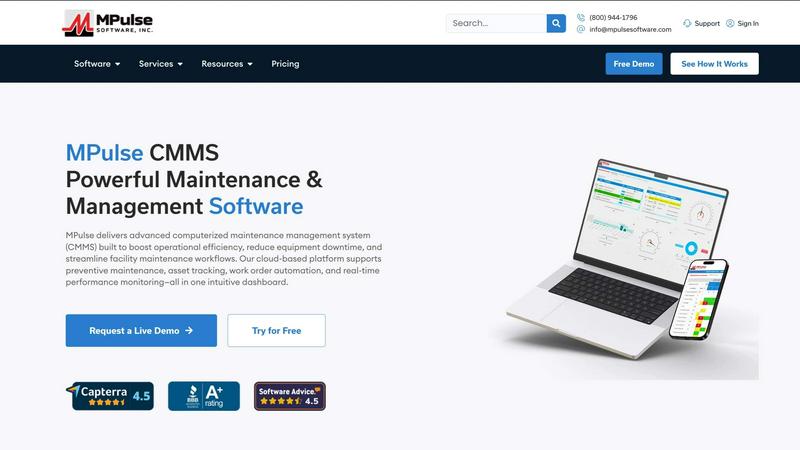
About MPulse CMMS Software
MPulse is a Computerized Maintenance Management System, or CMMS, designed to help maintenance teams get organized and stay on top of their work. At its core, the software replaces paper logs, spreadsheets, and sticky notes with a single digital platform where you can manage everything from work orders to parts inventory. The product has been on the market for over 20 years and is trusted by more than 3,500 customers worldwide, including well-known organizations like IKEA, Penn State, Northwell Health, and Reed College.
The main purpose of MPulse is simple: help teams reduce equipment downtime, improve asset performance, and streamline daily maintenance operations. It does this by giving you tools to schedule preventive maintenance, track work orders from start to finish, monitor assets, and keep an eye on your spare parts stock. Everything lives in one dashboard, so you can see what is happening across your facility at a glance.
MPulse is built for mid-size teams in industries like manufacturing, healthcare, education, retail, distribution, and facilities management. What sets it apart is its flexible approach to licensing and deployment. You can choose to subscribe annually or buy a perpetual license. You can run the software in the cloud or host it on your own servers. And instead of charging per user, MPulse uses concurrent user pricing, which can save teams 30 to 50 percent compared to other models. The software runs on Microsoft .NET, giving it enterprise-grade scalability, and it includes a mobile app that works offline and syncs when you reconnect. With a 90 percent annual renewal rate, the product has a strong track record of keeping customers satisfied.
Features of MPulse CMMS Software
Work Order Management
MPulse lets you create, assign, and track work orders from start to finish. You can include detailed instructions, attach photos or documents, set priority levels, and log labor hours. The system sends automatic notifications when work orders are created or completed, so everyone on the team stays in the loop. This feature helps you close out tasks faster and keeps a clear record of all maintenance activity.
Preventive Maintenance Scheduling
This feature helps you move from reactive repairs to planned maintenance. You can set up schedules based on calendar dates, meter readings, or usage hours. When a task is due, the system automatically generates a work order and assigns it to the right technician. This reduces unexpected breakdowns and extends the life of your equipment. You can also track compliance to see how well your team is sticking to the schedule.
Asset Tracking and Management
MPulse gives you a central place to store all information about your equipment and facilities. For each asset, you can record model numbers, serial numbers, warranty details, location, and service history. You can also attach manuals and photos. This makes it easy to find information quickly when you need to troubleshoot a problem or plan a replacement. The system helps you see the full lifecycle of each asset.
Parts Inventory Control
This feature helps you manage your spare parts stock without guesswork. You can track quantities, set minimum stock levels, and receive alerts when parts are running low. The system also tracks where parts are used, so you can see which items are consumed most often. When a work order needs a specific part, you can reserve it from inventory. This reduces stockouts and helps you avoid ordering parts you do not need.
Use Cases of MPulse CMMS Software
Manufacturing Plant Maintenance
In a manufacturing environment, unplanned downtime can stop production and cost money. MPulse helps plant maintenance teams schedule preventive maintenance on critical machinery, track work orders for repairs, and manage spare parts inventory. Technicians can use the mobile app to log work and check asset history on the shop floor. This keeps production lines running and reduces the number of emergency breakdowns.
Healthcare Facility Management
Hospitals and healthcare facilities rely on functioning equipment for patient safety and regulatory compliance. MPulse helps facility managers track maintenance on HVAC systems, medical gas lines, generators, and patient room fixtures. The system can schedule required inspections and keep a clear audit trail for accreditation purposes. This ensures that critical systems are always ready and that compliance records are easy to find.
Educational Institution Operations
Schools and universities manage large campuses with many buildings and systems. MPulse helps facilities teams handle work orders from staff and students, schedule preventive maintenance on boilers and chillers, and track assets across multiple locations. The system gives administrators visibility into maintenance costs and helps them plan budgets. This keeps learning environments safe and comfortable for students and staff.
Retail and Distribution Center Maintenance
Retail stores and distribution centers need to keep equipment like conveyors, forklifts, and refrigeration units running smoothly. MPulse allows teams to set up scheduled maintenance for these assets, track repair history, and manage parts inventory. The concurrent user pricing model is a good fit for teams that have multiple shifts or seasonal workers. This reduces stockouts of critical parts and keeps operations moving without interruption.
Frequently Asked Questions
What is a CMMS and how does MPulse work?
A CMMS, or Computerized Maintenance Management System, is software that helps you organize and track maintenance work. MPulse works by giving you a central database where you can store information about your assets, create work orders, schedule preventive tasks, and manage inventory. When a task is due, the system sends a notification and generates a work order. Technicians can update the status from a computer or mobile device, and managers can see reports on completion rates and costs.
Can MPulse be used on mobile devices?
Yes, MPulse includes a mobile CMMS application. The mobile app is designed to work offline, which means technicians can access work orders and asset information even in areas without an internet connection. When the device reconnects, the app syncs all changes back to the main system. This is useful for teams working in basements, remote buildings, or large manufacturing floors where connectivity can be inconsistent.
What deployment options does MPulse offer?
MPulse offers two deployment options. You can choose cloud hosting, where the software runs on MPulse servers and you access it through a web browser. Or you can choose on-premise deployment, where you install and run the software on your own servers. Both options give you the same features. The choice depends on your IT preferences and any data security requirements your organization may have.
How does MPulse pricing work for teams?
MPulse uses concurrent user pricing instead of per-user pricing. This means you pay for a set number of users who can be logged in at the same time, not for every person who has an account. For mid-size teams, this model can save 30 to 50 percent compared to traditional per-user pricing. You also have the option to subscribe on an annual basis or purchase a perpetual license, which gives you the right to use the software indefinitely.
Explore more in this category:
Similar to MPulse CMMS Software

AI Email Filter sorts incoming mail into folders using plain-language prompts you write. Works with any IMAP mailbox; bring your own LLM if you want.

No-code 2D game editor: visual node logic, drag-and-drop scenes, live preview. Exports to Windows, macOS, Linux, Android, iOS, Web.

A free launch checklist for SaaS, apps, AI tools and more. Every step says why it matters and when you can skip it.

Free collection of online developer utilities, code formatters, and digital converters designed to streamline your daily workflow.

Visual financial timelines for couples and young professionals: model cash flow, life events, and shared goals.

The #1 Native Form Builder Plugin for Framer - No Code, No Embeds, No External Platforms.

Practical, independent guides to home repairs, maintenance, costs, troubleshooting, and everyday fixes.

Highlight faster. Study in flow with custom shortcuts and a workflow built around you. Print smarter, or turn any page into a tiled poster.