
BoltShot
BoltShot is a simple API that captures perfect screenshots from any URL instantly without needing to manage browsers.
Visit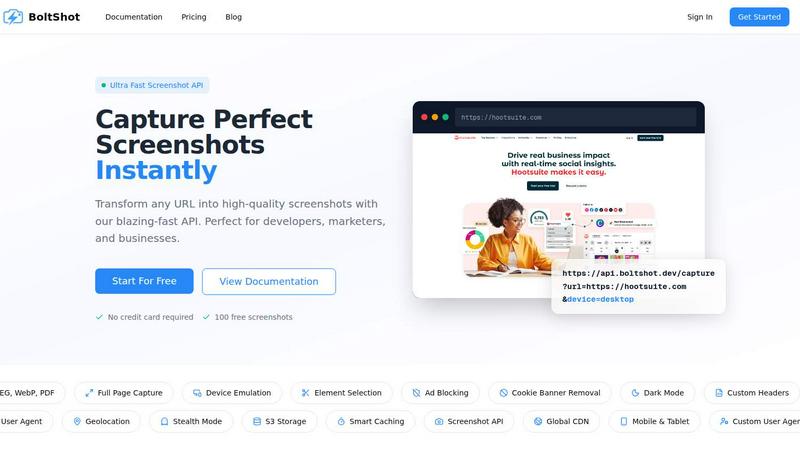
About BoltShot
BoltShot is a website screenshot API designed to turn any URL into a high-quality screenshot with a single, simple API request. At its core, this tool solves a fundamental problem: capturing what a webpage looks like without needing to manage complex browser infrastructure. Instead of setting up and maintaining your own headless browser setup like Puppeteer or Playwright, you send a URL to BoltShot and receive a clean, pixel-perfect image or PDF back. The API supports multiple output formats including PNG, JPEG, WebP, and PDF, giving you flexibility for whatever your project requires. BoltShot is built for developers, marketers, and businesses who need reliable screenshot capture for tasks like e-commerce product previews, automated reporting, web archiving, visual regression testing, and compliance monitoring. The value proposition is straightforward: you get all the advanced capabilities of a full browser rendering engine without the operational overhead of managing browser clusters, dealing with memory leaks, or troubleshooting rendering inconsistencies. Features like full-page capture, device emulation for mobile, tablet, and desktop, custom viewport settings, and element-specific targeting using CSS selectors give you precise control over what gets captured. Built-in utilities such as ad blocking, cookie banner removal, and smart caching help ensure your screenshots are clean, fast, and efficient. For more advanced workflows, BoltShot offers S3 uploads with CDN delivery, custom user agents, geolocation emulation, stealth mode, and custom headers. The API is designed to integrate seamlessly into your existing workflows, whether you are building a microservice, a CI/CD pipeline, or a content management system. BoltShot abstracts away the complexity of browser management so you can focus on building your product, not babysitting headless Chrome instances.
Features of BoltShot
Multiple Output Formats and Full Page Capture
BoltShot supports four major output formats: PNG, JPEG, WebP, and PDF. This gives you the flexibility to choose the right format for your specific use case, whether you need a lightweight image for a thumbnail, a high-quality PNG for documentation, or a PDF for archiving and printing. Beyond format selection, the API offers full-page capture capability. Instead of only capturing the visible portion of a webpage, BoltShot automatically scrolls through the entire page and stitches together a complete screenshot. This is essential for capturing long landing pages, extensive documentation, or any content that extends below the fold. You get a single, cohesive image of the entire page without manual intervention or complex scripting.
Device Emulation and Custom Viewport Settings
BoltShot allows you to emulate different devices directly through the API. You can specify mobile, tablet, or desktop viewport presets, and the API will render the webpage exactly as it would appear on that device. This is critical for testing responsive designs, capturing mobile-specific layouts, or generating screenshots for app store listings. Beyond presets, you have full control over viewport dimensions. You can set custom width and height values to capture content at any resolution. This flexibility ensures that whether you need a standard 1920x1080 desktop screenshot or a specific 375x667 mobile view, BoltShot delivers pixel-perfect results every time.
Element Targeting with CSS Selectors
Rather than capturing an entire page, you can use CSS selectors to target and capture specific elements on a webpage. This feature is incredibly useful when you only need a particular section, such as a product image, a chart, a pricing table, or a call-to-action button. By specifying a CSS selector in your API request, BoltShot will isolate and render only that element, saving you from having to crop or process images after capture. This precision reduces bandwidth, storage, and processing time while ensuring you get exactly the content you need.
Clean Capture with Ad Blocking and Cookie Banner Removal
BoltShot includes built-in utilities to produce clean, distraction-free screenshots. The API automatically detects and removes cookie consent popups, which are common on modern websites. It also blocks advertisements and filters out overlay elements and modal dialogs that would otherwise clutter your screenshot. These features run automatically as part of the capture process, meaning you do not need to write custom scripts or use additional tools to clean up your images. The result is a professional, polished screenshot that focuses on the content you care about, not the popups and ads that surround it.
Use Cases of BoltShot
Automated Visual Regression Testing
For development teams, maintaining visual consistency across deployments is a constant challenge. BoltShot can be integrated into your CI/CD pipeline to automatically capture screenshots of your web application after every build or deployment. By comparing these screenshots against baseline images, you can quickly identify unintended visual changes, broken layouts, or styling regressions. The API's device emulation and custom viewport settings allow you to test across multiple screen sizes simultaneously. This automated approach saves hours of manual visual inspection and helps catch issues before they reach production, ensuring your users always see a polished, consistent interface.
E-commerce Product Previews and Social Sharing
E-commerce platforms need to generate product previews, social sharing cards, and catalog images at scale. BoltShot makes this process simple by allowing you to capture product pages, category listings, or promotional banners with a single API call. The element targeting feature lets you extract specific product images or pricing sections without capturing the entire page. With support for multiple output formats and CDN delivery, these screenshots can be served quickly to users across the globe. Whether you are building a comparison shopping site, a marketplace, or a social media automation tool, BoltShot provides the infrastructure to generate clean, consistent product visuals without managing browser clusters.
Web Archiving and Compliance Monitoring
Organizations that need to maintain records of web content for legal, regulatory, or historical purposes can rely on BoltShot for reliable archiving. The API can capture full-page PDFs of webpages at scheduled intervals, preserving an exact visual record of how a site appeared at a specific point in time. Features like stealth mode and custom user agents ensure that the capture process does not alert website owners or trigger bot detection systems. For compliance monitoring, you can automatically capture competitor pricing pages, terms of service updates, or regulatory disclosures. The S3 storage and CDN delivery options make it easy to organize and retrieve archived screenshots years later.
Content Management and Documentation Generation
Content creators, documentation teams, and CMS operators frequently need to generate visual previews of web content. BoltShot can be used to automatically create thumbnail images for blog posts, capture code snippets from documentation sites, or generate screenshots for user manuals. The API's ability to target specific elements with CSS selectors means you can extract exactly the visual content you need without manual cropping. Combined with smart caching, repeated captures of the same URL are served instantly without reprocessing. This streamlines content workflows and ensures that every piece of documentation or blog post has a consistent, high-quality visual representation.
Frequently Asked Questions
What output formats does BoltShot support?
BoltShot supports four output formats: PNG, JPEG, WebP, and PDF. You specify the format as a parameter in your API request. PNG is ideal for high-quality images with transparency support. JPEG offers smaller file sizes for photographs and complex graphics. WebP provides modern compression with excellent quality-to-size ratios. PDF is perfect for printing, archiving, and creating documents that preserve the exact layout of a webpage. Each format is optimized for its specific use case, giving you the flexibility to choose what works best for your application.
Do I need to manage my own browser infrastructure to use BoltShot?
No, you do not need to manage any browser infrastructure. BoltShot handles all browser rendering, headless Chrome management, and server scaling on your behalf. You simply send an HTTP request with a URL and your desired parameters, and the API returns the screenshot. This eliminates the operational burden of maintaining Puppeteer or Playwright setups, dealing with memory leaks, managing browser versions, or scaling infrastructure as your usage grows. BoltShot abstracts all of that complexity so you can focus on building your product.
How does BoltShot handle cookie banners, ads, and popups?
BoltShot includes automatic detection and removal of common web distractions. When you make a capture request, the API identifies and removes cookie consent popups, blocks advertisements, and filters out overlay elements and modal dialogs. These features run by default and do not require any additional configuration. The goal is to return a clean, professional screenshot that focuses on the actual content of the webpage. If you need to capture a page with its popups or ads intact, you can disable these features through optional API parameters.
Can I store screenshots directly to my own cloud storage?
Yes, BoltShot supports direct uploads to Amazon S3 with CDN delivery. You can configure your API requests to automatically upload captured screenshots to your own S3 bucket. Once uploaded, the screenshots are delivered through a global CDN for fast access worldwide. This feature is particularly useful for high-volume workflows where you need to store, organize, and serve screenshots at scale. You maintain full control over your data, and the CDN ensures low-latency delivery to users regardless of their geographic location.
Similar to BoltShot

App Store screenshots, designed as one panorama. Lay out all your slides on one continuous canvas in your browser. Free to start, Pro is $9 once.

No-code 2D game editor: visual node logic, drag-and-drop scenes, live preview. Exports to Windows, macOS, Linux, Android, iOS, Web.

A free launch checklist for SaaS, apps, AI tools and more. Every step says why it matters and when you can skip it.

Moderation, routing, intent and scoring for any text over one Jev-compatible API, hosted in the EU.

A free directory of 950+ projects built on Laya, the open-source decision model. Updated daily.

The #1 Native Form Builder Plugin for Framer - No Code, No Embeds, No External Platforms.

