
BlueHumanizer
BlueHumanizer turns stiff AI text into clear, natural writing with one click, keeping your meaning intact for free.
Visit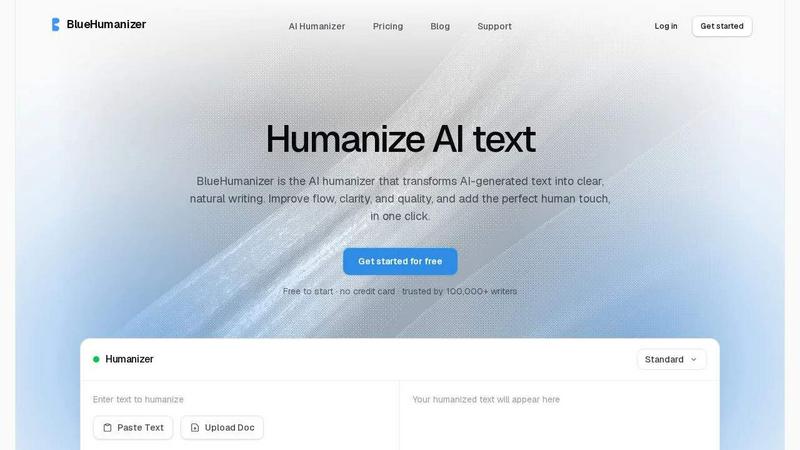
About BlueHumanizer
BlueHumanizer is a practical tool designed for anyone who writes with artificial intelligence. It takes text generated by AI programs like ChatGPT, Claude, Gemini, or any other AI writer and rewrites it into clear, natural-sounding prose. The core idea is simple: you paste your AI-generated text, click a button, and get writing that reads like a person wrote it. This is not just about swapping words for synonyms. BlueHumanizer reshapes sentence structure, improves flow, and restores the natural rhythm that makes writing feel real and engaging. Your original meaning, tone, and key points stay intact. Important elements like quotes and citations remain untouched. The tool supports over 50 languages, offers adjustable humanization levels, and includes tone controls. It is built for students refining essays, researchers polishing papers, marketers creating on-brand copy, and anyone who wants AI-generated text to sound human. BlueHumanizer is free to start with no credit card required, making it accessible for everyone. It is trusted by over 100,000 writers who need their AI-assisted writing to be clear, polished, and ready for publication.
Features of BlueHumanizer
Humanize AI Text in One Click
This feature is all about simplicity and speed. You copy your AI-generated text, paste it into BlueHumanizer, and click the humanize button. There is no setup, no learning curve, and no complicated steps. The tool instantly rewrites your text into clear, polished writing that flows naturally. This one-click process saves you time and eliminates the need for manual editing. Whether you are working on a short email or a long research paper, the transformation happens in seconds. The output is ready to use anywhere, from academic submissions to professional communications.
Clearer, Smoother Writing
BlueHumanizer goes beyond basic word replacement. It tightens phrasing, varies sentence rhythm, and improves overall flow. The result is writing that reads smoothly and naturally without changing what you actually said. The tool understands how people write and speak, so it restores the natural cadence that makes text engaging. For example, a stiff AI sentence like "Physics delves into the intricate relationships between matter and energy" becomes "The field of physics looks at how matter and energy form the entire universe." This feature ensures your writing is not only clear but also pleasant to read.
Keeps Your Intent and Tone Intact
When you humanize text, you want the final version to sound like you. BlueHumanizer preserves your tone, your intent, and your key points. The rewrite cleans up phrasing and improves clarity, but it does not change the message you want to convey. You have control over the tone as well, with options to make the writing more casual or more formal as needed. This means you can use the tool for different types of writing, from academic papers to casual blog posts, and the output will match the style you need.
Leaves Quotes and Citations Untouched
One of the biggest concerns with AI humanizers is that they might alter important references. BlueHumanizer solves this problem by leaving your quotes, citations, and references exactly as they are. Only the writing around them changes. This feature is critical for students, researchers, and academics who rely on accurate citations. You can paste a paper with multiple sources and trust that every quote and citation will remain correct. The tool focuses on improving the flow and clarity of your own writing while keeping the supporting evidence intact.
Use Cases of BlueHumanizer
Students Refining Essays and Assignments
Students often use AI to draft essays and assignments, but the output can sound robotic or unnatural. BlueHumanizer helps by rewriting these drafts into clear, well-structured writing that flows smoothly. The tool improves sentence variety and phrasing, making the text more engaging for teachers and professors. Students can submit work that reads like their own natural writing, without the stiff tone of AI. This is especially useful for meeting academic standards while saving time on editing.
Researchers and Academics Polishing Papers
Researchers and academics use AI to draft papers, abstracts, and reports. The challenge is that AI-generated text can lack the natural flow expected in scholarly writing. BlueHumanizer refines this text into clear, natural prose while keeping every citation and reference intact. This ensures that the final paper meets professional standards and reads smoothly. The tool is ideal for preparing manuscripts for publication, conference presentations, or grant proposals where clarity and precision matter.
Marketers and Content Teams Creating On-Brand Copy
Marketers and content teams rely on AI to generate blog posts, emails, and landing page copy. However, AI output often needs adjustment to match a brand's voice and tone. BlueHumanizer helps by rewriting this content so it reads clearly and aligns with the brand's style. The tone controls allow you to dial in the right level of formality or casualness. The result is polished, on-brand copy that engages readers and drives action, all without spending hours on manual editing.
Non-Native Writers Improving English Fluency
Non-native English speakers often use AI to help them write in English. The problem is that AI-generated text can still sound awkward or unnatural. BlueHumanizer makes the English flow naturally, so the writing reads as fluent and effortless. The tool adjusts sentence structure and phrasing to match how native speakers write. This helps non-native writers communicate their ideas clearly and professionally, whether for work, school, or personal projects.
Frequently Asked Questions
What is BlueHumanizer and how does it work?
BlueHumanizer is an AI humanizer tool that transforms AI-generated text into clear, natural writing. You simply paste text from ChatGPT, Claude, Gemini, or any other AI writer into the tool. Then you click the humanize button. The tool rewrites your text by reshaping sentence structure, improving flow, and restoring natural rhythm. Your original meaning, tone, and key points stay intact. Quotes and citations remain untouched. The final output is polished, human-sounding prose ready for use anywhere.
Is BlueHumanizer free to use?
Yes, BlueHumanizer is free to start. You do not need a credit card to begin using the tool. This makes it accessible for students, researchers, marketers, and anyone who wants to improve their AI-generated writing. The free version gives you access to the core humanization features. You can paste text, humanize it, and get polished output without any upfront cost. This allows you to try the tool and see if it meets your needs before committing to any paid plan.
What languages does BlueHumanizer support?
BlueHumanizer supports over 50 languages with automatic detection. This means you can paste text in many different languages, and the tool will recognize the language and humanize it naturally. The output sounds like a native speaker wrote it, regardless of the language you choose. This feature is especially useful for international writers, students studying in a second language, or professionals communicating across global teams. The wide language support ensures that writers everywhere can benefit from clearer, more natural text.
How is BlueHumanizer different from other AI humanizers?
Most AI humanizers simply swap words for synonyms, which can still leave the text sounding robotic. BlueHumanizer goes deeper by rewriting the way a person would write. It reshapes sentence structure, improves flow, and restores natural rhythm. The result is writing that actually reads clearly and smoothly. Additionally, BlueHumanizer keeps your original meaning intact, leaves quotes and citations untouched, and offers tone controls for different writing styles. This combination of features makes it a more effective tool for producing high-quality, human-sounding text.
Similar to BlueHumanizer

Signage and kiosk infrastructure for AI agents. Your agent publishes images, video, streams, web pages and apps to screens via one plugin.screenRIG is

Free YouTube transcripts on the web, a Chrome extension, and an API + MCP server so AI assistants can read YouTube.

Soul Cinema is a cinematic AI image generator that turns a written shot into a film-grade still, with cinematographer lighting, Soul ID character cons

High-performance custom PHP websites, ecommerce stores, and AI discovery infrastructure that make your site readable by AI.


Turn any image into editable layers with AI

