Changeflow vs Updaytr
Side-by-side comparison to help you choose the right product.

Changeflow
Changeflow delivers AI-driven insights on critical web page changes, ensuring you stay informed without manual effort.
Last updated: March 4, 2026
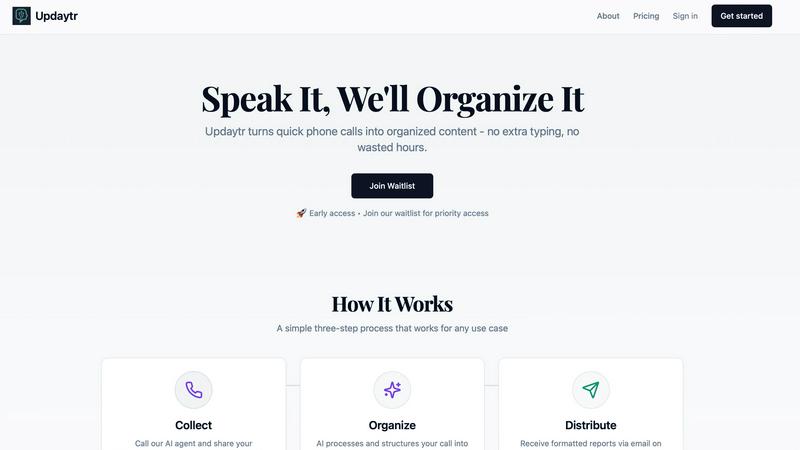
Updaytr turns team phone updates into organized reports, eliminating status meetings.
Last updated: March 1, 2026
Visual Comparison
Changeflow

Updaytr
Feature Comparison
Changeflow
AI-Powered Intelligence
Changeflow's AI technology is designed to filter out irrelevant changes and focus on what matters most to users. This means no more wasted time dealing with false positives or unnecessary notifications, allowing for efficient tracking of essential updates.
Natural Language Setup
Setting up Changeflow is effortless. Users can describe what they want to track using plain English, eliminating the need for complex RSS feeds or technical configuration. This user-friendly approach makes it accessible for everyone, regardless of technical expertise.
Customized Summaries
With Changeflow, users receive AI-generated summaries of web page changes. These summaries provide clear insights into what changed and why it matters to the user's specific business context, saving time and enhancing understanding.
Advanced Anti-Blocking Technology
Changeflow employs sophisticated anti-blocking technology, enabling it to navigate challenging websites with fewer interruptions compared to competitors. This reliability ensures consistent monitoring, even on sites that may typically restrict automated access.
Updaytr
Voice-to-Report Conversion
This is the foundational feature of Updaytr. Team members can call in their updates from any phone, at any time. They simply speak naturally about their work, progress, or issues. The advanced AI then transcribes this conversation and, crucially, structures the raw audio into a well-organized, written report. This eliminates all typing, allowing for quick updates from the field and turning spoken words into actionable written content automatically.
Automated Report Distribution
Once the AI has processed and organized the updates, Updaytr handles delivery automatically. Managers and other stakeholders receive consolidated, beautiful reports directly in their email inbox. You can set the delivery schedule—whether daily, weekly, or at another interval—ensuring the right people get the right information at the right time without anyone having to manually send or forward anything.
Smart Contextual Organization
The AI does more than just transcribe; it intelligently organizes the information. It can automatically tag updates by project, client, or team member based on the content of the call. The system also remembers context from previous calls, providing continuity in reporting. This smart categorization ensures that reports are logical and easy to scan, making it simple to track progress over time on specific tasks or projects.
Flexible and Accessible Setup
Updaytr is designed for ease of use from day one. There is no complex software for field teams to install or learn. They use a tool they already have: a phone. Administrators can easily add team members and their phone numbers to the system. The service offers a free tier to get started, requires no credit card for the trial, and works with any telephone, making it accessible for businesses of all types and technical levels.
Use Cases
Changeflow
Competitor Pricing Monitoring
Businesses can use Changeflow to keep a close eye on competitor pricing changes. By tracking specific product pages, organizations can receive timely updates, allowing them to adjust their pricing strategies accordingly and maintain a competitive edge.
Regulatory Compliance Tracking
Compliance teams at Fortune 500 companies benefit from Changeflow by monitoring critical regulatory updates. This includes tracking FDA guidance and SEC filings, ensuring that organizations stay compliant and informed about any changes that could impact their operations.
News Mentions and Market Movement Tracking
Changeflow allows businesses to follow news mentions and significant market movements effectively. This capability is crucial for making informed decisions and staying ahead of industry trends by receiving updates on relevant news articles and reports.
Legal Document Monitoring
Legal librarians, especially in Am Law 200 firms, utilize Changeflow to monitor court dockets and legal citations. This tool helps them stay informed about ongoing cases and changes in legal documents, enhancing their research capabilities and ensuring they have the latest information.
Updaytr
Construction and Field Supervision
Construction supervisors and remodeling contractors can use Updaytr to receive daily progress reports from their crews. Instead of chasing down foremen for updates, they get a consolidated email detailing work completed, materials needed, and any on-site issues. This provides clear visibility into multiple projects without interrupting the workflow on the job site.
Sales and Client Service Reporting
Outside sales representatives and insurance adjusters can call in immediately after client visits. They can share meeting notes, deal progress, and next steps verbally while the details are fresh. Updaytr organizes these updates, ensuring managers are instantly aware of sales pipelines and client status without waiting for typed reports at the end of the day.
Service and Maintenance Technicians
HVAC, plumbing, and other service technicians can report job completions, equipment status, and parts used directly from the customer's location. This creates immediate service records, informs dispatch of availability for the next job, and provides customers with prompt, professional documentation of the work performed, all through a simple phone call.
Personal Productivity and Journaling
Individuals can use Updaytr for personal organization. Whether tracking daily activities, progress on personal projects, or simply recording thoughts and ideas, users can call in their updates. The AI organizes these into a private log or journal, creating a searchable record of notes and accomplishments without the need for a separate app or writing.
Overview
About Changeflow
Changeflow is an innovative web monitoring tool designed to keep businesses informed about significant changes across websites that matter to them. Unlike other monitoring services that simply notify users when changes occur, Changeflow utilizes advanced artificial intelligence to analyze web pages, comprehend context, and summarize only the most pertinent information. This means users receive actionable insights rather than vague alerts. Changeflow is ideal for a variety of professionals, including business teams tracking competitor pricing, legal librarians monitoring court dockets, and compliance teams keeping an eye on regulatory changes. With a straightforward setup process—users simply describe what they want to track in plain English—Changeflow handles complex scenarios like login walls and JavaScript with an impressive 99.9% success rate. Overall, Changeflow empowers users with timely intelligence, ensuring they never miss critical updates while saving them time and reducing manual effort.
About Updaytr
Updaytr is an AI-powered communication tool designed to eliminate the friction of team reporting. It serves a simple, fundamental need: keeping everyone informed without wasting time. The tool is built for teams, especially those working in the field, where typing updates on a phone or computer is impractical. Team members simply call a dedicated number and speak their updates. Updaytr's AI then listens, understands, and organizes these spoken words into clear, formatted reports. These reports are automatically delivered via email to managers and stakeholders on a set schedule. This process removes the need for lengthy status meetings, cumbersome paperwork, and manual report compilation. The core value proposition is efficiency through simplicity. By turning a natural phone call into a structured report, Updaytr allows field workers to focus on their jobs and managers to stay informed with minimal effort. It is a back-to-basics solution that leverages modern AI to solve the age-old problem of effective team communication.
Frequently Asked Questions
Changeflow FAQ
How does Changeflow determine what changes are relevant?
Changeflow uses advanced AI algorithms to analyze web pages, understanding the context and significance of changes. This allows it to filter out irrelevant updates, providing users with only the most pertinent information.
Can I track multiple web pages at once?
Yes, Changeflow enables users to monitor multiple web pages simultaneously. Users can easily add several URLs and receive updates on all of them in a consolidated feed, streamlining the tracking process.
What types of notifications can I receive?
Users can receive notifications in various formats, including email alerts, dashboard updates, or through integrations with other tools via Zapier. This flexibility ensures that users can stay informed through their preferred channels.
Is Changeflow suitable for small businesses?
Absolutely. Changeflow is designed for businesses of all sizes, from small startups to large enterprises. Its user-friendly setup and powerful features make it a valuable tool for any organization looking to monitor web changes effectively.
Updaytr FAQ
How does Updaytr handle different team members' voices?
Updaytr's AI is designed to transcribe speech accurately from a variety of voices and accents. When you set up your team, you associate each member with their phone number. The system uses this information alongside advanced speech recognition to correctly attribute updates to the right person, ensuring reports are clearly organized by team member.
Can I customize what the report looks like?
Yes, the AI organizes updates into a clean, formatted report structure. While the primary focus is on automatic organization by project, client, or tags mentioned in the call, the resulting email report is designed for clarity and ease of reading. The system structures the spoken content with appropriate headings and sections based on the context it detects.
Is my data secure with Updaytr?
Updaytr takes data security seriously. The provided context notes that for specific industries, like healthcare, users should be aware of compliance limitations (e.g., it is not HIPAA compliant). For general business use, you should refer to the company's Security & Compliance, Privacy, and Terms pages (linked in the footer) for detailed information on their data handling and security practices.
What if a team member has poor cell service?
The tool is built for field use and is resilient. If a call drops or has poor audio, the team member can simply call back to continue or restart their update. The AI will process the audio it receives. For consistent issues, using a landline or waiting for better service are practical solutions, as the system is accessible from any phone.
Alternatives
Changeflow Alternatives
Changeflow is an AI-driven tool that specializes in providing market and competitor insights by monitoring web pages for changes. It falls under the category of productivity and management solutions, helping businesses track vital information like competitor pricing, regulatory updates, and market movements effectively. Users often seek alternatives for various reasons, including pricing concerns, feature sets that better align with their needs, or compatibility with specific platforms. When choosing an alternative, it’s essential to assess features that cater to your unique requirements, ease of use, and the level of customer support available. Additionally, consider the tool's ability to handle complex web pages, as well as its integration capabilities with your existing workflows. A thorough evaluation will ensure you find a solution that meets your organization's specific tracking and monitoring needs.
Updaytr Alternatives
Updaytr is a productivity and management tool that transforms spoken phone updates into organized, written reports. It serves teams that need to share field updates without the friction of typing or scheduling meetings. This category of software focuses on streamlining communication and automating routine reporting tasks. Users often explore alternatives for several practical reasons. These can include budget constraints, the need for specific integrations with other business tools, or a preference for different input methods beyond phone calls. Some teams may require more advanced project management features or different reporting formats. When evaluating other options, consider the core need: converting verbal updates into actionable written records. Key factors include the method of input, such as voice, text, or app-based entry, the quality of the automated organization, and the flexibility of report distribution. The ideal tool should fit seamlessly into your team's existing workflow without creating additional steps.