
Perkoon vs UndercoverGPT
Side-by-side comparison to help you choose the right product.

Perkoon enables free unlimited peer-to-peer file transfers without signup, ensuring your files stay private and secure.
Last updated: March 4, 2026

UndercoverGPT
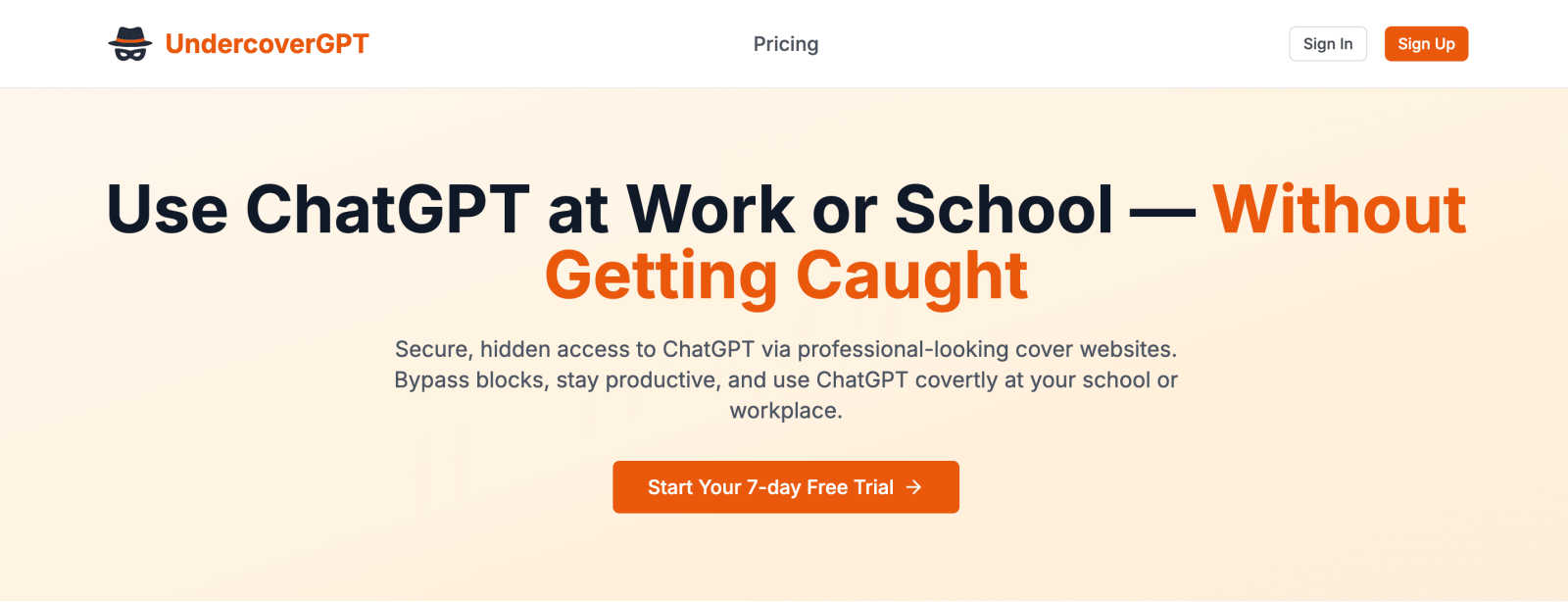
UndercoverGPT discreetly unlocks ChatGPT access at school or work for private, productive use.
Last updated: March 1, 2026
Visual Comparison
Perkoon

UndercoverGPT
Feature Comparison
Perkoon
Peer-to-Peer (P2P) File Transfer
Perkoon's flagship feature allows users to send files directly between browsers without any size limitations or sign-ups. This P2P technology ensures that files are transmitted securely and privately, as they do not pass through any central servers. This direct connection makes file sharing efficient and stress-free.
Encrypted Cloud Storage
For instances when recipients are offline, Perkoon provides an encrypted cloud storage solution. This paid feature securely holds files until the recipient is available to download them. The encryption ensures that users' data remains private and protected during transit and storage.
Built-in Automation Tools
Perkoon is designed with the modern user in mind, incorporating built-in tools that allow for automation and integration with AI agents. These features streamline the file transfer process, enabling users to interact with the service directly without the need for cumbersome screen-scraping methods.
Referral and Rewards Program
Perkoon offers a unique referral program that rewards users for sharing the service with others. By sending a referral link, users can earn extra storage space when their friends sign up and transfer files. This incentivizes community growth while benefiting all participants.
About UndercoverGPT
Professional Cover Websites
This feature provides users with access to a selection of websites that look like ordinary business, academic, or reference sites. These covers are designed to appear legitimate and mundane to network monitoring systems and casual observers. This is the foundational mechanism that allows the ChatGPT interface to be loaded and used without triggering standard security blocks or raising suspicion from administrators or teachers.
Stealthy Bypass Technology
UndercoverGPT employs technical methods to circumvent common network restrictions and firewalls that institutions use to block access to specific websites and services like OpenAI. It works within the constraints of a typical network, avoiding detection by not relying on easily flagged signals or connections. This ensures reliable access where other direct methods would fail, providing a consistent and dependable user experience.
Seamless AI Integration
Once access is established through the cover, users interact with the full, standard ChatGPT interface. This means all the familiar capabilities—such as generating text, answering complex questions, summarizing information, and assisting with coding—are available. The tool does not alter or limit the AI's power; it simply provides a secure gateway to it, integrating the AI's assistance directly into the user's workflow without extra steps.
User-Focused Discretion
The entire design of UndercoverGPT prioritizes user discretion and low visibility. The interface and connection process are optimized to leave minimal digital traces and operate quietly in the background. This focus helps users maintain their privacy and avoid drawing attention, which is the central goal for anyone using the tool in a monitored environment like a library, classroom, or office.
Use Cases
Perkoon
Personal File Sharing
Individuals can use Perkoon to share large files with friends and family without worrying about size limits or fees. Whether sending vacation photos or important documents, Perkoon makes personal file sharing simple and hassle-free.
Team Collaboration
For teams working remotely, Perkoon serves as an essential tool for sharing project files and documents. The ability to send large files without restrictions streamlines collaboration, ensuring that team members can access the resources they need promptly.
Secure Business Transactions
Businesses can rely on Perkoon for secure file transfers, especially when dealing with sensitive information. The P2P feature ensures that confidential documents remain private, and the encrypted cloud storage provides an additional layer of security.
AI Integration
Developers and tech enthusiasts can leverage Perkoon’s capabilities by integrating it with AI agents. This allows for automated file transfers and interactions, enhancing productivity and efficiency in various applications.
UndercoverGPT
Academic Research and Writing
Students can use UndercoverGPT to get past school network blocks to assist with homework, essay writing, and understanding complex topics. When research portals are limited or when a student needs help brainstorming ideas or structuring an argument, this tool provides discreet access to a powerful tutoring and writing assistant without violating the visible rules of the school's IT policy.
Professional Report Generation
In workplaces where AI tools are restricted due to data policy or productivity concerns, employees can use UndercoverGPT to confidentially draft reports, emails, and project summaries. It helps professionals overcome writer's block, improve the clarity of their communication, and compile information quickly, all while maintaining the appearance of working within standard approved applications.
Creative Project Development
Individuals working on creative writing, coding projects, or content creation in restricted environments can leverage the AI for brainstorming, debugging code, or generating creative prompts. This use case is vital for users who need a burst of inspiration or technical help but cannot access public AI resources due to institutional firewalls on their network.
Language Learning and Translation
For users learning a new language or needing quick translation services, UndercoverGPT can act as a always-available practice partner and translator. In settings like libraries or university computer labs where language apps might be blocked, this tool provides a covert way to get grammatical corrections, vocabulary explanations, and conversational practice.
Overview
About Perkoon
Perkoon is an innovative file transfer service designed to simplify the way individuals and teams share files. In a digital landscape cluttered with limitations and unnecessary complexity, Perkoon redefines file sharing by offering a straightforward solution that prioritizes user experience and privacy. It caters to anyone frustrated with traditional file transfer methods that impose artificial limits, require mandatory sign-ups, or treat user data as a commodity. Perkoon's core offering includes two efficient ways to send files: a free peer-to-peer (P2P) service that allows users to transfer files directly between browsers when both parties are online, and a secure cloud storage option for offline transfers, available through a paid plan. With its commitment to free usage, privacy, and user-friendly automation tools built for the age of AI, Perkoon stands out as a trusted and robust solution for file transfer needs.
About UndercoverGPT
UndercoverGPT is a practical tool designed to solve a common modern problem: accessing helpful AI in restricted environments. In many schools, universities, and workplaces, powerful AI assistants like ChatGPT are blocked by network filters or administrative policies. This tool provides a discreet method to bypass these blocks, allowing users to continue their work without interruption. It operates by presenting what appears to be a standard, professional-looking website, serving as a cover to access the full functionality of ChatGPT behind the scenes. This approach is fundamentally about maintaining productivity and access to educational resources. The primary users are students who need help with research and writing, professionals requiring assistance with reports and communications, and any individual who benefits from AI support but operates under restrictive IT policies. Its core value is straightforward: it enables seamless, covert access to a powerful AI tool, ensuring users can complete tasks efficiently and effectively without drawing unwanted attention or facing potential repercussions for using a blocked service.
Frequently Asked Questions
Perkoon FAQ
Is Perkoon really free?
Yes, Perkoon offers a free P2P file transfer service that does not impose size limits or require user accounts. This service is free because it operates on a decentralized model that costs Perkoon nothing to run.
How does cloud storage work with Perkoon?
When files need to be stored for offline recipients, Perkoon offers encrypted cloud storage as a paid feature. This ensures that files are held securely until the recipient can access them.
Can I use Perkoon on any browser?
Perkoon is compatible with Chrome, Edge, and Brave browsers without any limits. However, users of Firefox and Safari may encounter certain restrictions due to browser-specific limitations.
How can I earn rewards through the referral program?
By sharing your unique referral link, you can invite others to use Perkoon. When they sign up and transfer files, both you and your friend can earn additional storage space, creating a mutually beneficial system.
UndercoverGPT FAQ
Is using UndercoverGPT legal?
Using UndercoverGPT is a tool-based activity, and its legality depends on the specific rules of the institution you are in and your local laws. The tool itself provides access. However, using it to bypass specific network restrictions set by your school, employer, or other organization may violate their terms of service or acceptable use policies. It is the user's fundamental responsibility to understand and consider these rules before proceeding.
How does UndercoverGPT avoid detection?
The tool avoids detection primarily through the use of its professional cover websites. These sites are designed to look like normal web traffic, which does not raise flags with common filtering software that looks for known addresses like chat.openai.com. It relies on this obfuscation rather than complex hacking, making it a simple yet effective method for discreet access.
Will it work on my school or work network?
UndercoverGPT is designed to work on many common restricted networks, including those in schools and offices. Its effectiveness depends on the specific blocking software and security protocols your network administrator has in place. While it is built to bypass standard filters, very advanced or highly customized security systems may still prevent access.
Do I need to install any software?
Typically, a tool like UndercoverGPT operates through a web browser and does not require software installation. You would access a cover website through your browser, which then allows you to use the AI service. This web-based approach is fundamental to its ease of use and low profile, as it leaves no software on the device itself.
Alternatives
Perkoon Alternatives
Perkoon is a unique file transfer service that falls under the category of productivity and management tools. It offers users the ability to send files for free using peer-to-peer technology, which eliminates the need for sign-ups and size restrictions. This straightforward approach appeals to individuals seeking a hassle-free experience when transferring data, especially in an age where many services impose limitations or treat user data as a commodity. Users often look for alternatives to Perkoon for various reasons such as pricing, feature sets, or specific platform compatibility. When searching for a suitable alternative, it's essential to consider factors like the ease of use, privacy policies, file size limits, and any additional functionalities that may enhance your file transfer experience. A good alternative should prioritize user needs without compromising on security or convenience.
UndercoverGPT Alternatives
UndercoverGPT is a specialized AI assistant and productivity tool. It is designed to provide discreet access to ChatGPT in environments like schools or workplaces where such tools might be blocked. Its core function is to help users maintain their workflow without drawing attention. People often look for alternatives for several common reasons. These can include budget constraints, a need for different features, or compatibility with specific devices and operating systems. Some users may simply prefer a tool with a different approach to privacy or user interface. When evaluating other options, consider your primary need. Key factors are the level of discretion offered, overall data security practices, ease of use, and cost. The right tool should align with your specific environment and the tasks you need assistance with, ensuring it supports your productivity effectively.