ResumeFreePro vs TrafficClaw
Side-by-side comparison to help you choose the right product.

ResumeFreePro
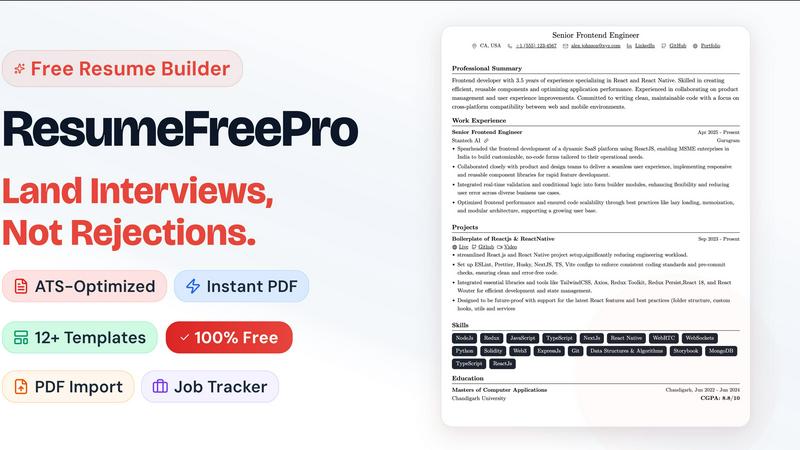
Free online resume builder with ATS templates, real-time editor, PDF export, AI resume tailoring, job tracker, and LinkedIn import. No watermarks.

TrafficClaw
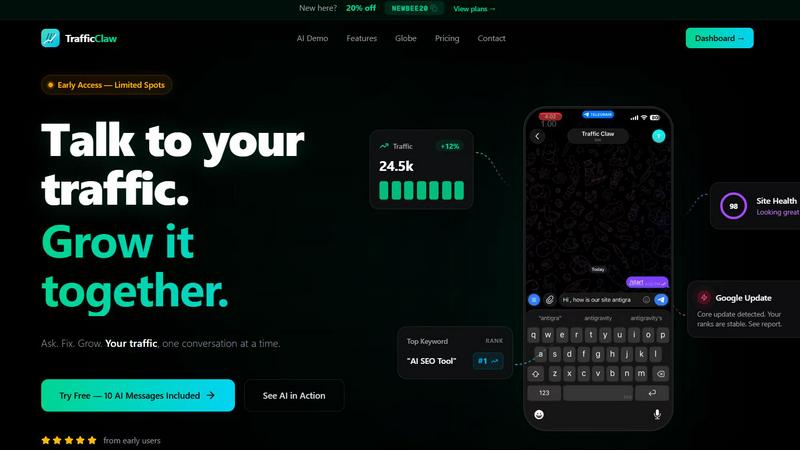
Talk to your SEO & Analytics data - it finally talks back
Visual Comparison
ResumeFreePro
TrafficClaw
Overview
About ResumeFreePro
ResumeFreePro is a free online resume builder built for job seekers who are done paying for tools that should be free. Build, customize, and download a professional resume in minutes — no subscription, no watermark, no credit card.
What you get for free:
- 12+ ATS-certified templates — single-column, two-column, modern, and executive layouts designed to pass automated screening systems without formatting errors
- Real-time visual editor — rich text editing with live preview, WYSIWYG output matches your PDF exactly
- Pixel-perfect PDF export — unlimited downloads, no watermarks, A4-formatted with intelligent page breaks
- LinkedIn import — paste your LinkedIn URL and your entire work history auto-populates into the editor
- Resume parser — upload an existing PDF or DOCX resume and AI extracts every section into editable fields instantly
- Job Application Tracker — built-in Kanban board with customizable stages, calendar view, and job card notes to manage your entire search pipeline
- Cover letter builder — create and store multiple cover letters alongside your resumes
- Full design control — fonts, colors, spacing, margins, header layouts, section ordering, profile photo
- Resume cloning, public sharing links, cloud storage, resume locking
- No account required to start
AI-powered premium features
- Resume tailoring for specific job descriptions
- ATS compatibility scoring
- Keyword optimization
- Bullet point improver
About TrafficClaw
Your traffic dropped. Google Analytics says nothing useful. Search Console shows graphs. Cool. Now what? TrafficClaw lets you just ask - "Why did my traffic drop?" and actually get an answer. Backed by your real data, not some generic blog post advice. Connect GA4 + Search Console. Ask questions. Get fixes. That's it.