
Roast My Web vs StatPecker
Side-by-side comparison to help you choose the right product.

Roast My Web
Roast My Web provides quick website audits with actionable insights to enhance UX, SEO, and drive more sales.
Last updated: February 28, 2026

StatPecker
StatPecker transforms your data into stunning visuals, providing fast insights for effective storytelling and.
Last updated: March 1, 2026
Visual Comparison
Roast My Web

StatPecker
Feature Comparison
Roast My Web
Manual Report Editor
The Manual Report Editor allows users to modify text, hide sections, or add personalized advice, ensuring that every report is tailored to meet the specific needs of the client. This feature is essential for presenting a customized experience, enhancing the overall professionalism of the audit.
Custom-Branded in 60 Seconds
With just one click, users can add their logo, colors, and text to create polished, branded PDFs. This feature eliminates the need for a designer, enabling users to present a professional image effortlessly, which can build trust with clients and enhance their credibility.
Instant Conversion Wins
This feature provides section-by-section fixes that focus on lifting sign-ups, sales, and bookings. By offering actionable next steps without guesswork, users can quickly implement changes that directly impact their bottom line, leading to immediate improvements in conversion rates.
Cross-Device Peace of Mind
Roast My Web ensures that users can catch mobile-specific issues before launching their sites. This capability minimizes the risk of encountering "it's broken on my phone" complaints from users, providing peace of mind that the website will function smoothly across various devices.
StatPecker
Local SQL Agent
The Local SQL Agent feature empowers users to upload CSV files (up to 50 MB) for private analysis. Everything runs on the user's device, ensuring that data remains confidential while generating insightful visuals. This feature allows for local queries and instant visualizations, making it easy to uncover trends without risking data privacy.
Ask Your Query
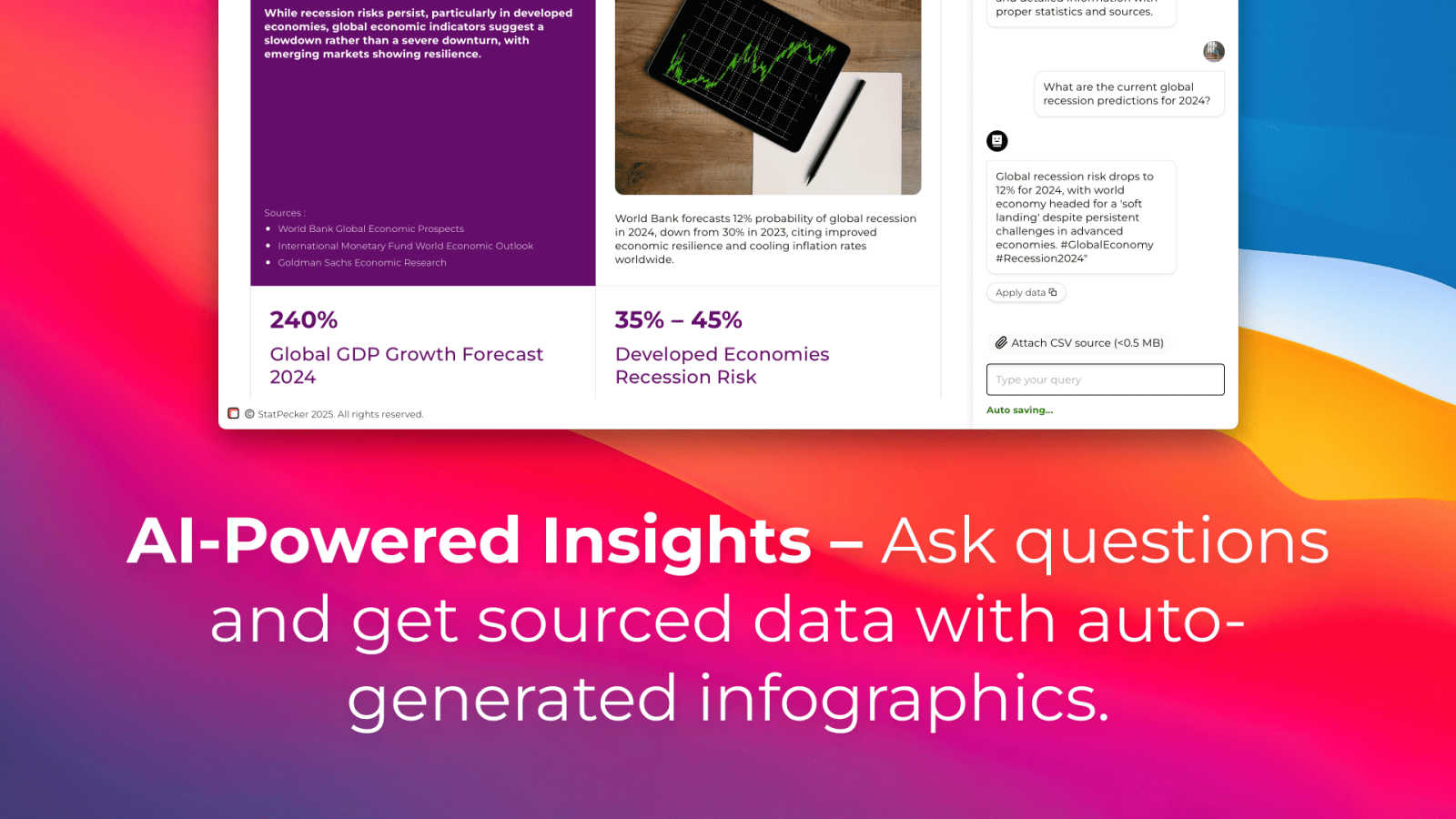
With the Ask Your Query feature, users can obtain instant insights from validated sources using AI. This feature eliminates the need for complex tools, allowing users to simply ask questions about their data and receive immediate, accurate answers in a visually appealing format, enhancing data-driven decision-making.
Publish & Embed
StatPecker allows users to make their visuals interactive and seamlessly integrate them into various platforms such as blogs, articles, and websites. This publish and embed feature ensures that users can share their findings effortlessly, fostering better communication and collaboration among teams and audiences.
Download & Use Anywhere
The Download & Use Anywhere feature enables users to export infographics as images suitable for reports, presentations, and more. This flexibility ensures that users can utilize their visuals across different formats and contexts, enhancing the reach and impact of their data storytelling.
Use Cases
Roast My Web
Freelancers Enhancing Client Projects
Freelancers can use Roast My Web to quickly generate detailed website audits for their clients, saving time and effort. This tool allows them to identify and address issues that may hinder site performance, making it an invaluable resource for boosting client satisfaction.
Agencies Streamlining Auditing Processes
Digital agencies can utilize Roast My Web to conduct audits for multiple clients in a short period. By automating the auditing process, agencies can focus their resources on strategy and client communication rather than manual report generation.
Entrepreneurs Optimizing Their Websites
Entrepreneurs can leverage Roast My Web to gain insights into their websites, helping them identify critical areas for improvement. The actionable recommendations provided can lead to enhanced user experience and increased sales, ultimately contributing to business growth.
Marketers Driving SEO Improvements
Marketing professionals can take advantage of the SEO insights offered by Roast My Web to enhance website visibility and traffic. By implementing the suggested optimizations, they can help their clients outrank competitors and improve their online presence.
StatPecker
Data Analysis for Businesses
StatPecker is ideal for businesses looking to analyze their performance metrics. Users can upload sales data to visualize trends and make data-driven decisions, enhancing overall business strategies and results.
Educational Presentations
Educators can utilize StatPecker to create engaging infographics for their presentations. By transforming complex information into visuals, teachers can enhance student understanding and retention of key concepts.
Marketing Campaign Reports
Marketers can leverage StatPecker to visualize the performance of their campaigns. By converting raw data into attractive graphics, they can effectively communicate results to stakeholders and improve future campaigns based on insights gained.
Research and Development
Researchers can benefit from StatPecker by visualizing their findings in a clear and concise manner. This tool allows them to present data effectively, facilitating better communication of their research outcomes to peers and the public.
Overview
About Roast My Web
Roast My Web is a state-of-the-art AI-powered website audit tool that transforms any URL into a detailed, client-ready report in just about two minutes. This innovative platform is specifically designed for agencies, freelancers, and entrepreneurs who are eager to improve their website's performance, increase conversions, and build user trust. By pinpointing critical areas that hinder sales, Roast My Web provides actionable insights that can be implemented swiftly. Each audit offers tailored recommendations covering essential aspects such as user experience (UX), conversion optimization, and search engine optimization (SEO). With features like a customizable report editor, branded PDF outputs, and the ability to audit multiple sites simultaneously, users can streamline their workflow and present polished, professional audits that not only impress clients but also drive tangible results. This tool is ideal for those looking to save time while enhancing their web projects, ensuring they stay ahead of the competition.
About StatPecker
StatPecker is an innovative AI-driven platform designed to transform raw data into captivating infographics within seconds. It simplifies the complex data storytelling process, making it accessible to a vast audience, including content creators, analysts, marketers, and educators. By harnessing the power of advanced artificial intelligence, StatPecker enables users to create striking visuals without needing extensive design skills or costly software. This tool significantly streamlines the traditional reporting processes, saving time and reducing costs, allowing users to focus on deriving insights from their data. With StatPecker, anyone can convert intricate data sets into engaging graphics that enhance understanding and retention, establishing it as an essential resource for effective communication of information.
Frequently Asked Questions
Roast My Web FAQ
How quickly can I get a report from Roast My Web?
You can receive a comprehensive website audit report in just about two minutes after submitting your URL. This rapid turnaround allows you to identify and address issues without delay.
Is there a money-back guarantee?
Yes, Roast My Web offers a 30-day money-back guarantee. If you are not satisfied with the service, you can request a refund within this period, ensuring a risk-free experience.
Can I customize the reports generated by Roast My Web?
Absolutely! Roast My Web includes a Manual Report Editor that allows you to modify text, hide sections, or add your own advice to make each report fully tailored for your clients.
How does Roast My Web help with SEO?
Roast My Web combines technical SEO checks with on-page UX tips, providing users with actionable insights that can improve their website's ranking and traffic. This dual approach ensures comprehensive optimization for better performance.
StatPecker FAQ
What types of files can I upload to StatPecker?
You can upload CSV files with a maximum size of 50 MB to StatPecker for analysis. This feature allows you to extract key insights from your data without the hassle of using spreadsheets.
Is my data safe when using StatPecker?
Yes, your data remains private and secure. The Local SQL Agent feature ensures that everything runs on your device, so your data is not shared or transmitted over the internet during analysis.
Do I need any design skills to create visuals with StatPecker?
No, StatPecker is designed for users without extensive design skills. The AI-driven platform simplifies the process of creating infographics, allowing anyone to produce professional-quality visuals effortlessly.
Can I integrate my visuals into my website?
Absolutely! StatPecker allows you to publish and embed your visuals seamlessly into blogs, articles, and websites, making it easy to share your insights with a wider audience.
Alternatives
Roast My Web Alternatives
Roast My Web is an innovative AI-powered website audit tool that provides quick, actionable insights aimed at enhancing website performance, boosting conversions, and improving user trust. It falls into the Analytics & Data, Copywriting, Marketing, and SEO categories, making it a valuable resource for agencies, freelancers, and entrepreneurs looking to optimize their web presence. Users often seek alternatives to Roast My Web due to varying reasons such as pricing concerns, feature sets that may better align with their specific needs, or platform compatibility issues. When choosing an alternative, it is essential to consider factors such as the comprehensiveness of the audit, ease of use, customization options, and the ability to generate professional reports that resonate with clients' expectations.
StatPecker Alternatives
StatPecker is an innovative AI-powered tool within the analytics and data category, designed to convert raw data into visually appealing infographics almost instantly. It helps users, including content creators, analysts, marketers, and educators, simplify the data storytelling process without needing extensive design skills. As a result, many users actively seek alternatives to StatPecker to explore different pricing options, features that may better suit their specific needs, or platforms that integrate more seamlessly with their existing workflows. When looking for an alternative to StatPecker, users should consider several factors. These include the ease of use, the quality of visual outputs, the availability of customizable features, and the overall cost. Additionally, it is essential to evaluate the level of customer support provided and how well the tool can integrate with other software commonly used in data analysis and reporting.