
Crawlkit vs StatPecker
Side-by-side comparison to help you choose the right product.

Crawlkit
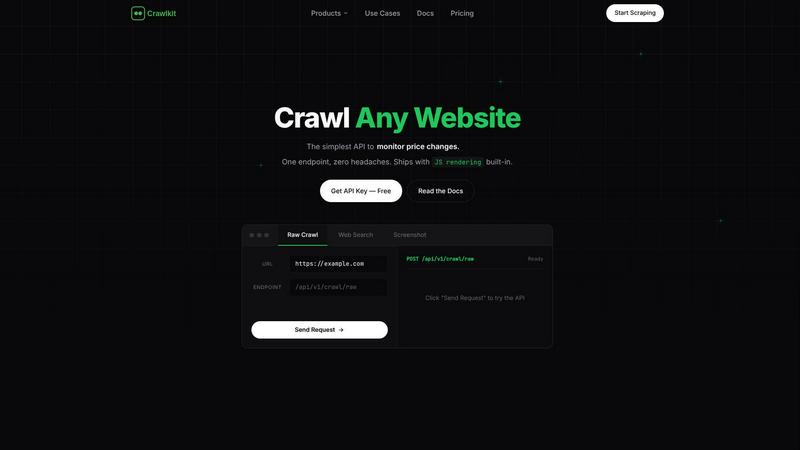
CrawlKit simplifies data extraction by turning any website into a structured API with a single request.
Last updated: February 28, 2026

StatPecker
StatPecker transforms your data into stunning visuals, providing fast insights for effective storytelling and.
Last updated: March 1, 2026
Visual Comparison
Crawlkit
StatPecker
Feature Comparison
Crawlkit
Simplified API Access
CrawlKit offers a user-friendly API that allows users to make data requests without needing to understand the underlying complexities of web scraping. This feature empowers developers to quickly integrate data extraction into their applications with minimal setup.
Comprehensive Data Sources
With CrawlKit, users can extract structured data from a wide range of sources including websites, social media platforms like LinkedIn and Instagram, and app stores. This versatility means that users can obtain all the data they need through a single API call.
Reliable Data Extraction
CrawlKit ensures that users receive clean, complete data by waiting for full page loads and validating responses before delivering results. This commitment to quality means that users can trust the accuracy and integrity of the data they extract.
Transparent Pricing Model
CrawlKit adopts a credit-based pricing system that is straightforward and easy to understand. Users know exactly what they will pay without hidden fees or unexpected charges, allowing for better budgeting and planning of their data extraction needs.
StatPecker
Local SQL Agent
The Local SQL Agent feature empowers users to upload CSV files (up to 50 MB) for private analysis. Everything runs on the user's device, ensuring that data remains confidential while generating insightful visuals. This feature allows for local queries and instant visualizations, making it easy to uncover trends without risking data privacy.
Ask Your Query
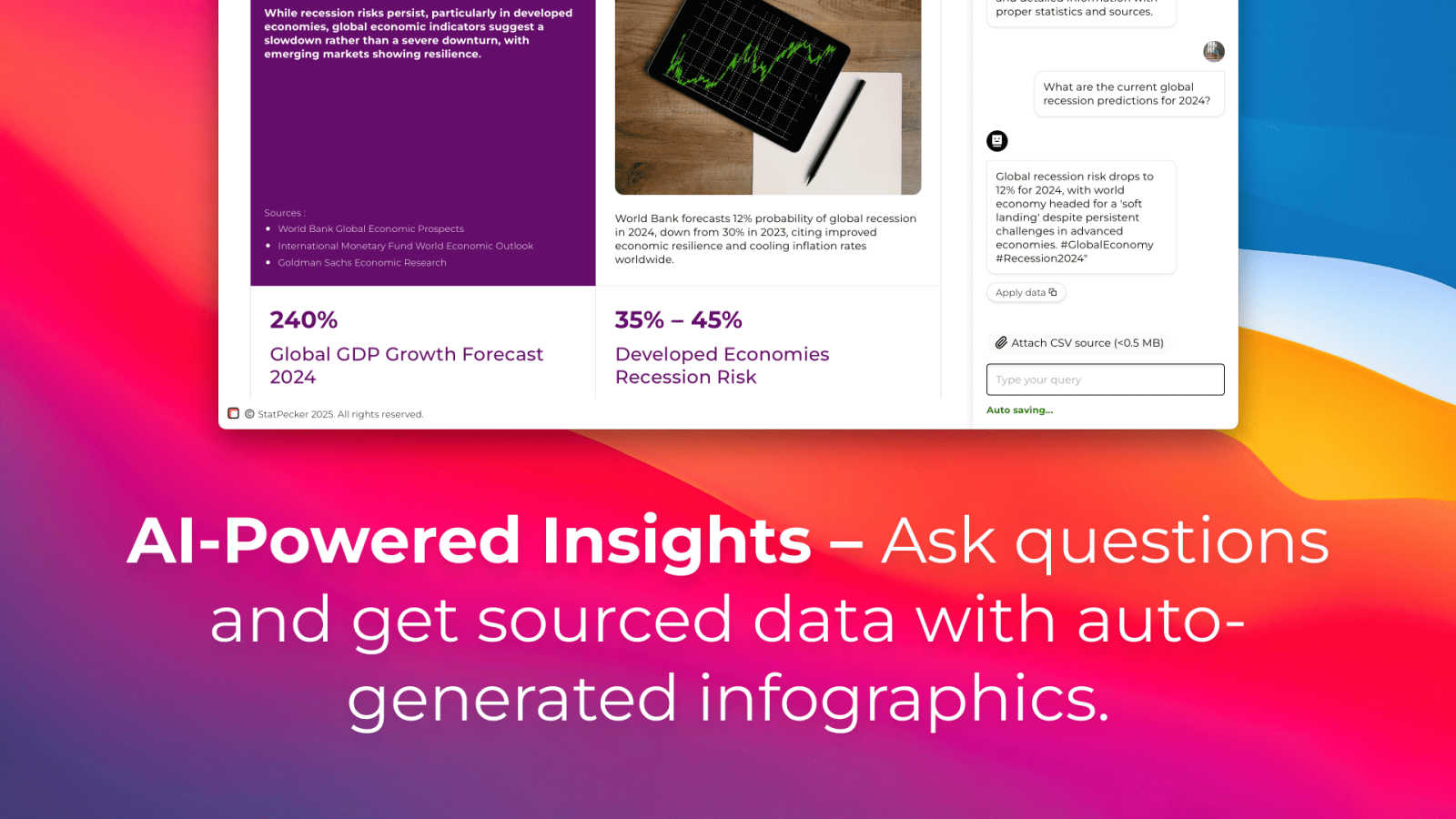
With the Ask Your Query feature, users can obtain instant insights from validated sources using AI. This feature eliminates the need for complex tools, allowing users to simply ask questions about their data and receive immediate, accurate answers in a visually appealing format, enhancing data-driven decision-making.
Publish & Embed
StatPecker allows users to make their visuals interactive and seamlessly integrate them into various platforms such as blogs, articles, and websites. This publish and embed feature ensures that users can share their findings effortlessly, fostering better communication and collaboration among teams and audiences.
Download & Use Anywhere
The Download & Use Anywhere feature enables users to export infographics as images suitable for reports, presentations, and more. This flexibility ensures that users can utilize their visuals across different formats and contexts, enhancing the reach and impact of their data storytelling.
Use Cases
Crawlkit
CRM Enrichment
CrawlKit can enhance customer relationship management (CRM) systems by automatically pulling LinkedIn profile data. This feature enables businesses to enrich their leads with job titles, company information, and contact details, streamlining the lead generation process.
Competitor Monitoring
Data teams can use CrawlKit to track competitors' social media performance, particularly on platforms like Instagram. By monitoring follower counts, engagement rates, and post performance, businesses can gain insights into their competitors' strategies and adjust their own accordingly.
App Review Analysis
CrawlKit allows users to extract and analyze reviews from app stores. This functionality aids in understanding customer sentiment and feedback, enabling companies to improve their products based on user insights and trends.
Market Research
CrawlKit's capabilities support comprehensive market research by enabling users to gather data from various online sources. By extracting structured data, businesses can analyze market trends, consumer behavior, and competitive landscapes effectively.
StatPecker
Data Analysis for Businesses
StatPecker is ideal for businesses looking to analyze their performance metrics. Users can upload sales data to visualize trends and make data-driven decisions, enhancing overall business strategies and results.
Educational Presentations
Educators can utilize StatPecker to create engaging infographics for their presentations. By transforming complex information into visuals, teachers can enhance student understanding and retention of key concepts.
Marketing Campaign Reports
Marketers can leverage StatPecker to visualize the performance of their campaigns. By converting raw data into attractive graphics, they can effectively communicate results to stakeholders and improve future campaigns based on insights gained.
Research and Development
Researchers can benefit from StatPecker by visualizing their findings in a clear and concise manner. This tool allows them to present data effectively, facilitating better communication of their research outcomes to peers and the public.
Overview
About Crawlkit
CrawlKit is an advanced web data extraction platform designed specifically for developers and data teams who require reliable and scalable access to web data. Its primary value proposition lies in simplifying the web scraping process, which often presents challenges such as managing rotating proxies, headless browsers, and anti-bot measures. With CrawlKit, users can bypass the intricacies of building and maintaining their own scraping infrastructure. The platform provides a straightforward API, allowing users to send data requests while CrawlKit takes care of the complex tasks of proxy rotation, browser rendering, and handling rate limits. This enables developers and data professionals to focus on utilizing the extracted data for analysis and decision-making. With capabilities to extract diverse types of web data, including raw page content, search results, and professional data from platforms like LinkedIn, CrawlKit is essential for anyone needing efficient web data extraction solutions.
About StatPecker
StatPecker is an innovative AI-driven platform designed to transform raw data into captivating infographics within seconds. It simplifies the complex data storytelling process, making it accessible to a vast audience, including content creators, analysts, marketers, and educators. By harnessing the power of advanced artificial intelligence, StatPecker enables users to create striking visuals without needing extensive design skills or costly software. This tool significantly streamlines the traditional reporting processes, saving time and reducing costs, allowing users to focus on deriving insights from their data. With StatPecker, anyone can convert intricate data sets into engaging graphics that enhance understanding and retention, establishing it as an essential resource for effective communication of information.
Frequently Asked Questions
Crawlkit FAQ
What types of data can I extract using Crawlkit?
CrawlKit allows users to extract a variety of data types, including raw page content, structured data from social media platforms like LinkedIn and Instagram, as well as app store details and reviews.
Is there a limit to the number of requests I can make?
CrawlKit operates on a credit-based system with no monthly commitments or rate limits. Users can purchase credits as needed, making it flexible for varying data extraction needs.
How does Crawlkit handle website changes or blocking mechanisms?
CrawlKit is designed to manage changes in website structures and blocking mechanisms. It includes features like proxy rotation and browser rendering to ensure that users receive valid and complete data even when websites implement anti-scraping measures.
Can I integrate Crawlkit with other tools or platforms?
Yes, CrawlKit is a simple HTTP API that can be used with any programming language or automation tool. This compatibility ensures that users can integrate it seamlessly into their existing workflows without any restrictions.
StatPecker FAQ
What types of files can I upload to StatPecker?
You can upload CSV files with a maximum size of 50 MB to StatPecker for analysis. This feature allows you to extract key insights from your data without the hassle of using spreadsheets.
Is my data safe when using StatPecker?
Yes, your data remains private and secure. The Local SQL Agent feature ensures that everything runs on your device, so your data is not shared or transmitted over the internet during analysis.
Do I need any design skills to create visuals with StatPecker?
No, StatPecker is designed for users without extensive design skills. The AI-driven platform simplifies the process of creating infographics, allowing anyone to produce professional-quality visuals effortlessly.
Can I integrate my visuals into my website?
Absolutely! StatPecker allows you to publish and embed your visuals seamlessly into blogs, articles, and websites, making it easy to share your insights with a wider audience.
Alternatives
Crawlkit Alternatives
CrawlKit is a sophisticated API platform designed primarily for developers and data teams who need reliable access to web data without the complexities of creating their own scraping infrastructure. It falls within the category of web data extraction tools, which are essential for tasks such as data scraping, change monitoring, and content capture from various online sources. Users often seek alternatives to CrawlKit for various reasons, including cost considerations, specific feature requirements, or the need for compatibility with different platforms or programming environments. When choosing an alternative, it is important to evaluate factors such as ease of use, range of supported data extraction types, reliability of the service, and the ability to handle complex scraping challenges like anti-bot measures.
StatPecker Alternatives
StatPecker is an innovative AI-powered tool within the analytics and data category, designed to convert raw data into visually appealing infographics almost instantly. It helps users, including content creators, analysts, marketers, and educators, simplify the data storytelling process without needing extensive design skills. As a result, many users actively seek alternatives to StatPecker to explore different pricing options, features that may better suit their specific needs, or platforms that integrate more seamlessly with their existing workflows. When looking for an alternative to StatPecker, users should consider several factors. These include the ease of use, the quality of visual outputs, the availability of customizable features, and the overall cost. Additionally, it is essential to evaluate the level of customer support provided and how well the tool can integrate with other software commonly used in data analysis and reporting.