Cool PFP vs SparkPix
Side-by-side comparison to help you choose the right product.

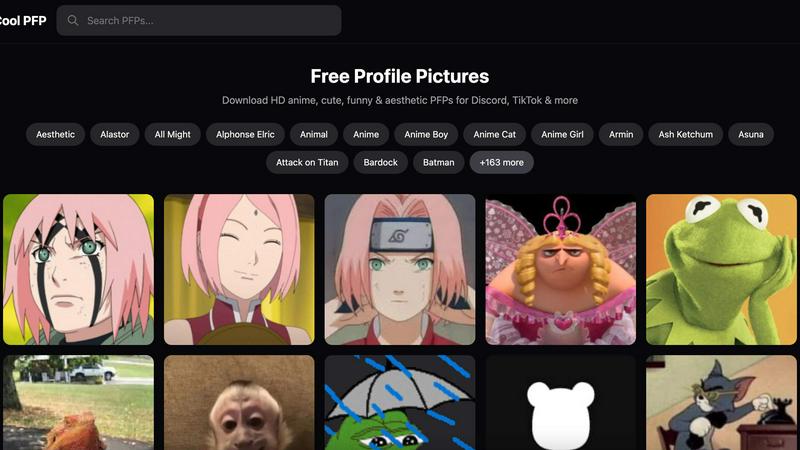
Cool PFP offers free high-quality profile pictures for social media in anime, cute, and aesthetic styles.
Last updated: February 28, 2026

SparkPix
AI photo editor online. Edit photos by typing — remove backgrounds, enhance images, restore old photos & convert to anime or art styles.
Visual Comparison
Cool PFP
SparkPix

Overview
About Cool PFP
Cool PFP is a free online platform dedicated to providing a vast and diverse collection of high-quality profile pictures (PFPs). In the digital age, a profile picture is a fundamental part of one's online identity, serving as a visual introduction on social media, gaming platforms, and forums. This tool addresses the common challenge of finding the right image that is both high-resolution and reflective of one's personal interests. It is designed for a wide audience, including social media users, gamers, anime enthusiasts, and anyone looking to refresh their online avatar without cost or complication. The core value proposition of Cool PFP is its simplicity and accessibility. It offers a straightforward, no-signup-required library where users can instantly browse and download images. With an extensive catalog organized into over 171 specific categories, from popular anime series like Attack on Titan and Demon Slayer to aesthetic themes and gaming characters, the platform ensures users can efficiently find a picture that truly resonates with their personality and the platform they use, be it Discord, TikTok, Instagram, or others.
About SparkPix
SparkPix.ai — AI Photo Editor
Edit photos by typing what you want. No Photoshop skills needed. Free to start.
KEY FEATURES
AI Photo Editor — Type instructions like "remove background" or "restore this old photo" and AI applies edits in under 30 seconds.
Background Remover — One-click background removal for portraits, product photos, and complex scenes.
Unblur Image — Fix motion blur, out-of-focus shots, and compression artifacts with AI deblurring.
Photo Restoration — Repair old, faded, scratched, or damaged photos. Ideal for family archives.
Photo Enhancer — Sharpen, enhance colors, reduce noise, and upscale to HD in one step.
Style Transfer — Convert photos to anime, oil painting, watercolor, pencil sketch, and 15+ artistic styles.
AI Image Generator — Generate images from text prompts at 1K, 2K, and 4K resolution.
Object Remover — Remove unwanted objects, people, or watermarks using simple text commands.
PRICING
Free — 5 credits, no credit card required. Plans from $9.99 for 350 credits.
PLATFORM
Web-based. Works on desktop, iPhone, and Android. No download required.