
LuxSign vs Quickfix AI
Side-by-side comparison to help you choose the right product.

LuxSign enables secure electronic signatures for documents, compliant with EU regulations, all hosted in Luxembourg.
Last updated: February 26, 2026

Quickfix AI
Quickfix AI instantly diagnoses your computer's health and explains issues in plain English.
Last updated: February 28, 2026
Visual Comparison
LuxSign

Quickfix AI
Feature Comparison
LuxSign
Multiple Signature Methods
LuxSign provides versatile signing options, allowing users to draw their signature with a mouse, type their name, or upload an image of their signature. This flexibility accommodates various preferences and speeds up the signing process, making it convenient for every user.
Advanced Security
Security is paramount with LuxSign. The platform employs industry-standard encryption to protect documents during upload, storage, and transmission. Additionally, documents are stored on secure servers in Luxembourg, ensuring compliance with EU data protection regulations for peace of mind.
Collaboration Workspaces
LuxSign facilitates teamwork through collaboration workspaces where users can create shared environments for their teams. This feature allows users to organize documents in folders, manage member access, and collaborate seamlessly on signing workflows, enhancing productivity and efficiency.
Complete Audit Trail
Maintaining transparency and security, LuxSign provides a complete audit trail for every action taken on a document. Each log includes timestamps, IP addresses, and signer information, ensuring compliance and providing a reliable record for verification purposes.
Quickfix AI
Comprehensive One-Click System Scan
Quickfix AI performs a full diagnostic check of your entire system with a single click. The scan gathers essential data from all critical areas including processor (CPU) usage and temperature, memory (RAM) pressure, graphics (GPU) load, storage disk health and available space, battery health and cycle count, and current network connection speeds. This provides a complete, unified snapshot of your computer's performance and health in one place, eliminating the need to check multiple system utilities.
AI-Powered Analysis in Plain English
This is the core intelligence of Quickfix AI. The tool doesn't just show you numbers and graphs; its built-in artificial intelligence reads the entire diagnostic report. It then explains what the data means in simple, non-technical language. You can ask questions about your system, and the AI will provide clear answers and specific, tailored recommendations for fixes or improvements, making technical troubleshooting accessible to all users.
Secure Remote Diagnostics via Sharing Code
This feature is designed for collaboration and IT support. Instead of requiring physical access to a computer, you can generate a secure, unique sharing code from within the Quickfix AI application. You can send this code to a technician or helper, who can then enter it into their own Quickfix AI tool to instantly and securely view the diagnostic report from the remote machine. This allows for fast, efficient troubleshooting from anywhere.
Detailed Performance and Health Dashboards
Quickfix AI presents all diagnostic information in a clean, organized, and visual dashboard. You can see at a glance the current utilization percentages of your CPU, Memory, and GPU. It clearly displays storage space used and available, battery health status with cycle count, and the status of key security features like Firewall and FileVault. This dashboard transforms complex system information into an easy-to-read status report.
Use Cases
LuxSign
Real Estate Transactions
In the real estate sector, LuxSign can be utilized to streamline the signing of contracts and agreements between buyers, sellers, and agents. The platform's secure and compliant nature ensures that all parties can sign documents electronically, expediting the entire process.
Employment Contracts
LuxSign is an excellent tool for HR departments to manage employment contracts. With the ability to send documents for signature and track their status in real-time, HR teams can ensure that all contracts are signed promptly and securely.
Financial Agreements
Financial institutions can leverage LuxSign for signing loan agreements and other financial documents. The platform's compliance with eIDAS standards guarantees that these documents are legally valid across the European Union, thus enhancing trust in the transaction.
Remote Team Collaboration
For companies with remote teams, LuxSign simplifies the document signing process. Employees can sign documents from anywhere, at any time, using their smartphones or tablets. This flexibility is essential for maintaining productivity in a distributed work environment.
Quickfix AI
Personal Troubleshooting for Slow Performance
When your personal computer starts running slowly, freezing, or overheating, Quickfix AI is your first step. Instead of guessing, you run a scan. The AI will analyze the report and identify the exact cause, such as "Your CPU is at 89% due to 3 apps: Chrome (45%), Slack (28%), and Zoom (16%)." It then provides a straightforward recommendation like closing unnecessary browser tabs, giving you an immediate action to restore performance.
IT Support and Remote Assistance
IT professionals and support teams can use Quickfix AI to streamline helpdesk operations. When a user reports an issue, the support agent can simply send them a download link. The user runs Quickfix AI and provides the generated sharing code. The IT agent instantly receives the full diagnostic report, allowing them to diagnose problems like low memory, failing storage, or network issues remotely and accurately, reducing resolution time dramatically.
System Health Audit for Tech Enthusiasts
Gamers, developers, and power users who want to optimize their systems can use Quickfix AI for deep insights. It provides detailed metrics on GPU performance during games, memory pressure during coding sessions, and component temperatures. The AI can offer recommendations on settings adjustments or hardware upgrades based on actual usage data, helping enthusiasts maintain peak system performance and health.
Pre-Purchase Evaluation of Used Hardware
When considering buying a used laptop or computer, you can use Quickfix AI to check its true condition. Running the tool on the device will reveal critical health data that sellers might not disclose, such as battery health percentage and cycle count, hard drive or SSD health status, and overall system performance under load. This provides an objective report to inform your purchasing decision.
Overview
About LuxSign
LuxSign is a secure, cloud-based electronic signature platform designed specifically for businesses that require high compliance standards. Originating from Luxembourg, LuxSign ensures that all documents are encrypted end-to-end and stored exclusively within the country, thereby guaranteeing full compliance with the General Data Protection Regulation (GDPR). The platform supports the European Union's eIDAS Simple Electronic Signature (SES) standards, ensuring that contracts signed through LuxSign hold legal validity across all member states. LuxSign is equipped with essential features such as parallel and sequential signing workflows, drag-and-drop signature field placement, and automated email notifications for signers. Its advanced tiers offer additional functionalities like document templates, comprehensive audit trails, bulk signing capabilities, collaboration workspaces, custom branding options, and a REST API for system integrations. This makes LuxSign an ideal solution for businesses aiming to streamline their document signing processes while ensuring security and compliance.
About Quickfix AI
Quickfix AI is a fundamental tool designed to provide clear and immediate understanding of your computer's health and performance. It is an AI-powered system diagnostics application that performs a comprehensive scan of your machine, analyzing key components like the CPU, memory, storage, battery, and network. The core purpose of Quickfix AI is to demystify complex technical data. It translates raw system metrics into plain English explanations and actionable recommendations, making advanced diagnostics accessible to everyone. This tool is built for individuals who experience performance issues but lack the technical expertise to identify the root cause, as well as for tech enthusiasts and IT support teams who need a quick and reliable way to assess any system. Its main value proposition lies in delivering instant clarity. In under a minute, you can download the tool, run a scan, and receive a complete, easy-to-understand report on your system's status, empowering you to resolve problems and optimize performance with confidence.
Frequently Asked Questions
LuxSign FAQ
What types of documents can I sign using LuxSign?
You can sign a variety of document formats using LuxSign, including PDF, DOC, and DOCX files. The platform supports automatic conversion for seamless processing.
Is LuxSign GDPR compliant?
Yes, LuxSign is fully compliant with GDPR and Luxembourg data protection laws. All documents are encrypted and stored securely in Luxembourg, ensuring your data privacy is protected.
How many signers can I add to a document?
LuxSign allows you to add up to four signers per document. You can choose to set up either parallel signing or sequential signing workflows to suit your needs.
What kind of support does LuxSign offer?
LuxSign provides email support for users, with premium plans offering priority support for faster response times. This ensures that users have access to assistance when needed for any signing-related inquiries.
Quickfix AI FAQ
Is Quickfix AI free?
Yes, Quickfix AI offers a free version that includes the core system diagnostics scan, the AI analysis to explain your report in plain English, and basic recommendations. This allows anyone to download and understand their system's health at no cost.
Is my data secure?
Yes, Quickfix AI is designed with security in mind. The diagnostic scan runs locally on your machine. Your full system report is not automatically uploaded to any cloud server. Data is only shared if you explicitly choose to generate and provide a sharing code to someone you trust for support purposes.
Do I need technical knowledge?
No, you do not need any technical knowledge to use Quickfix AI. It is built specifically for users who are not experts. The AI interprets all the technical data and explains everything in simple, clear language, telling you what is wrong and what you can do about it.
What platforms are supported?
Quickfix AI is available for both Windows and macOS operating systems. You can download a dedicated version for your specific platform, whether you are using a personal Mac, a Windows PC, or managing machines in a professional environment.
Alternatives
LuxSign Alternatives
LuxSign is a sophisticated electronic signature platform designed to facilitate secure document signing for businesses. It operates within the productivity and management category, ensuring that all signatures comply with eIDAS SES standards, thus providing legal validity across the European Union. Businesses often seek alternatives to LuxSign for various reasons, including pricing considerations, specific feature requirements, or the need for different platform integrations that better fit their operational workflows. When looking for an alternative to LuxSign, it is important to evaluate the platform's compliance with legal standards, the security measures in place for data protection, and the range of features offered. Users should consider their unique needs, such as the ability to customize workflows, the level of customer support, and integration capabilities with existing systems. Assessing these factors will help ensure that the chosen platform aligns with the business's goals and requirements.
Quickfix AI Alternatives
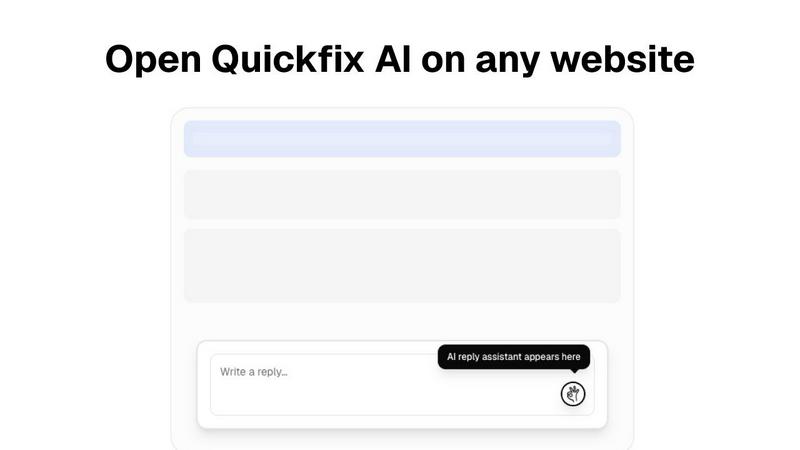
Quickfix AI is a productivity tool, specifically a browser extension, that uses artificial intelligence to help users write replies and manage communications faster. It falls into the category of productivity and management software, designed to save time for professionals and individuals who handle a high volume of online messages. People often look for alternatives to software like Quickfix AI for several common reasons. These can include budget constraints, a need for different or more advanced features, compatibility with specific platforms or operating systems, or a preference for a different user experience. Exploring options is a normal part of finding the right tool for your unique workflow. When evaluating an alternative, consider your core needs. Key factors are the specific websites and apps you need it to work with, the quality and tone of the AI-generated content, the overall cost and pricing model, and how easy the tool is to install and use daily. The best choice is the one that integrates smoothly into your existing routine.