
BuiltByMe vs OG Generator Pro
Side-by-side comparison to help you choose the right product.

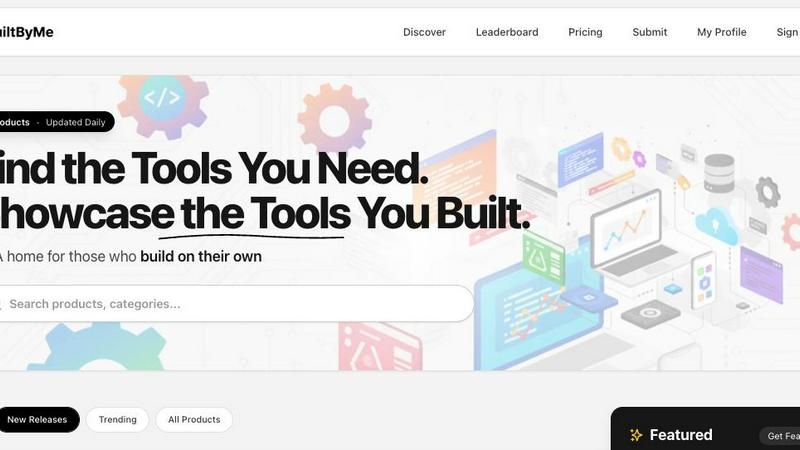
BuiltByMe is the essential directory to discover and showcase tools built by independent creators.
Last updated: March 1, 2026

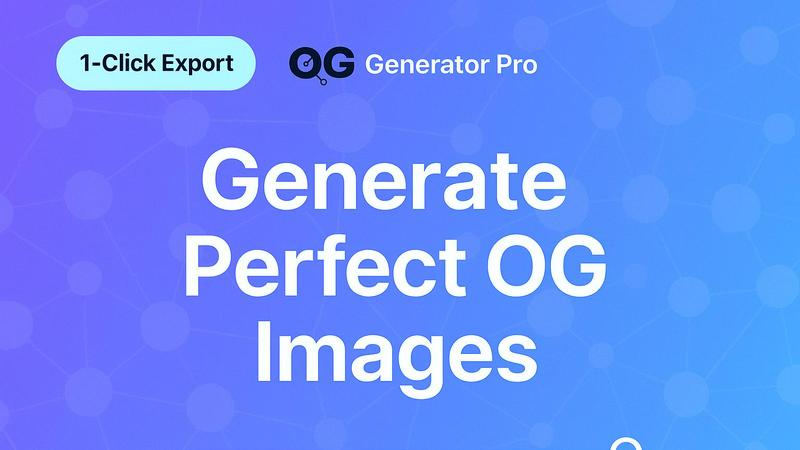
OG Generator Pro creates and checks Open Graph images and meta tags for better social media engagement.
Last updated: February 28, 2026
Visual Comparison
BuiltByMe
OG Generator Pro
Feature Comparison
BuiltByMe
Curated AI Tools Directory
The platform offers a carefully organized directory of AI tools, allowing users to discover the best solutions for their specific projects. Tools are categorized and presented with clear descriptions, making it simple to find applications for SEO, content generation, video creation, and more without being overwhelmed by irrelevant options.
Tool Submission for Creators
Independent developers and indie teams have a straightforward process to submit their own digital products for listing. This feature provides a foundational channel for gaining exposure, acquiring early users, and receiving direct feedback from a community actively seeking new and innovative software solutions.
Discovery and Ranking Systems
BuiltByMe employs basic but effective systems like a Leaderboard, Trending products list, and New Releases section to help users navigate the catalog. These features cut through complexity by highlighting what is popular, what is new, and what is highly regarded within the community, simplifying the decision-making process.
Focused Product Catalog
Unlike sprawling general marketplaces, BuiltByMe maintains a focused catalog centered on practical software tools. This includes browser extensions, SaaS applications, marketing utilities, and AI-powered tools, ensuring that visitors are presented with relevant, workflow-enhancing products from real builders.
OG Generator Pro
Free OG Image Generator
This feature provides instant access to a library of over 20 professional templates for creating Open Graph images. Users can generate perfectly sized images (1200x630 pixels) suitable for all major social platforms without any design experience. The editor allows for deep customization, including modifying text, logos, backgrounds with gradients or solid colors, and adding design elements like grid overlays and noise. Every image is created on the fly and can be exported as a high-quality PNG file, ready for use, completely free and without requiring an account.
Open Graph Tags Checker and Analyzer
This is a diagnostic tool that allows you to input any website URL to scan and analyze its existing Open Graph meta tags. It provides a detailed, easy-to-understand report with a performance score from 0 to 100, highlighting which tags are present, which are missing, and any errors. It goes beyond simple validation by offering specific, actionable recommendations for fixes. This feature is crucial for auditing your own site or researching competitors to ensure your shared links display the correct title, description, and image.
Social Media Preview Tool
Before publishing a link, this feature lets you see exactly how it will look when shared on different social networks like Facebook, Twitter, and LinkedIn. It fetches live Open Graph data to render a real-time preview, simulating the actual user experience. This allows for practical testing and troubleshooting, ensuring your image displays correctly, text isn't cut off, and the overall presentation is compelling. It eliminates guesswork and prevents unprofessional-looking shares.
Meta Tags Code Generator
For developers and those comfortable editing website code, this feature generates clean, copy-paste ready HTML code for Open Graph meta tags. It supports a wide range of popular frameworks and content management systems including Next.js, React, Vue, Angular, WordPress, Gatsby, and Astro. By providing framework-specific code snippets, it simplifies the technical implementation process, ensuring tags are structured correctly according to best practices and saving significant development time.
Use Cases
BuiltByMe
Discovering Niche Productivity Tools
A professional seeking to optimize their workflow can use BuiltByMe to find unique, affordable tools not featured on mainstream platforms. For example, they might discover a specialized AI OCR tool for document processing or a novel project management assistant, directly from the indie developer who built it.
Showcasing an Indie Software Launch
A solo founder who has just launched a new browser extension or SaaS tool can submit it to BuiltByMe to gain initial visibility. This places their product in front of an engaged audience specifically looking to support and use software from independent creators, helping to secure those crucial first users.
Researching AI Tool Alternatives
A team evaluating AI solutions for a specific task, like video generation or SEO, can use the categorized directory to compare several human-built options. They can read clear descriptions, see what's trending, and potentially find a more cost-effective or better-supported alternative to large corporate software.
Building a Personal Toolkit
An individual looking to assemble a personalized set of digital tools for their hobbies or side business can browse BuiltByMe by category. They can systematically find tools for design, content creation, automation, and more, creating a custom toolkit comprised of directly-supported indie products.
OG Generator Pro
Bloggers and Content Creators
For individuals publishing articles, tutorials, or reviews, OG Generator Pro ensures every new post has a unique and engaging social preview. Instead of using a generic website logo or a random image from the article, bloggers can quickly create a custom graphic that features the post's title and branding. This makes their shared links stand out in crowded social feeds, directly increasing the likelihood of clicks, reads, and shares from their audience.
Digital Marketing Teams
Marketing professionals running campaigns can use the tool to maintain brand consistency and A/B test different Open Graph images for the same content. The social preview tool allows them to verify how campaign links will appear before launch. The meta tags checker is invaluable for auditing client websites or landing pages to identify technical SEO and social sharing issues that could be hampering campaign performance and conversion rates.
Web Developers and Agencies
Developers building websites for clients can utilize the code generator to quickly implement proper Open Graph tags in any project stack. The comprehensive analysis tool serves as a final check before handing off a project, ensuring all social metadata is correctly in place. This adds value to their service by guaranteeing the site presents professionally when shared, protecting the client's brand image from the start.
Indie Hackers and Startup Founders
Solo entrepreneurs and small teams with limited resources benefit greatly from a completely free, professional toolset. OG Generator Pro allows them to create polished social assets that compete with larger companies, without needing a designer or a budget for expensive software. Efficiently managing their online presence helps them build credibility, drive traffic to their product, and maximize growth from every social media mention.
Overview
About BuiltByMe
BuiltByMe is a fundamental online platform designed to serve as a central hub for software tools and digital products created by independent developers, solo founders, and small indie teams. At its core, BuiltByMe addresses a basic need in the technology ecosystem: connecting makers with users. For users, it provides a searchable, categorized catalog to discover practical tools that can enhance their workflow, covering essential areas like AI, productivity, marketing, SaaS, and browser extensions. For creators, it offers a dedicated space to showcase their work, gain visibility, and connect with their first users. The platform's main value proposition is its focused simplicity. It cuts through the noise of larger marketplaces by highlighting human-built products, allowing for the discovery of unique, often more affordable, and directly supported solutions. Features like the Leaderboard, Weekly Spotlight, and browsing by New Releases or Trending products provide clear, foundational methods for exploration and recognition. BuiltByMe is for anyone seeking effective digital tools outside the mainstream and for every indie maker looking for a community-oriented stage to present their creation.
About OG Generator Pro
OG Generator Pro is a foundational tool designed to simplify and enhance how your website content appears when shared on social media. At its core, it addresses two essential needs: creating the visual preview image (Open Graph image) and ensuring the supporting text metadata (Open Graph tags) are correctly implemented. This tool is built for bloggers, marketers, indie hackers, and content creators who understand the importance of a strong first impression on platforms like Facebook, Twitter (X), and LinkedIn but may lack advanced design or technical coding skills. The primary value proposition is professional-grade social media optimization made accessible and completely free. By generating eye-catching, SEO-friendly images and providing robust tools to check, edit, and generate the necessary code, OG Generator Pro empowers users to increase click-through rates, improve shareability, and present a polished, consistent brand image across all social shares. It serves as a comprehensive, all-in-one platform that guides users from creation to validation, used by over 50,000 websites to turn every shared link into an engaging visual asset.
Frequently Asked Questions
BuiltByMe FAQ
What kind of tools are listed on BuiltByMe?
BuiltByMe lists a wide range of digital products and software tools created by independent developers and small teams. This includes AI tools, productivity applications, SaaS platforms, marketing software, browser extensions, and other utility-focused programs designed to solve specific problems or enhance workflows.
How can I submit my tool to the directory?
Creators can submit their tools for listing by using the "Submit Tool" or "Submit Your Tool" feature prominently available on the platform. This process typically involves providing key details about your product, such as its name, description, category, and a link, for review and inclusion in the curated catalog.
Is there a cost to list my product on BuiltByMe?
Based on the provided context, specific pricing information for creators to list their tools is not detailed. It is recommended to visit the official BuiltByMe website and navigate to its "Submit Tool" section or a dedicated "Pricing" page for the most accurate and current information regarding any potential listing fees or plans.
How does BuiltByMe differ from large app marketplaces?
BuiltByMe differentiates itself by focusing exclusively on tools built by indie developers, solo founders, and small teams. It cuts through the noise of massive, generalized marketplaces to offer a more curated, community-oriented space where users can discover unique, often more affordable tools and connect directly with their creators.
OG Generator Pro FAQ
Is OG Generator Pro really free to use?
Yes, OG Generator Pro is completely free to use. The platform offers unlimited access to all its core features, including the Open Graph image generator with multiple templates, the meta tags checker and analyzer, the social preview tool, and the code generator. There are no usage limits, hidden fees, or requirements to create an account, aligning with its mission to make professional social media optimization accessible to everyone.
What image size should I use for Open Graph images?
The recommended and standard size for Open Graph images, particularly for optimal display on Facebook and LinkedIn, is 1200 pixels wide by 630 pixels tall, which is a 1.91:1 aspect ratio. OG Generator Pro automatically creates images in this perfect dimension. Using this size ensures your image displays fully and crisply across different devices and platforms without being cropped or distorted.
How do I add the generated Open Graph tags to my website?
Adding Open Graph tags requires placing the generated HTML meta tags into the <head> section of your website's code. The specific method depends on your website's framework. OG Generator Pro's code generator provides tailored instructions and snippets for platforms like WordPress (via theme files or plugins), Next.js (in layout.js or head.js), and other static site generators. If you are not technical, you may need to consult your web developer or use a SEO plugin that allows custom meta tag input.
Can I use the tool to check my competitors' websites?
Absolutely. The Open Graph Tags Checker is designed to analyze any public website URL. You can enter a competitor's webpage to see what Open Graph image and tags they are using. This provides valuable insights into their social media strategy, allows you to benchmark your own tags against theirs, and identify opportunities to create more engaging previews to stand out in comparison.
Alternatives
BuiltByMe Alternatives
BuiltByMe is a fundamental online platform that serves as a discovery and showcase hub for tools built by independent creators. It belongs to the category of curated software directories, focusing on connecting users with digital products made by solo founders and small teams. Users may look for alternatives for several basic reasons. These can include different pricing structures, a need for tools in a niche not covered, or a preference for a platform with different community features or discovery mechanisms. It is a normal part of finding the right foundational resource for one's needs. When evaluating an alternative, consider the core purpose. Look for a clear, organized catalog, a focus on genuine indie products, and features that provide social proof, like rankings or spotlights. The goal is to find a platform that effectively bridges the gap between makers and users without unnecessary complexity.
OG Generator Pro Alternatives
OG Generator Pro is a tool in the SEO and social media marketing category. It helps users create Open Graph images and check meta tags to improve how links appear when shared online. This process is essential for driving engagement and clicks from platforms like Facebook and LinkedIn. People often look for different tools for various reasons. Some may need features beyond image generation, such as broader SEO audits or integration with specific content platforms. Others might be evaluating their budget for paid solutions or require a tool that fits into a larger existing marketing technology stack. When choosing a different solution, consider your core needs. Key factors include the ease of creating compliant social images, the accuracy of meta tag validation, and whether the tool provides a live preview. Also, assess the overall value, whether it's a free tool or a paid service, and how well it integrates with your current workflow.