Nano Banana Pro vs URL to Any
Side-by-side comparison to help you choose the right product.

Nano Banana Pro
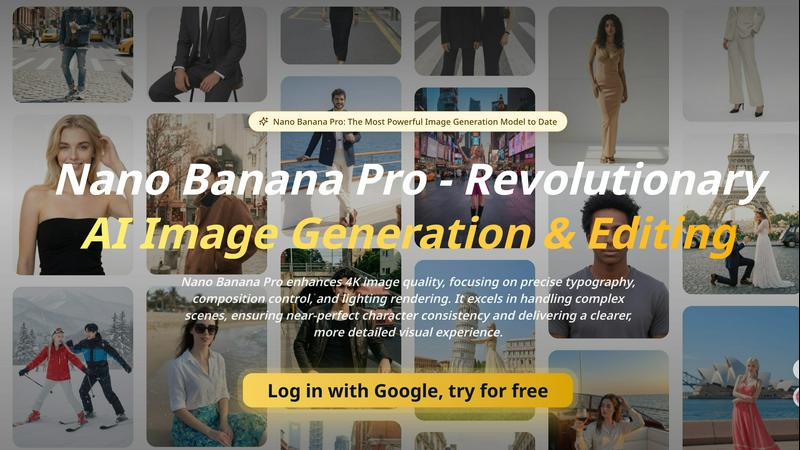
Nano Banana Pro is the most advanced AI image generator, creating highly detailed and consistent visuals from your text descriptions.
Last updated: April 13, 2026

URL to Any
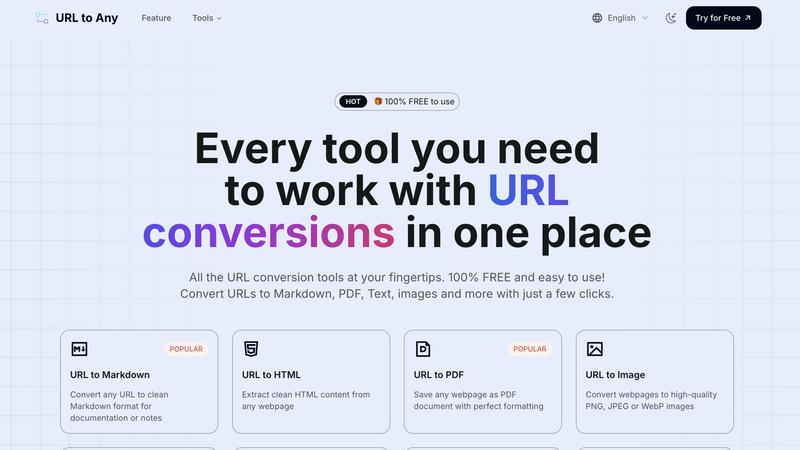
URL to Any is a free toolkit that converts any webpage into formats like PDF, Markdown, and images.
Last updated: March 2, 2026
Visual Comparison
Nano Banana Pro
URL to Any
Feature Comparison
Nano Banana Pro
Enhanced Typography and Text Rendering
Nano Banana Pro solves a common challenge in AI imagery by delivering precise and stable typography. It excels at generating text within images, such as on logos, book covers, signage, and user interface labels. The model ensures proper letter spacing, alignment, and readability, even at small font sizes, making it reliable for creating brand content and informational graphics where text accuracy is non-negotiable.
Native 2K Resolution with Intelligent 4K Upscaling
This feature provides a foundational improvement in output quality. Images are generated at a native 2K resolution, capturing a high level of detail from the start. The built-in intelligent upscaling technology can then enhance these images to 4K quality, delivering sharper micro-details, cleaner edges, and more realistic material textures without introducing artifacts, ensuring visuals are suitable for large-format displays.
Intent-Driven Prompt Interpretation and Composition Control
Nano Banana Pro moves beyond literal prompt interpretation to understand user intent. It demonstrates stronger reasoning for scene structure, spatial logic, and object relationships. This allows for more complex and coherent compositions, giving users greater control over the final layout and narrative of the image, which is essential for storyboards, product visuals, and detailed artistic scenes.
Advanced Character and Scene Consistency
Maintaining consistency across multiple image generations is a cornerstone of professional work. This model ensures near-perfect character consistency, reliably preserving facial features, proportions, and stylistic details. It also excels in handling complex scenes with multiple elements, providing coherent lighting and physical effects throughout the image, which is vital for serialized content and product visualization.
URL to Any
Multi-Format Conversion Engine
The platform's central feature is its ability to convert a single URL into over ten different formats. This includes practical document types like PDF and Markdown, visual outputs like PNG or WebP images, machine-readable formats like JSON and XML, and even audio via MP3 conversion. This versatility ensures that regardless of your project requirements—whether for archiving, content creation, development, or sharing—there is a suitable output format available directly within the same tool.
Intuitive, No-Login Interface
URL to Any is designed with a fundamental commitment to ease of use. The interface is clean and task-oriented, guiding users through a simple three-step process: paste, select, convert. Crucially, it requires no user registration or login, removing a significant barrier to entry. This design philosophy ensures that anyone can start using the tool immediately without committing personal information or remembering passwords, focusing purely on the utility of the conversion task.
Secure Cloud Processing
All conversion processes are handled securely in the cloud. This means users do not need to download or install any software, and the tool is accessible from any device with a web browser. The service emphasizes privacy by stating that your data and the content of converted URLs are not stored on their servers after processing. This cloud-based approach also enables the "lightning fast" conversions, as the processing leverages optimized server-side engines.
Advanced Extraction Tools
Beyond basic format conversion, URL to Any includes specialized tools for web development and SEO analysis. Features like the Meta Tags Extractor and Heading Extractor allow users to analyze a website's SEO structure, Open Graph, and Twitter Card data. The URL Extractor tool can crawl a site and provide a complete list of all URLs in TXT or CSV format. These utilities provide deeper insights and data gathering capabilities from webpages, extending the tool's usefulness beyond simple format translation.
Use Cases
Nano Banana Pro
Product Visualization and Marketing Materials
Creators can use Nano Banana Pro to generate high-quality, detailed images of products, including speculative future models like new smartphones. It is ideal for creating comparison infographics, product shots, and advertising banners that require precise details, accurate text for specifications, and professional lighting to showcase materials and features effectively.
Social Media Content and UGC Pipeline Creation
The model is perfectly suited for generating authentic-looking social media content, such as realistic Instagram post screenshots. It can create cohesive scenes with accurate app interface elements, cinematic lighting, and engaging captions. This enables brands and influencers to rapidly prototype and produce user-generated content (UGC) style visuals at scale for marketing campaigns.
Storyboarding and Concept Art
For filmmakers, game developers, and authors, Nano Banana Pro serves as a powerful tool for visualizing concepts. Its improved prompt interpretation and composition control allow for the creation of sequential images that maintain character and setting consistency. This makes it excellent for drafting storyboards, character designs, and environmental concept art with a coherent visual style.
Brand and Publication Design
Designers can leverage the enhanced typography and high-resolution output to create core brand assets. This includes generating logo concepts, book and magazine cover designs, signage mock-ups, and any branded material where text integration and visual clarity are paramount. The model ensures every detail meets professional typographic and quality standards.
URL to Any
Academic Research and Study
Students and researchers can use URL to Any to efficiently save online journals, articles, and reference materials. Converting a lengthy article to a well-formatted PDF or extracting just the pure text allows for offline reading, highlighting, and annotation without the distractions of website ads or layouts. This creates a clean, portable library of research materials directly from web sources.
Content Creation and Blogging
Writers, bloggers, and digital marketers can streamline their workflow by converting source material from the web into Markdown format. This is ideal for drafting posts, as Markdown cleanly captures headings, lists, and links from the original page, making it easy to quote, reference, or repurpose content while maintaining proper formatting within their own content management systems.
Web Development and Data Projects
Developers can utilize the tool to extract structured data from websites. Converting a webpage to JSON or XML format provides a machine-readable data snapshot that can be used for prototyping, testing APIs, or analyzing site structure. The URL Extractor is also valuable for tasks like building sitemaps or auditing all links on a given domain.
Professional Reporting and Presentations
Professionals needing to reference web content in reports or meetings can quickly generate high-quality screenshots (images) of webpages or save dynamic content as static PDF documents to ensure consistent formatting. Furthermore, generating a QR code for a relevant URL with the built-in tool makes it easy to share links directly within presentation slides or printed materials.
Overview
About Nano Banana Pro
Nano Banana Pro represents a fundamental advancement in AI-powered image generation and editing. At its core, it is a sophisticated model designed to transform text descriptions and existing images into high-fidelity visual content. This tool is built for creators, marketers, designers, and businesses who require professional-grade imagery that is both detailed and consistent. Its primary value proposition lies in moving beyond basic image creation to offer precise, controllable, and reliable visual synthesis. Unlike simpler models that may produce soft or distorted outputs, Nano Banana Pro focuses on mastering the essential building blocks of professional imagery: sharp detail, accurate text rendering, logical composition, and realistic lighting. It handles complex instructions with a deeper understanding of intent, ensuring the final image aligns with the user's creative vision. By providing native 2K resolution with intelligent 4K upscaling, it delivers a clearer, more detailed visual experience suitable for everything from digital content to print-ready materials. This back-to-basics approach prioritizes quality, control, and consistency, making it a powerful foundational tool for serious visual creation.
About URL to Any
URL to Any is a comprehensive, web-based toolkit designed to solve a fundamental digital task: converting the content of any webpage into a different, more usable format. At its core, it transforms a simple web address (URL) into a wide array of outputs like Markdown documents, PDF files, images, plain text, and structured data formats such as JSON and XML. This process is built for simplicity and speed, requiring no software installation, account registration, or technical expertise. Users simply paste a URL, select their desired format, and receive a converted result within seconds.
This tool is built for a wide audience. Students can save online articles as clean PDFs for offline study. Content creators and bloggers can convert web research into Markdown for easy integration into their own work. Developers can extract structured data (JSON/XML) from websites for projects. Professionals can generate QR codes for presentations or capture webpage screenshots for reports. The primary value proposition is consolidation and accessibility. Instead of searching for and learning multiple specialized tools, URL to Any provides a single, free platform that handles numerous conversion needs with a consistent, straightforward interface. It emphasizes utility, privacy by not storing processed data, and efficiency, making it an essential asset for anyone who regularly works with or archives information from the web.
Frequently Asked Questions
Nano Banana Pro FAQ
What is the main difference between Nano Banana and Nano Banana Pro?
The main difference lies in output quality, control, and consistency. Nano Banana Pro offers significantly higher native resolution (2K vs. ~1K), superior detail accuracy, and vastly improved text rendering. It also provides more reliable character consistency and better understands complex prompts for intent-driven composition, making it suitable for professional production work rather than just quick drafts.
What image formats and sizes does Nano Banana Pro support for input and output?
For input, you can upload JPEG, PNG, or WebP image files that are 10MB or less. You can also generate images from text prompts directly. For output, you can select the image format (like PNG) and resolution, starting from a base of 2K. The model also features intelligent upscaling to achieve 4K-quality images from your generations.
Can Nano Banana Pro edit existing images?
Yes, Nano Banana Pro includes advanced image editing capabilities through its Image to Image mode. It performs strong inpainting (editing specific parts of an image) and outpainting (extending an image beyond its borders) with scene-aware adjustments. This results in more coherent and artifact-free edits compared to basic models.
Who is Nano Banana Pro best suited for?
Nano Banana Pro is designed for professionals and serious creators who need high-quality, reliable, and consistent visual outputs. This includes graphic designers, marketing teams, content creators, product managers, concept artists, and businesses building user-generated content pipelines or localization tools where visual fidelity and control are critical.
URL to Any FAQ
Is URL to Any really free to use?
Yes, URL to Any is 100% free to use. The platform states clearly that every conversion tool is available without any cost, registration, or hidden fees. You can convert URLs to Markdown, PDF, images, and all other listed formats as many times as you need without encountering paywalls or subscription plans.
What happens to the data from the URLs I convert?
According to the provided information, your data is processed securely and is never stored on their servers. The conversion happens in real-time through their cloud processing engine. Once the conversion is complete and you have downloaded or copied your result, the data from your session is not retained, prioritizing user privacy.
What formats can I convert a URL into?
URL to Any supports a wide range of output formats. The most popular include Markdown, PDF, HTML, and high-quality images (PNG, JPEG, WebP). It also supports text extraction, JSON, XML, MP3 audio, and QR code generation. Additionally, it offers utility tools for encoding/decoding text and extracting meta tags or headings from URLs.
Do I need to install any software or browser extension?
No software installation is required to use the main website tools; everything runs in your web browser. However, the service does offer an optional browser extension for even quicker access. Using the core conversion features is completely web-based and does not depend on having the extension installed.
Alternatives
Nano Banana Pro Alternatives
Nano Banana Pro is a leading AI assistant focused on image generation. It belongs to the category of AI tools designed to create and enhance visual content through artificial intelligence. Users often seek it out for its specialized ability to produce high-quality, detailed images. People look for alternatives to such tools for various practical reasons. Cost is a primary factor, as subscription pricing may not fit all budgets. Others may need different core features, prefer an alternative user interface, or require the tool to work on a specific platform or operating system that is not supported. When evaluating an alternative, focus on your fundamental needs. Consider the core image generation quality, the level of control you have over the output, and how the tool handles specific tasks like text rendering or complex scenes. Also, assess the pricing model, ease of use, and any platform restrictions to find a suitable match for your projects.
URL to Any Alternatives
URL to Any is a web-based tool in the AI Assistants category that converts online content into various formats like PDF, Markdown, and images. It is known for its straightforward, no-registration approach, allowing users to quickly transform a webpage link into a usable file. People often look for other tools for several common reasons. They might need specific features not offered, such as advanced editing or integration with other software. Others may require a tool that works on a different platform, like a mobile app or a desktop program, or they might be evaluating options against future pricing changes. When choosing a different conversion tool, focus on your core needs. Consider the specific formats you require, the importance of processing speed, and whether you need additional functions like batch conversions or data security measures. The goal is to find a solution that matches your workflow without unnecessary complexity.