
Doodle Duel vs SVG to 3D
Side-by-side comparison to help you choose the right product.

Doodle Duel
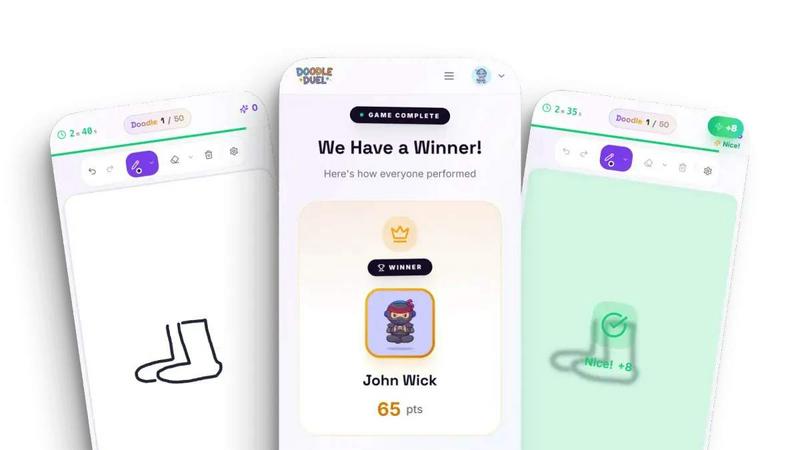
Doodle Duel is a free game where you draw against friends and an AI judges your sketches in real time.
Last updated: February 28, 2026
SVG to 3D
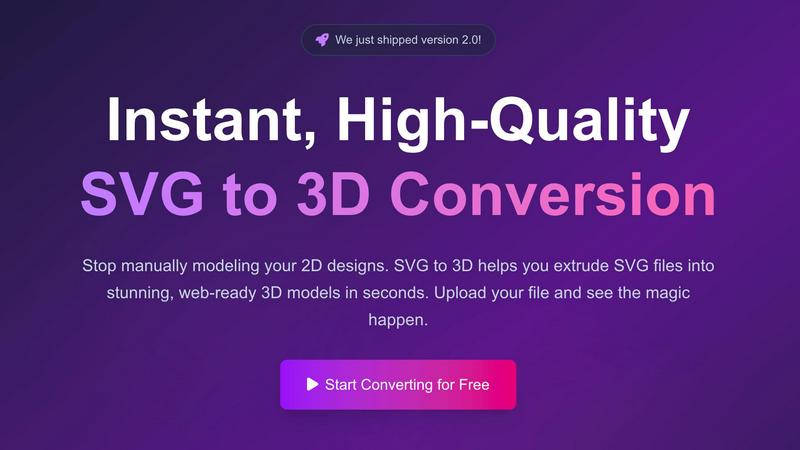
Easily convert your SVG files into stunning 3D models with advanced controls and lightning-fast processing in your.
Last updated: February 26, 2026
Visual Comparison
Doodle Duel
SVG to 3D
Feature Comparison
Doodle Duel
Instant Play, No Friction
Doodle Duel is built for immediate engagement. There is no requirement to download software, create an account, or sign in with an email. You can begin playing within seconds by visiting the website. To start a game with friends, you simply create a room, receive a shareable code, and your friends can join by entering that code on their own devices. This eliminates all traditional barriers to starting a game, making spontaneous play sessions effortless and straightforward for everyone involved.
AI-Powered Judging System
The game's defining feature is its use of advanced AI models from Google Gemini or OpenAI to act as an impartial judge. After each drawing round, the AI analyzes every submission. It does not judge based on artistic perfection but evaluates specific, objective criteria: how accurately the drawing represents the given prompt, the creativity of the interpretation, and the style employed. This provides fair and consistent feedback for every player, ensuring the winner is determined by the AI's analysis rather than a subjective popularity vote among friends.
Flexible Game Modes
Doodle Duel offers two distinct ways to play, catering to different preferences. For social, chaotic fun, the Multiplayer Duel mode allows you to create rooms and compete with friends in real-time. For a personal challenge, the Solo Arcade mode presents 50 levels of increasing difficulty where you must beat score thresholds, manage a limited number of lives, and climb global leaderboards. This dual-structure ensures the game provides value whether you are alone or in a group.
Real-Time Synchronized Play
The multiplayer experience is designed for seamless, live interaction. When a round starts, all players in the room receive the same prompt simultaneously and work against the same 60-second timer. Everyone can see the countdown, creating a shared sense of urgency and excitement. Once time is up, all drawings are submitted and judged by the AI at once, with results displayed to the entire group in real time. This synchronization is fundamental to creating an engaging, party-game atmosphere where everyone participates together.
SVG to 3D
One-Click to GLB for the Web
This feature allows users to export their 3D models as GLB files with just a single click. These files are optimized for web use, making them ideal for web developers who wish to integrate 3D elements into their projects seamlessly. The GLB format ensures that your models are lightweight and ready for use in frameworks like Three.js or React Three Fiber.
3D-Print Ready
SVG to 3D supports clean STL exports, making it a valuable tool for 3D printing enthusiasts. Users can directly use the exported STL files with their slicer software to prepare for printing. This feature eliminates the need for additional modeling software, streamlining the 3D printing process.
Advanced Material System
The Advanced Material System feature allows users to apply realistic Physically Based Rendering (PBR) materials and custom textures to their 3D models. This capability adds depth and realism to the designs, ensuring that the final output stands out. Users can also incorporate professional lighting effects, enhancing the visual appeal of their models.
Lightning-Fast Processing
SVG to 3D boasts optimized algorithms that convert SVG files into 3D models in mere seconds. This speed ensures that users can quickly iterate on their designs, making it an essential tool for professionals who require timely results without compromising on quality.
Use Cases
Doodle Duel
Virtual Social Gatherings and Parties
Doodle Duel is an excellent activity for online parties or casual hangouts with friends and family who are geographically separated. By creating a room and sharing the code, you can quickly bring a group together for a session of lighthearted competition and shared laughter. The game's simplicity and the humor often found in the AI's feedback serve as a fantastic icebreaker and a source of collective entertainment, making virtual gatherings more interactive and memorable.
Classroom Engagement and Icebreakers
Educators can use Doodle Duel as a creative tool for classroom engagement, team-building, or as a fun break. The game encourages quick thinking, interpretation, and visual communication skills. A teacher can create a room, share the code with students, and use prompts related to lesson topics or general themes. It provides a non-intimidating way for students to participate, as artistic skill is not the primary focus, and the AI's objective judging removes social pressure.
Solo Creativity and Skill Practice
For individuals looking to practice drawing, spark creativity, or simply pass time in an entertaining way, the Solo Arcade mode is ideal. It provides a structured, challenging environment with specific prompts and score goals. Players can work through levels at their own pace, trying to improve their scores and climb the leaderboards. This use case turns Doodle Duel into a personal creativity gym, helping users hone their ability to conceptualize and sketch ideas quickly.
Corporate Team Building Events
Companies can utilize Doodle Duel during remote or in-person team-building sessions. The game promotes creative thinking, friendly competition, and collaboration in a low-stakes, fun environment. It requires no special skills from participants, ensuring everyone can join on an equal footing. The shared experience of drawing and reacting to the AI's often humorous critiques can help break down barriers, improve team morale, and foster a more connected and relaxed workplace culture.
SVG to 3D
Interactive 3D Logos and Icons for Web
Web developers can leverage SVG to 3D to convert standard SVG icons into interactive 3D models that can be integrated into websites. This feature elevates the overall user experience by providing engaging and visually appealing elements that capture user attention.
Creating 3D Models for 3D Printing
Designers and hobbyists can utilize SVG to STL functionality to bring their 2D designs to life through 3D printing. The tool ensures that the models are ready for fabrication, allowing users to create custom parts, art pieces, or prototypes without needing extensive CAD knowledge.
Enhancing UI/UX Designs
SVG to 3D can be used to add depth to user interface and user experience designs, making them more visually appealing. Designers can quickly mock up and present UI elements with realistic lighting in 3D, which can impress clients and stakeholders during presentations.
Rapid Prototyping for Product Development
Product developers can use SVG to 3D for rapid prototyping of product designs. By converting 2D concepts into 3D models, they can visualize and test their ideas quickly, leading to more efficient development cycles and better end products.
Overview
About Doodle Duel
Doodle Duel is a real-time online drawing game that combines creativity with friendly competition. At its core, the game is about translating ideas into sketches under time pressure and having those drawings evaluated by an impartial artificial intelligence judge. The process is straightforward: players receive a common prompt, have 60 seconds to draw their interpretation, and then an AI system powered by Google Gemini or OpenAI analyzes each submission. It scores the doodles based on objective criteria like accuracy to the prompt, creativity, and artistic style to declare a winner for each round. This fundamental gameplay loop removes the barrier of artistic skill, making the experience accessible and fun for both seasoned sketchers and complete beginners.
The game is designed for social play and instant accessibility. It requires no user accounts, downloads, or installations. To start, one player simply creates a virtual room, generating a unique code to share with friends. Up to four players can join for free, with a Pro upgrade allowing rooms of up to 30 participants. This makes Doodle Duel an ideal digital activity for parties, family gatherings, online hangouts, or classroom icebreakers. Beyond multiplayer, a Solo Arcade mode offers a single-player challenge with levels and leaderboards. The primary value proposition is clear: immediate, frictionless fun that sparks laughter and creativity through a unique blend of human imagination and AI-powered judgment, all directly in your web browser.
About SVG to 3D
SVG to 3D is an innovative online tool designed to transform two-dimensional SVG vector graphics into stunning three-dimensional models swiftly and effortlessly. This tool addresses a common challenge faced by designers, developers, and 3D printing enthusiasts who often find it tedious to navigate complex software like Blender or Cinema 4D just to create a simple 3D extrusion of a logo or icon. With SVG to 3D, users can upload their SVG files and within seconds, see their designs transformed into high-quality 3D models. This tool is particularly valuable for web developers needing lightweight models, designers looking to enhance their portfolios, and 3D printing enthusiasts who want to create physical versions of their digital designs. Ultimately, SVG to 3D provides a fast, user-friendly, and efficient solution for anyone looking to elevate their creative projects.
Frequently Asked Questions
Doodle Duel FAQ
Is Doodle Duel really free to play?
Yes, Doodle Duel is completely free to play in its basic form. You can enjoy the Solo Arcade mode and create multiplayer rooms for up to 4 players without any cost, account, or download. The game offers a "Pro" upgrade, which is an optional purchase that unlocks additional features like the ability to host rooms with up to 30 players and access to all difficulty levels, but the core game experience is freely available to everyone.
How does the AI judge the drawings?
The AI judge uses advanced models from providers like Google Gemini or OpenAI to analyze each drawing. It evaluates submissions based on several pre-defined criteria. The main factors are accuracy (how well the drawing matches the text prompt), creativity (the originality and uniqueness of the interpretation), and style (the artistic approach used). The AI combines these scores to determine a winner for each round, providing objective and consistent feedback.
What do I need to play Doodle Duel?
You need very little to play. First, you need a device with a modern web browser (like Chrome, Safari, or Edge) and an internet connection. Second, you need a way to draw; this can be a mouse, a touchpad, or a touchscreen/stylus if you are on a tablet or smartphone. No special software, apps, or accounts are required. Just visit the Doodle Duel website and you can start playing immediately.
Can I play Doodle Duel by myself?
Absolutely. Doodle Duel features a dedicated Solo Arcade mode designed for single-player enjoyment. In this mode, you progress through 50 levels of increasing difficulty, where you must meet or exceed score targets set by the AI judge. You have a limited number of lives to manage, and your performance is tracked on global leaderboards, providing a challenging and rewarding experience for solo players.
SVG to 3D FAQ
How does SVG to 3D work?
SVG to 3D works by allowing users to upload their SVG files directly into the browser. The tool then processes the file using optimized algorithms to create a 3D model, which can be customized further before exporting in various formats.
Is SVG to 3D free to use?
Yes, SVG to 3D offers a free version that allows users to convert SVG files into 3D models without any registration required. This makes it accessible for anyone looking to create 3D models quickly and easily.
What file formats can I export to using SVG to 3D?
Users can export their 3D models in multiple file formats, including GLB, GLTF, OBJ, and STL. This versatility makes it easy to integrate the models into various workflows, from web development to 3D printing.
Is my data secure when using SVG to 3D?
Yes, privacy and security are priorities for SVG to 3D. The tool processes files locally in the user's browser whenever possible, ensuring that designs remain private and secure without being uploaded to external servers.
Alternatives
Doodle Duel Alternatives
Doodle Duel is a real-time multiplayer drawing game that uses artificial intelligence to judge player creativity. It falls into the category of AI-assisted entertainment and social gaming, where technology enhances a traditional creative activity. This combination of art, competition, and AI analysis defines its unique position in the market. Users often explore alternatives for several practical reasons. They may seek different pricing models, such as a one-time purchase versus a subscription. Others might need compatibility with specific devices or operating systems not supported by their current choice. Feature preferences also drive the search, whether it's a desire for more drawing tools, different game modes, or alternative social sharing options. When evaluating an alternative, consider your primary needs. Focus on the core experience: the quality of the drawing tools, the fairness and engagement of the judging or scoring system, and the ease of playing with friends. Also assess the technical requirements, such as whether you need to download software or if it runs directly in a web browser. The ideal choice balances these functional aspects with your personal or group's entertainment goals.
SVG to 3D Alternatives
SVG to 3D is an innovative tool designed to transform 2D SVG vector graphics into high-quality 3D models, making it a valuable asset for developers and designers alike. This product falls into the category of AI Assistants, streamlining the process of creating 3D content without the need for heavyweight software like Blender or C4D. Users often seek alternatives due to various reasons such as pricing, specific features that meet their needs, or compatibility with different platforms. When choosing an alternative, it is essential to consider factors like ease of use, the quality of output, and whether the tool supports the specific file formats you require. Additionally, look for features that enhance your workflow, such as real-time previews, export options for 3D printing, and compatibility with web development frameworks. The goal is to find a solution that aligns with your creative and technical requirements.