
CloneUI vs Gomotion
Side-by-side comparison to help you choose the right product.

CloneUI
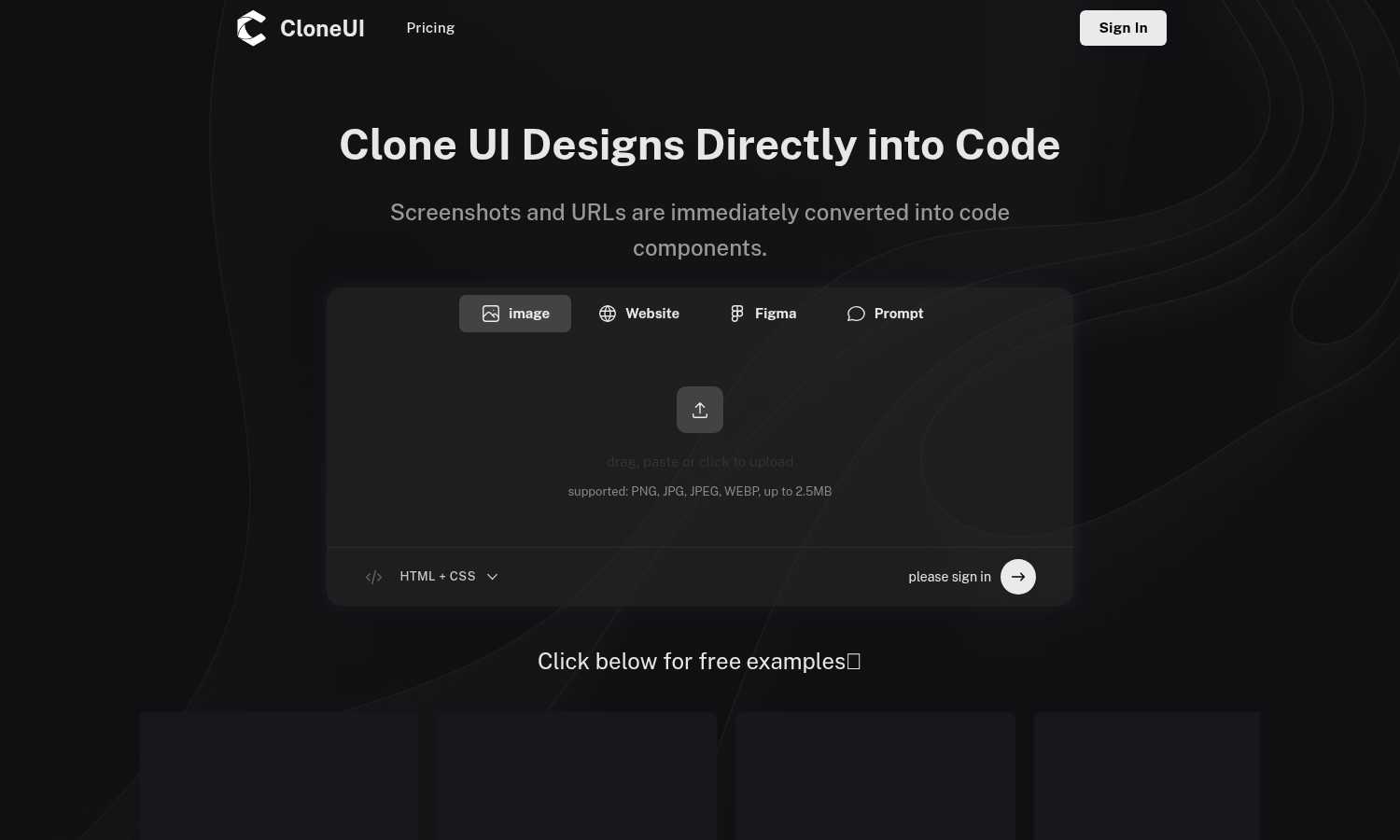
CloneUI instantly converts website screenshots and URLs into clean, production-ready HTML, CSS, and React code.
Last updated: March 1, 2026

Gomotion
Gomotion uses AI to create professional motion graphics for creators and marketers.
Last updated: February 28, 2026
Visual Comparison
CloneUI
Gomotion

Feature Comparison
CloneUI
Screenshot to Code Conversion
This feature allows you to transform a static image of any website or design mockup into functional code. Simply upload a screenshot in formats like PNG or JPG, and CloneUI's AI will analyze the visual elements, recognizing components and their spatial relationships. It then generates clean, well-structured HTML and CSS that replicates the design. This is ideal for when you have a visual reference but no direct access to the website's source code or a design file, providing a quick starting point for development.
URL to Code Cloning
With this capability, you can generate code by simply pasting the URL of any live website. CloneUI will fetch the page, analyze its rendered structure, and produce a code clone. This is incredibly useful for understanding how a particular site is built, creating a legal starting template for a new project inspired by an existing design, or rapidly prototyping based on a live reference. It streamlines the process of deconstructing and learning from existing web implementations.
Framework-Specific Export
CloneUI provides flexibility by allowing you to export the generated code into your preferred development framework. You are not locked into one output format. With one click, you can choose to receive your code as standard HTML and CSS, or as component-based code for modern JavaScript frameworks like React or Vue.js. This ensures the generated code can be directly integrated into your existing project's architecture without significant refactoring.
Intelligent Component Recognition
The AI at the heart of CloneUI does more than just copy pixels; it intelligently maps visual elements to their corresponding code components. It identifies common UI patterns such as navigation bars, hero sections, cards, buttons, and forms. This recognition allows the tool to generate semantic and logical code structure, making the output more maintainable and easier for developers to understand and extend compared to a simple, non-semantic HTML dump.
Gomotion
Prompt-Based Text Animation
This feature allows you to animate text simply by describing how you want it to move. Instead of manually setting keyframes for position, scale, or rotation, you can type a prompt like "float in gently" or "spin and zoom." Gomotion's AI interprets this description and applies cinematic motion to your titles, captions, or logos instantly. This is perfect for creating engaging intros, lower thirds, or animated quotes without any animation expertise, delivering professional results directly from your imagination.
Narrative Mode for Full Stories
Narrative Mode is designed to create complete, end-to-end animated videos from a script. You input your story, and Gomotion structures it into a full animated sequence, syncing motion graphics with your images and video clips. This transforms the lengthy process of storyboarding and scene-by-scene animation into a task that takes minutes. It is ideal for creating short advertisements, social media content, or explainer videos where a cohesive narrative is more important than individual animated elements.
Brand Kit Import and Consistency
Maintaining a consistent brand identity across all content is crucial. Gomotion simplifies this by allowing you to import your brand assets, like logos, colors, and fonts, with one click. Once imported, the AI uses these elements to generate animations that automatically align with your brand guidelines. This ensures every piece of animated content—from social media teasers to product launch videos—looks professionally crafted and unmistakably part of your brand's visual language.
Complex Data and Chart Animation
Moving beyond basic text and logos, Gomotion can create sophisticated animations for data visualization. You can input chart data, and the tool will generate animated bar graphs, line charts, or pie charts that grow and evolve on screen. This feature is essential for making explainer videos, business presentations, or simulation videos more impactful and easier to understand, turning static statistics into engaging visual stories that capture and hold your audience's attention.
Use Cases
CloneUI
Rapid Prototyping for Developers
Developers can use CloneUI to quickly build functional prototypes from design inspiration or client mockups. Instead of spending hours coding a layout from scratch, they can input a screenshot or URL and receive a working code base in seconds. This prototype can then be immediately tested, iterated upon, and connected to backend services, dramatically accelerating the initial phases of the development cycle and allowing for faster client feedback.
Learning and Educational Tool
For students and new developers, CloneUI serves as an excellent educational resource. By inputting the URL of a well-designed website, a learner can instantly see the code that constructs it. This reverse-engineering process helps demystify how visual designs translate into HTML structures and CSS rules, providing practical, real-world examples to study and learn from, which is a foundational step in mastering web development.
Design to Development Handoff
Designers and developers often face friction during the handoff process. CloneUI streamlines this by allowing designers to provide a screenshot of their Figma, Adobe XD, or Sketch design. The developer can then feed this image into CloneUI to generate a foundational code structure. This creates a more accurate and efficient starting point than manual interpretation, reducing misunderstandings and ensuring the final product aligns closely with the original design vision.
Competitive Analysis and Inspiration
When you find a website with an appealing feature or layout, CloneUI helps you understand its construction for competitive analysis or personal inspiration. By cloning the URL, you can examine the code behind specific interactions or responsive behaviors. This allows developers and agencies to ethically deconstruct and learn from industry best practices, informing their own design and development decisions without starting from a blank slate.
Gomotion
Social Media Content Creation
Content creators and social media managers can use Gomotion to quickly produce eye-catching animations for platforms like Instagram, TikTok, and YouTube. Whether it's an animated quote for a story, a dynamic title for a reel, or a branded teaser for a new product, Gomotion generates optimized, platform-ready content in minutes. This saves significant time and resources compared to outsourcing or learning complex animation software, allowing for consistent and high-quality posting schedules.
Product Demos and Launch Videos
For small businesses and marketers launching a new product or service, Gomotion is an invaluable tool. Using Narrative Mode, you can turn a product script or feature list into a compelling animated demo video. These videos can showcase benefits, highlight key specs with animated text, and maintain brand consistency throughout, creating professional launch assets that engage potential customers and explain value propositions clearly without a large production budget.
Business Presentations and Reports
Professionals who need to present data or ideas in meetings, webinars, or investor pitches can use Gomotion to enhance their slides. Instead of static charts and bullet points, you can incorporate animated graphs and kinetic text that make information more digestible and memorable. This use case transforms standard presentations into dynamic visual experiences, helping to communicate complex ideas more effectively and leave a stronger impression on the audience.
Brand Marketing and Advertising
Marketing teams can leverage Gomotion to produce a high volume of branded animated ads across different channels. From short bumper ads for online platforms to animated billboards for digital displays, the tool's multi-format design ensures content looks perfect on any screen. The ability to quickly iterate on ad concepts based on performance or to create localized versions of campaigns makes agile, data-driven marketing more accessible and cost-effective.
Overview
About CloneUI
CloneUI is a foundational tool designed to bridge the gap between visual design and functional code. At its core, it is an AI-powered web application that converts visual inputs into clean, production-ready code. This process addresses a fundamental and often time-consuming step in web development: translating a design concept into a working prototype. The tool operates by accepting two primary inputs: a screenshot image of a website or design, or a direct URL to an existing webpage. Its sophisticated AI then analyzes the visual structure, identifies components like buttons, headers, and layouts, and generates the corresponding HTML, CSS, and JavaScript code. This output is not just a static copy; it is responsive, semantic, and structured for real-world use.
CloneUI is built for a wide audience, from beginners learning web development to experienced developers and designers seeking efficiency. Its main value proposition is profound simplicity and speed. It eliminates the tedious manual work of inspecting elements and writing boilerplate code from scratch, allowing users to focus on higher-level tasks like customization, functionality, and creativity. By supporting popular frameworks like React and Vue, alongside standard HTML/CSS, it integrates seamlessly into modern development workflows. Ultimately, CloneUI empowers users to bring digital ideas to life faster, making the foundational step of creating code from a design effortless and accessible to all.
About Gomotion
Gomotion is an AI-powered motion designer, built to make professional animation simple and accessible. It serves as a fundamental tool for anyone who needs to create animated content but does not have the time or technical skill to learn complex software like Adobe After Effects. The core idea is straightforward: you describe what you want to see, and Gomotion generates the motion graphics for you. This process bridges the gap between a creative idea and a finished product, removing the traditional barriers of keyframing and manual design. It is built for marketers, content creators, small business owners, and designers who require high-quality, brand-consistent animations for communication. The main value is efficiency and ease. By transforming text prompts or static images into ready-to-publish animations, Gomotion democratizes motion design. It allows users to focus on their message and story, not on the technical complexities of animation software, making professional motion graphics a foundational part of any business's toolkit.
Frequently Asked Questions
CloneUI FAQ
Which input formats are compatible with CloneUI?
CloneUI accepts visual inputs in two primary ways. You can upload screenshot image files in common formats including PNG, JPG, JPEG, and WEBP. Alternatively, you can directly input the URL of any publicly accessible website. The tool analyzes these inputs to generate the corresponding code, making it versatile for both static mockups and live web pages.
How is the code generated?
The code is generated using sophisticated artificial intelligence. When you provide an image or URL, CloneUI's AI engine analyzes the visual composition, identifying UI components, layouts, colors, and typography. It then maps these visual elements to their appropriate HTML tags and CSS styling rules, constructing a clean, semantic, and responsive code structure that mirrors the original design as closely as possible.
What frameworks does CloneUI support?
CloneUI provides export options for several popular web development frameworks to suit different project needs. You can choose to export the generated code as standard, plain HTML and CSS. For more advanced, component-based projects, it also supports exporting to React and Vue.js, allowing you to seamlessly integrate the cloned UI into your existing modern development stack.
Is the generated code suitable for production use?
The code generated by CloneUI is clean, responsive, and production-ready in terms of its structure and styling. It provides an excellent, pixel-perfect foundation. However, like any generated code, it is intended as a starting point. Developers should review, customize, and integrate it with their application's logic, state management, accessibility features, and performance optimizations to meet specific production standards and requirements.
Gomotion FAQ
Who is Gomotion designed for?
Gomotion is designed for a wide range of users who need professional motion graphics but may not have animation expertise. This includes marketers, content creators, small business owners, social media managers, educators, and designers looking to speed up their workflow. It is built for anyone who wants to create engaging animated videos, ads, or presentations without the steep learning curve and time investment required by traditional animation software.
What kind of animations can I create with Gomotion?
You can create a variety of animations, from simple text and logo animations to complex, narrative-driven video stories. Specific outputs include animated titles for videos, full explainer videos using Narrative Mode, animated data charts for presentations, and brand-consistent motion graphics for social media posts and advertisements. The tool is versatile enough for foundational business communication needs across different formats and platforms.
How does the AI understand what animation I want?
Gomotion's AI is trained on principles of motion design and cinematic movement. When you provide a text prompt, it analyzes the descriptive words (like "float," "bounce," or "spin") and applies corresponding animation properties and timing curves. For more complex tasks like Narrative Mode, it structures your script into scenes and applies appropriate transitions and motions to create a cohesive flow, all based on established storytelling and visual design conventions.
Can I use Gomotion for my business's brand?
Absolutely. Gomotion has a dedicated feature for brand consistency. You can upload your brand kit, which includes your logo, color palette, and fonts. Once imported, the AI will use these assets as the foundation for all generated animations. This ensures that every piece of content you create maintains a professional and consistent look that aligns with your company's identity, which is fundamental for building brand recognition and trust with your audience.
Alternatives
CloneUI Alternatives
CloneUI is a tool in the design-to-code and low-code development category. It uses AI to convert website screenshots, URLs, or Figma designs into production-ready code for frameworks like React and Vue. This process helps developers and designers save significant time on manual coding tasks. Users often explore alternatives for various practical reasons. These can include budget constraints, as pricing models differ. Others may need specific features not offered, like support for a different design tool or code framework. Platform compatibility, such as a desktop application versus a web service, can also be a deciding factor. When evaluating other options, consider your primary workflow. Identify if you need integration with your existing design software or a particular code output. Assess the accuracy and cleanliness of the generated code, as this impacts future development. Finally, compare the overall value against the cost to find the best fit for your projects.
Gomotion Alternatives
Gomotion is an AI-powered design tool that creates motion graphics from text or images. It falls into the category of automated animation software, aiming to make professional motion design accessible without complex software skills. Users often look for alternatives for basic reasons like cost, specific feature needs, or platform compatibility. Some may require more advanced control, while others seek a simpler or more budget-friendly option for their foundational animation tasks. When choosing an alternative, consider your core needs. Key factors include the type of input you use, the quality and style of the output, ease of use, and how well it integrates with your existing workflow. The goal is to find a tool that reliably handles your basic motion graphic creation.