

Alternatives to Gemini Omni AI Video Generator
Gemini Omni is a unified AI model that generates, edits, and remixes cinematic 4K videos from text, images, and audio in one place.
Explore 20 alternatives to Gemini Omni AI Video Generator. Compare features, pricing, and find the best fit for your needs.

airapvideo
Turn two portraits into a lip-synced AI rap video. Pick framing and length, get a share-ready 9:16 MP4 for TikTok and Reels.
GenX
All-in-one AI workspace to generate images, videos, and audio with multiple leading AI models.
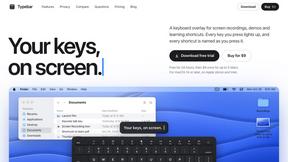
Typebar
Every key you press lights up on an on-screen keyboard, and each shortcut is named. For screen recordings, demos and learning shortcuts.


Nano AI
Create and edit AI images, generate videos, and compare models in one creative workbench.



Play Jean Phil
Play Jean Phil is a Jean Phil AI video generator. Upload one photo of a person or a pet and it plays Jean Philanthrope.

Gas Station Dance AI Generator
Browser-based AI generator that recreates the viral gas station dance video from 1–3 photos.

Unforgettable Car AI
Unforgettable Car AI generates the 15-second Unforgettable car trend video from a single selfie.

Ozil Goal AI
Ozil Goal AI turns one photo into an AI remake of Mesut Özil's famous 2016 chip-and-dribble goal against Ludogorets

Tip Toe AI
Upload a Dancer photo and a Partner photo and get your own AI Tip Toe barn-dance video. Free 5s preview, 12s HD from $4.90. No subscription.

Ozil Goal AI
Turn one photo into the viral Özil goal meme video: you, your dog, a toy or a drawing scores. Free 5s preview, 10s 720p from $4.90. No subscription.


Raindance AI Video Generator
Turn two photos into a Raindance AI pier video with the soundtrack included.


DanseAI - Alors on Danse AI Video Genera
Make the Alors on Danse AI meme video from two photos, soundtrack included.

Rumpelstiltskin AI Video Generator
Make the viral Rumpelstiltskin tiptoe dance meme video from two photos.
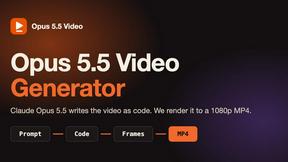
Opus 5.5 Video Generator
Turn a prompt into a 1080p motion-graphics MP4 planned and coded by Claude Opus 5.5.

About Gemini Omni AI Video Generator Alternatives
Gemini Omni AI Video Generator is a cutting-edge tool that belongs to the category of unified multimodal AI video creation platforms. Unlike traditional video generators that handle only one type of media at a time, Gemini Omni is designed as a single conversational system capable of generating, editing, and remixing video, text, and images all in one place. This places it at the forefront of a new generation of AI tools that prioritize seamless integration and native 4K output, making it a powerful option for creators who want to streamline their workflow. Users often look for alternatives to Gemini Omni for a variety of practical reasons. Some may find the platform's pricing model or subscription tier does not fit their budget or usage frequency, especially if they only need basic video generation without advanced features like 120fps or world-state memory. Others might be seeking a tool that focuses exclusively on one modality, such as text-to-video, without the complexity of a full omni-model. When choosing an alternative, it is essential to evaluate the core features that matter most to your project: native resolution and frame rate, ease of use, the quality of audio integration, and whether the tool supports the specific editing capabilities you need, such as natural language commands or character consistency. Always test a free tier or trial to ensure the tool aligns with your technical requirements and creative workflow.
FAQs about Gemini Omni AI Video Generator Alternatives
What is Gemini Omni AI Video Generator?
Gemini Omni AI Video Generator is Google's first unified omni-model designed for native video output. It merges text, image, and video generation into a single conversational system, allowing users to create, edit, and remix video scenes directly within a chat interface. Unlike standalone tools, it handles multiple modalities without requiring users to switch between different applications.
Who is Gemini Omni AI Video Generator for?
Gemini Omni is built for professional creators, filmmakers, and content producers who need a streamlined workflow for generating high-quality video assets. It is particularly suited for users who want to create cinematic 4K videos with advanced features like persistent character consistency and integrated audio synthesis. The platform also appeals to early adopters and tech enthusiasts who want hands-on access to cutting-edge AI video generation tools.
Is Gemini Omni AI Video Generator free?
The platform offers early access tools and a hands-on workspace for creators, which may include a free tier for experimentation. However, full access to native 4K resolution, 120fps output, and advanced features like world-state memory and in-chat editing likely requires a paid subscription or studio membership. Users should check the official Gemini Omni studio for the most current pricing and access details.
What are the main features of Gemini Omni AI Video Generator?
Key features include native 4K resolution at up to 120fps, persistent world-state memory for maintaining character consistency across scenes, and in-chat video editing through natural language commands. The platform also integrates Foley sound effects and dialogue synthesis in a single diffusion pass, eliminating the need for separate audio tools. Additionally, it provides prompt guides and a workspace for creators to experiment alongside models like Veo 3.1 and Seedance 2.0.