

Alternatives to File Studio
File Studio provides powerful offline tools to convert, edit, and manage files and PDFs securely on your computer.
Explore 20 alternatives to File Studio. Compare features, pricing, and find the best fit for your needs.


GigUp
GigUp helps freelancers discover relevant Upwork jobs through AI matching, automated monitoring, and instant alerts.

FlipHTML5 Downloader
Convert any FlipHTML5 flipbook into a high-quality PDF online - free, open source, no signup.

Cardify
Write Markdown on the left, get a finished knowledge card on the right: 30+ themes, custom sizes and fonts, and batch export to PNG, SVG or PDF.

Safe Outreach
AI-powered platform that evaluates the safety of LinkedIn automation tools and helps reduce the risk of account restrictions.

How Long How Many Tool
Timers and hourly checks to figure how out long until a certain time or how many days away.

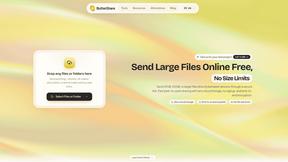
ButterShare
Send files straight between two browsers with a 6-digit key. No signup, no install, nothing stored on a server.

Maeve Social
Plan content, get client approvals, publish to nine social platforms, manage your inbox and report from one workspace.
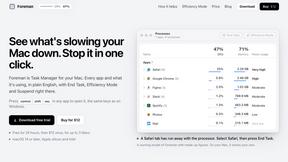
Foreman
See every app and what it's using in plain English, and end or slow down the one that's hogging your Mac.

Uniclip
Clip pages, take full-page screenshots and batch-capture list data to Notion, Feishu, Obsidian, Markdown, CSV or JSON.

TroveKey
Search tabs, Chrome bookmarks and history, run browser commands, and save webpages and social posts locally—no account.
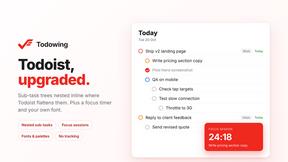
Todowing
Chrome extension for Todoist that nests sub-tasks under their parents in Today, Upcoming, Filter and Label views, where Todoist shows them flat.
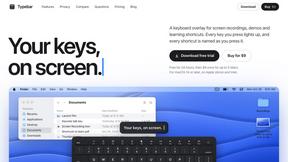
Typebar
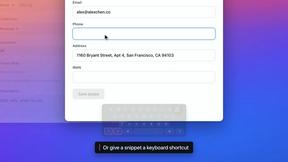
Every key you press lights up on an on-screen keyboard, and each shortcut is named. For screen recordings, demos and learning shortcuts.

Notchpals
Little characters peek out of your Mac's notch to remind you to drink water, eat, sit up and get to bed. Quiet during calls. $4.99 once.

LightScreen
Free fullscreen light screen tool online. Turn any display into a flashlight, ambient light, or solid-color screen. No download or sign-up.

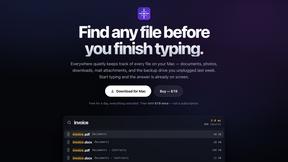
Everywhere
Fast file search for the Mac. Results as you type, files inside Mail and Photos, works with Wi-Fi off. $19 once.

About File Studio Alternatives
File Studio is a powerful desktop application designed for productivity and management, enabling users to convert, edit, and manage files and PDFs entirely offline. Its focus on privacy and security makes it especially appealing to those handling sensitive documents, such as photographers, freelancers, and remote workers. Users often seek alternatives to File Studio for various reasons, including pricing considerations, feature sets, or compatibility with different operating systems. When choosing an alternative, it is important to evaluate factors such as offline functionality, ease of use, and the range of supported file formats to ensure that the new solution meets your specific needs and preferences.
FAQs about File Studio Alternatives
What is File Studio?
File Studio is a robust desktop application that allows users to convert, edit, and manage files and PDFs offline.
Who is File Studio for?
File Studio is ideal for photographers, freelancers, and remote workers who prioritize privacy and need reliable tools for handling sensitive documents.
Is File Studio free?
No, File Studio requires a one-time purchase for access to its full suite of features.
What are the main features of File Studio?
File Studio offers comprehensive PDF tools, versatile image processing capabilities, and batch processing for handling multiple files efficiently.