
Notesnchat
Notesnchat is a single app that helps you manage tasks, take notes, set reminders, and communicate with chat and calls.
Visit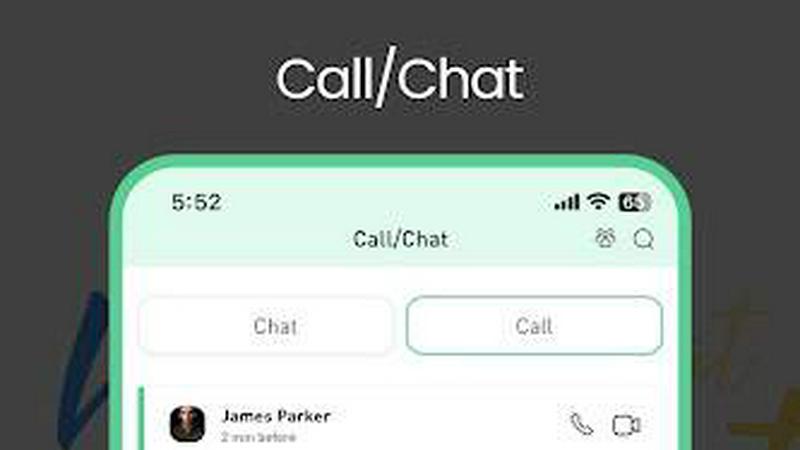
About Notesnchat
Notesnchat is a communal multi-tasking application built for growing companies, personal use, and family use. It brings together all the essential tools you need to stay organized and connected into one single, secure platform. At its core, Notesnchat is a notes app, a task manager, a reminder system, a communication tool, and a file scanner all working together. The main value proposition of Notesnchat is its focus on privacy and security. It was created to introduce strong privacy and security features into an organizational sharing application. The goal is to restore confidence for end users, ensuring their information and thoughts remain secure whether they are sharing with others or using the app for personal purposes. Notesnchat operates as an independent provider through its own private servers. This means your data is not handled by large, third-party cloud services. The application offers free calling, video, and chat services. It also includes a dedicated browsing page, task and calendar reminders, rich notes, and folders for organization. All these features include an independent ghost lock-protected option and individual live comments for enhanced control. Notesnchat offers a lite version that provides full access to all features, supported by ads to fund this free-to-use service. The core subscription-based features operate with no ads and involve data sharing among subscribers. Importantly, Notesnchat provides 256-bit encryption for all users. Once you register, the system will automatically recognize other registered users, making it easy to connect with your team or family. This app is designed for everyday productivity seekers, students, and anyone who wants to think clearly and save time.
Features of Notesnchat
Ghost Lock for Privacy Protection
This feature allows you to protect your sensitive notes and tasks with an advanced privacy lock. It is an independent security option that can be applied to individual items or folders. The Ghost Lock acts as a second layer of security, ensuring that even if someone has access to your device, they cannot view your most private information without the specific lock code. This is essential for personal journals, confidential work notes, or shared family documents that require controlled access. It puts you in complete control of who sees what.
Smart Organization and Reminders
Notesnchat automatically organizes your notes, tasks, and chats to improve your productivity. It uses smart logic to group related items together. This is paired with a powerful Smart Reminder system. You can set timely reminders for tasks, notes, and important events. The app will notify you at the right moment so you never miss a deadline or a meeting. This feature helps you move from a chaotic list of items to a structured, time-sensitive workflow that keeps you on track throughout your day without needing to manually sort everything.
In-App Chat and Calling
The app includes a full communication suite that allows you to chat instantly and make voice calls directly within the platform. This eliminates the need to switch between different apps to discuss a task or share a note. You can send a quick message about a project or make a voice call to clarify a point, all while staying inside your organized workspace. This feature supports safer, more controlled communication because it is encrypted and managed within the Notesnchat environment. It is ideal for team coordination and family check-ins.
File Scan and Secure Storage
This feature allows you to scan documents instantly using your device's camera and turn them into clear, shareable digital files. Once scanned, these files are stored securely within your Notesnchat account. This is a practical tool for digitizing receipts, contracts, handwritten notes, or any physical document. The secure storage ensures that your scanned files remain protected with encryption and are easy to find and manage later. You can access them from any device and share them with other registered users without worrying about security breaches.
Use Cases of Notesnchat
Managing Personal Daily Life
For an individual, Notesnchat serves as a central command center for daily life. You can create a task list for your grocery shopping, set a smart reminder for a doctor's appointment, and take a rich note with a photo of a product you want to buy. Later, you can scan a receipt for a purchase and store it securely. All of this happens in one app, reducing the clutter of multiple separate tools. The Ghost Lock feature can protect your personal journal or budget notes. This use case helps you stay organized, think clearly, and save time on everyday errands and personal projects.
Coordinating Family Tasks and Communication
A family can use Notesnchat to manage shared responsibilities. You can create a shared task list for household chores and assign them to different family members. Use the in-app chat to remind a child about their homework or discuss dinner plans. The calling feature allows for quick voice check-ins. Important documents like school permission slips or medical records can be scanned and stored in a shared, secure folder. The Ghost Lock can be used on individual family members' private notes. This keeps everyone on the same page and reduces the need for scattered text messages and paper notes.
Streamlining Team Projects for Small Businesses
For a growing company, Notesnchat provides a secure workspace for team collaboration. Team members can create and share project notes, assign tasks with deadlines, and use the smart reminders to stay on schedule. The in-app chat and calling features allow for quick discussions without leaving the application. The file scan feature is useful for digitizing signed contracts or whiteboard sketches. Because all data is encrypted and stored on private servers, the company can maintain a higher level of data security compared to using public communication apps. This use case helps small teams stay productive and organized while protecting their business information.
Supporting Student Learning and Study Habits
Students can use Notesnchat to capture and organize their academic work. During a lecture, a student can take a rich note that includes text, an image of the whiteboard, and an audio recording of the professor. Later, they can create a task list for assignments and set smart reminders for exam dates. The app helps them organize study materials by subject using folders. They can also scan handouts and store them digitally. The secure nature of the app ensures their study notes are private. This use case helps students stay ahead in class by quickly capturing ideas and organizing their entire study workflow in one reliable place.
Frequently Asked Questions
What type of encryption does Notesnchat use?
Notesnchat uses 256-bit encryption to protect all user data. This is a strong, industry-standard encryption method that secures your notes, tasks, files, and communications. Whether you are using the free ad-supported version or a subscription plan, your data is encrypted to ensure it remains private and secure from unauthorized access.
Is Notesnchat free to use?
Yes, Notesnchat offers a free version. This is called the lite version, which provides full access to all of the app's features. It is supported by ads to fund the free service. If you prefer an ad-free experience, you can subscribe to a core subscription plan. These plans operate with no ads and offer additional features like data sharing among subscribers.
How does the Ghost Lock feature work?
The Ghost Lock is a privacy protection feature that allows you to lock individual notes, tasks, or folders with an additional security code. This is separate from your main app login. You can set a unique lock for specific items, ensuring that even if someone else uses your phone, they cannot open your most sensitive information without the correct Ghost Lock code. It gives you granular control over privacy.
Can I use Notesnchat on multiple devices?
Yes, Notesnchat is designed for multi-device syncing and accessibility. The app is available on iPhone, Android, and the Web. Your data, including notes, tasks, reminders, and chats, syncs seamlessly across all platforms. This means you can start a task on your phone and finish it on your computer, or check a note from your tablet, and all your information will be up to date.
Similar to Notesnchat


All-in-One POS, Inventory & Accounting Software for Bangladeshi Businesses

Visual financial timelines for couples and young professionals: model cash flow, life events, and shared goals.

